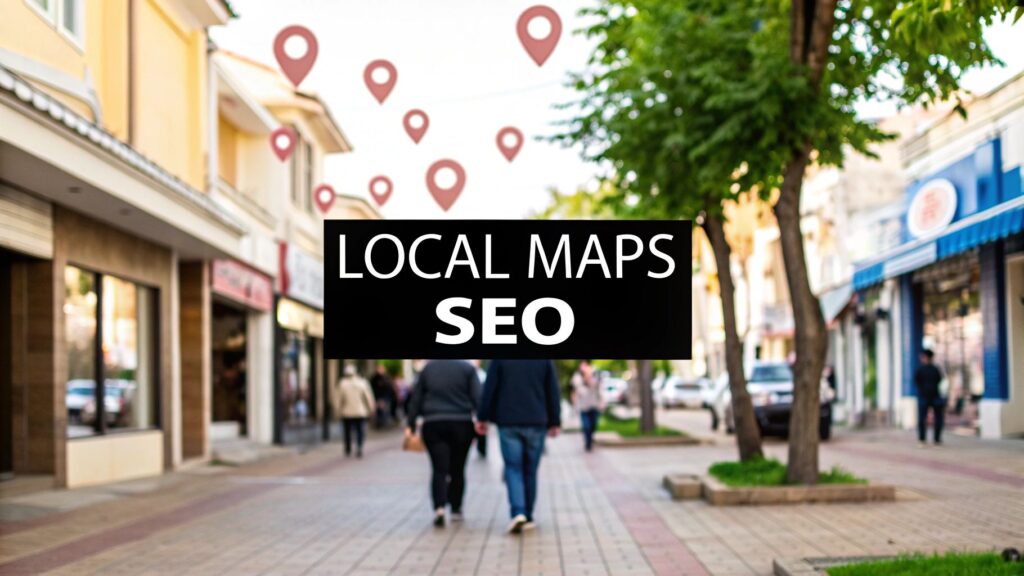
If you want to show up on Google Maps, the first thing you have to do is claim and fill out your Google Business Profile (GBP). This is non-negotiable. It means picking the right business categories, making sure your name and address are identical everywhere online, getting customer reviews, and consistently adding photos and posts. Your GBP is the bedrock of your entire local search strategy.
Why Ranking on Google Maps Is a Must for Local Business
Look, if you run a local business, showing up on Google Maps isn't just a nice-to-have. It’s a direct line to people who are actively looking for what you offer, right now. Ignoring your Maps presence is like locking your front door during business hours—you're just turning away a constant stream of customers.
Think about how people find things these days. When someone needs a plumber, a great cup of coffee, or a new dentist, they don't open the phone book. They pull out their phone and type "plumber near me." The first thing they see is Google's Local Pack—that little map with the top three business listings right at the top of the search results.
Nailing one of those top three spots is a total game-changer. It’s the difference between being the first business someone calls and being completely invisible.
The Real-World Impact of Maps Visibility
The data here tells a pretty compelling story. A staggering 86% of consumers use Google Maps to find local businesses. On top of that, nearly half of all searches on Google are for local information. That means a huge chunk of your potential customers are using this one tool to decide where they're going to spend their money.
We see it time and time again: businesses that break into the top three of the Local Pack get a huge boost in customer engagement. More phone calls, more clicks to their website, and—most importantly—more people walking through their door. You can dig into more insights about how users find local businesses, but the bottom line is that you can't afford to leave this money on the table.
In Short: A high rank on Google Maps puts your business right in front of customers at the exact moment they're ready to buy. It's a direct path to more leads and more sales.
To put the importance of Google Maps into perspective, just look at how these numbers directly affect your bottom line.
Google Maps Ranking Impact at a Glance
| Statistic | Impact on Your Business |
|---|---|
| 86% of consumers use Google Maps to find local businesses. | The overwhelming majority of your potential customers are on this platform. If you're not, you're invisible. |
| 78% of local mobile searches result in an offline purchase. | High visibility on Maps directly leads to in-store sales. People search, then they visit. |
| 46% of all Google searches have local intent. | Nearly half of the world's biggest search engine is focused on finding local options like yours. |
| The top 3 GBP listings get the vast majority of clicks. | Being in the "Local Pack" isn't just good, it's essential for getting calls, clicks, and directions. |
This isn't just about being found; it's about being chosen.
It's All About Trust and Convenience
At the end of the day, Google just wants to give its users the best, most relevant answer. For a local search, that means showing businesses that are not only nearby but also reputable and trustworthy. A well-maintained profile with fantastic reviews, up-to-date hours, and plenty of photos sends a powerful signal to Google that you're an active, legitimate business worth recommending.
Put yourself in your customer's shoes for a second. They want a quick, easy solution. Seeing your business pop up at the top of the map with a 4.8-star rating and recent photos makes their decision a no-brainer. They don't have to scroll or hunt through pages of results; you're right there. That convenience is exactly why mastering your Google Maps presence is crucial for growing your local business.
Your Google Business Profile is Everything
Think of your Google Business Profile (GBP) as the digital front door to your business. It’s not just some listing you set and forget; it’s the engine that determines how—and if—you show up when local customers are searching on Google Maps.
A neglected profile is a huge missed opportunity. On the other hand, a meticulously optimized one acts like a magnet, pulling in calls, website clicks, and actual foot traffic.
Before you can do anything else, you absolutely have to claim and verify your profile. This is non-negotiable. Without it, you can't control your info or reply to reviews. Google needs proof you own the business, which usually means a quick video verification showing your storefront, equipment, or business docs. It might feel like a small hoop to jump through, but it's the key that unlocks all the powerful optimization tools.
Once you’re in control, the real fun begins. This is how to rank your business on google maps.
Nail Your Business Categories
Your business category might be the single most important field on your entire profile. It’s how you tell Google exactly what you do and which searches you should show up for.
Your primary category needs to be the most specific, accurate description of your main service. If you're a plumber who mostly fixes leaks, "Plumber" is a much better choice than something generic like "Home Services." Get as niche as you can.
Then, use your secondary categories to cover all the other things you do. Don't skip this. If that same plumber also offers drain cleaning and water heater installation, those absolutely need to be added as secondary categories. This casts a much wider net for all the different keywords people might use to find you.
In Short: Pick a specific primary category for your main service and use secondary categories for everything else you offer.
Write a Business Description That Sells
You’ve got 750 characters for your business description—that's prime real estate to convince both Google and customers that you're the right choice. Don’t waste it on fluff.
Pack your description with keywords that describe what you do and be sure to mention the specific neighborhoods or cities you serve.
Here's an example that works:
"Your trusted family-owned plumber serving Springfield and Clark County for over 20 years. We specialize in emergency leak repair, drain cleaning, and tankless water heater installation. Our licensed plumbers are available 24/7 for all your residential and commercial needs."
Notice what it includes:
- Services: leak repair, drain cleaning, water heater installation
- Location: Springfield, Clark County
- Trust Signals: family-owned, 20 years, licensed
The Surprising Power of Photos
Photos are a bigger deal than you might think. Google’s own data shows that businesses with photos get 42% more requests for driving directions and 35% more clicks to their websites.
So don't just toss up your logo and call it a day. Build out a complete photo gallery:
- Exterior Shots: Show your storefront, signage, and parking so people can spot you easily.
- Interior Photos: Give customers a vibe for your space.
- Team Photos: Put a friendly face to the name to build a personal connection.
- Action Shots: Show your team at work or your products being used.
Here’s a pro tip: geotag your photos before you upload them. This adds GPS coordinates to the image file, giving Google another little signal about your physical location. You can get a deeper look into a winning strategy by reading this guide on how to dominate local maps SEO.
Fill Out Your Products and Services
So many business owners completely ignore the "Products" and "Services" tabs, but they are SEO goldmines. This is your chance to list out every single thing you offer, complete with its own description and even a price.
Every service or product you add is one more keyword you can rank for. If you run a bakery, don't just say "Cakes." Get specific: "Custom Birthday Cakes," "Wedding Cakes," "Gluten-Free Cupcakes," and "Vegan Pastries." Each of those is a unique search query you could now be found for.
Stay Active with Google Posts
Think of Google Posts as mini-ads or social media updates that show up right on your Business Profile. They’re a fantastic way to signal to Google that your profile is active and well-managed, which is a definite plus for your rankings.
Use Posts to share things like:
- Special deals and promotions
- Announcements for new products or services
- Upcoming events or changes to your holiday hours
- Company news and photos from recent jobs
Just remember, Posts expire every seven days, so you have to be consistent. Try to get at least one new post up every week. This keeps your profile looking fresh for both Google and your potential customers. A complete, active GBP is your ticket to the top of the map.
Building Trust with Reviews and Engagement
Let’s be honest, Google wants to show its users the best, most trusted local businesses. And what’s the quickest way Google can tell if you're trustworthy? A healthy, consistent stream of customer reviews. Think of them as the modern-day version of word-of-mouth, and they are a massive factor in your Google Maps ranking.
Your reviews do two things really well. First, they provide powerful social proof that convinces potential customers to pick up the phone and call you instead of the other guy. Second, they send clear signals to Google that your business is real, active, and that people in the community actually like you.

Creating a Simple System for More Reviews
Getting reviews doesn't have to be some awkward, pushy process. The real key is to weave it right into your workflow. You want to ask when the customer is happiest—which is almost always right after you’ve finished a great job or they’ve made a purchase.
And please, never buy reviews or offer a discount for a five-star rating. That’s a fast track to getting your profile penalized and violates Google's policies. Instead, just focus on making it dead simple for happy customers to leave their feedback.
Here are a few ways that actually work:
- A Quick Text or Email: After the job is done, send a short message with a direct link to your GBP review page. Easy.
- The Invoice Trick: Add a small note and a QR code on your final invoice that goes straight to your review page.
- Just Ask! Seriously. A simple, "Hey, if you were happy with the work, would you mind sharing your experience on Google? It’s a huge help for our business," works wonders.
Responding to Every Single Review
This is where so many businesses drop the ball. Responding to reviews—the good and the bad—is just as crucial as getting them. It shows potential customers you're paying attention and that you actually care about their experience.
For the glowing reviews, a simple "Thank you so much for the kind words!" is perfect. But it's your response to the negative ones that can truly set you apart. A calm, professional, and helpful reply can often turn an unhappy customer into a repeat one and shows everyone else that you're committed to getting it right. Always acknowledge their issue, apologize without making excuses, and offer to take the conversation offline to fix it.
In Short: Replying to reviews signals to Google that you are an engaged and active business owner, which is a positive ranking factor.
Proactively Answering Customer Questions
There's another powerful—and often forgotten—feature on your profile: the Google Questions & Answers section. This little box lets anyone ask a question about your business, and, critically, anyone can answer.
If you aren't on top of this, you're risking someone else (who might be misinformed) answering for you. The best defense here is a good offense.
Think about the top 5-10 questions you get from customers all the time.
- "Do you offer free estimates?"
- "What are your weekend hours?"
- "Is there parking nearby?"
- "Are you licensed and insured?"
Now, go to your own Google Business Profile, ask those exact questions, and then immediately answer them yourself from your business account. Boom. You’ve just created your own helpful FAQ section right on your profile. This saves customers time and shows Google you’re providing valuable information.
It’s a simple trick that improves the user experience and can give you a real edge. This strategy is especially powerful for service businesses; you can see more specific tactics in our guide on SEO for appliance repair companies. By building out this content, you’re establishing your authority before a customer even thinks about contacting you.
Making Sure Google Trusts You Online
Getting to the top of Google Maps isn't just about what you do inside your Google Business Profile. Think of Google as a meticulous detective. It’s constantly scanning the entire web, looking for clues about your business to confirm you are who you say you are.
The more consistent and authoritative information it finds, the more it trusts you—and trust is a huge factor in how high you rank. Two of the biggest sources for these trust signals are your own website and other online business directories. Nailing both of these creates a powerful echo chamber that screams "This business is legit!"
To really boost your Maps ranking, you need a two-pronged attack: optimizing what you control (your website) and managing what others say about you across the web.
Here’s a quick breakdown of where to focus your energy:
Essential On-Site vs. Off-Site Local SEO Tasks
| Local SEO Pillar | Key Actions | Primary Goal |
|---|---|---|
| On-Site SEO | – Create location-specific service pages – Embed a Google Map on your contact page – Add local business schema markup |
Make your website a clear, authoritative hub for your specific service area. |
| Off-Site SEO | – Audit & clean up existing citations – Build new, high-quality citations – Ensure NAP (Name, Address, Phone) consistency everywhere |
Build a consistent and trustworthy presence across the web to reinforce your local prominence. |
Let's dig into how you can tackle each of these pillars to build that undeniable trust with Google.
Tune Up Your Website for Local Search
Your website is your digital storefront. It absolutely has to send crystal-clear signals to Google that you’re a real, local authority in your service area. A generic, one-size-fits-all website just won't cut it.
A great place to start is by creating location-specific service pages. If you're a roofer based in Austin but you also work in Round Rock and Pflugerville, you should have dedicated pages like "Roof Repair in Round Rock" and "Pflugerville Emergency Roof Tarping." These pages tell Google you’re highly relevant when people in those specific towns are searching.
Here’s another simple but powerful trick: embed a Google Map of your location directly onto your contact page. This does more than just show people where you are; it physically links your site to your Google Business Profile, strengthening that digital connection in Google's eyes.
Speak Google's Language with Schema Markup
This next one is a bit more technical, but it’s a game-changer. You need to implement local business schema markup.
Think of schema as a secret language you add to your website's code. Your human visitors won't see a thing, but it gives search engines perfectly structured data about your business. It’s like giving Google a neatly organized cheat sheet.
This code explicitly tells Google your:
- Business Name
- Exact Address
- Phone Number
- Business Hours
- Service Area
By spoon-feeding Google this info in a format it loves, you eliminate any guesswork. This is a non-negotiable step if you're serious about figuring out how to rank your business on google maps.
Why "NAP Consistency" Is the Golden Rule
Okay, let's talk about the signals coming from outside your website. The single most critical concept here is NAP consistency. NAP stands for Name, Address, and Phone Number.
Google finds mentions of your business on other websites—like Yelp, Bing Places, and industry-specific directories—and calls them citations.
If your Name, Address, and Phone number are identical across every single one of these platforms, it builds immense trust. But if one directory has you as "Smith & Sons Plumbing, LLC" while another just says "Smith Plumbing," or an old phone number is floating around, it creates confusion. That confusion erodes Google's trust and can sink your Maps ranking.
In Short: Inconsistent NAP data makes your business look unreliable to Google's algorithm. Absolute, character-for-character consistency is the only way to go.
Your Action Plan: Audit, Clean, and Build
So, how do you get your NAP in order? It’s a three-step process.
1. Audit and Clean Up Your Citations
First, you need to see what’s already out there. A citation audit involves finding every place your business is listed online and checking it for accuracy.
You can do this the hard way by searching for your business name (and common misspellings) yourself, or you can use tools like BrightLocal or Semrush to automate it. I recommend tracking everything in a simple spreadsheet with columns for the directory name, the NAP listed, and a "status" column (e.g., Correct, Incorrect).
Once you have your list of errors, the real work begins. You'll need to visit each site, claim your listing, and manually update the information. It's tedious, I know, but it's like weeding a garden—you have to pull the bad stuff out before the good stuff can grow.
2. Build New, High-Quality Citations
After you’ve cleaned up the mess, it’s time to build a strong foundation with new, high-quality citations. Don't just spray your info everywhere. Quality over quantity is key.
Focus your efforts on these types of directories:
- The Big Guys: These are major players like Apple Maps Connect and Foursquare that hundreds of other apps and sites pull data from.
- Industry-Specific Sites: Are you a contractor? You need to be on Angi. A lawyer? Get on Avvo. Find the directories that matter for your industry.
- Hyper-Local Websites: This is where the real magic happens. A listing on your local Chamber of Commerce site or a city business directory sends a massive signal to Google that you are a genuine part of the local community.
Every new, consistent citation you build is like another vote of confidence, telling Google that you’re a prominent and trustworthy business right where your customers are looking.
What Real-World Signals Tell Google About Your Business
Let's get one thing straight: ranking on Google Maps isn't just about stuffing keywords into your profile. It's about what happens in the real world—and how Google sees it. Two of the most powerful, and frankly, most overlooked, factors are proximity and user behavior. If you can get a handle on these, you’ll have a serious leg up on the competition. They're what tell Google you’re not just an online listing, but a real, trusted local business.
It All Starts With Proximity
When it comes down to it, proximity is the undisputed king of local search. When someone searches for "plumber near me," Google's primary job is to show them the closest and most relevant plumbers. It's that simple. While you can't just pick up your shop and move it, you can signal your relevance across a much wider service area.
This is where your website's on-site SEO becomes your secret weapon. By creating location-specific service pages (think "drain cleaning in Springfield" or "emergency plumbing in Oakwood"), you’re sending strong signals to Google that you serve customers well beyond your immediate block. The goal is to build so much authority that Google sees you as a top choice, even if a competitor is technically a block or two closer. For a deeper look at this, check out this excellent piece on understanding 'near me' searches.
User Behavior: The Digital Vote of Confidence
Okay, so proximity gets you in the game. But what keeps you there? That's where user behavior comes in. Google pays incredibly close attention to how people interact with your profile once they find it. These are called user behavior signals, and they're essentially digital votes telling the algorithm, "Hey, this business is popular and genuinely helpful!"
Think about what you do when you find a business on Maps:
- You click the "Call" button.
- You ask for driving directions.
- You click through to their website.
- You spend time scrolling through their photos or reading reviews.
Every single one of these actions signals to Google that your listing is valuable. A profile that gets a ton of clicks, calls, and direction requests will almost always outrank a dormant one. Your job is to make it a no-brainer for people to engage by using great photos, compelling Google Posts, and clear calls to action.
In Short: A high volume of clicks, calls, and direction requests from your Google Business Profile tells the algorithm you're a popular choice, which can directly boost your Maps ranking.
How Can I Improve My Google Maps Ranking in Different Areas?
If you want to show up in neighboring towns or different parts of the city, you have to prove your relevance there. The best way to do this is by creating dedicated service pages on your website for each key neighborhood you serve. Talk about local landmarks and feature testimonials from customers in those specific areas. It shows you're actually part of that community.
For businesses juggling multiple physical locations, it's critical to have a unique strategy for each one. Our guide on local SEO for multiple locations dives deep into creating distinct, optimized profiles for every branch, helping you maximize visibility without stepping on your own toes.
Why Do Some Businesses Rank Higher on Google Maps?
It's rarely one single thing. The businesses you see at the top are usually firing on all cylinders. They've nailed the three core pillars of local SEO: proximity, relevance, and prominence. They don't just have a perfectly optimized GBP; they also have consistent business listings (citations) across the web, a strong backlink profile from other local sites, and high engagement on their profile. They're simply sending more positive signals to Google than anyone else.
What Is a Good Ranking on Google Maps?
In local search, the holy grail is the Local 3-Pack. This is the block of the top three map listings that shows up right in the main Google search results. Landing one of these spots is a game-changer. It gives you a massive visibility boost and captures the vast majority of local search clicks. For any local business trying to get more calls and foot traffic, being in the top three is the ultimate goal.
Got Questions About Ranking on Google Maps?
Even when you feel like you're checking all the boxes, local SEO can still throw you a curveball. It’s totally normal to have questions about how all these moving parts actually work together.
Let’s dig into some of the most common questions I hear from business owners who are trying to get a handle on their Google Maps rankings. Getting these cleared up will help you set the right expectations and figure out what’s going on when your visibility isn't where you want it to be.
How Long Does This Actually Take?
This is always the first question, and the only honest answer is: it depends.
If you’re actively working on your profile, drumming up new reviews, and building citations, you can often see a little bit of positive movement within a few weeks. That initial activity tells Google you’re serious.
But to achieve those solid, top-of-the-pack rankings in a competitive area? That’s a long game. You should be thinking in terms of 3-6 months of consistent, focused effort. It’s less like flipping a switch and more like building a reputation in your neighborhood. Every new review, every photo you upload, and every consistent citation is another brick in the foundation, and that trust compounds over time.
Help! Why Can't I Find My Business on the Map at All?
It’s a heart-stopping moment when you search for your own business and… nothing. When this happens, it's usually one of a few common culprits.
- Is it actually verified? This is the big one. If your Google Business Profile is still pending verification or, worse, has been suspended, it's invisible.
- Is the info 100% correct? Go double-check your address. A single typo in a street name or zip code can make your business impossible for Google to place. The same goes for your service area pins.
- Is the profile an empty shell? A brand-new profile with no photos, zero reviews, a weak description, and no posts is a ghost to Google. You have to give the algorithm something to work with so it can understand who you are and trust that you're a legitimate operation.
If you're facing this problem, your first step is a top-to-bottom audit of your profile. Fill out every single field you possibly can.
Can I Rank in a City Where I Don't Have an Office?
Ah, the dream of every service-area business. Unfortunately, this is incredibly difficult to do legitimately.
Google is very clear on this: using P.O. boxes or virtual offices just to create a "presence" in a city is a direct violation of their guidelines and a fast track to getting your profile suspended. The entire algorithm is built to favor businesses with a real, physical footprint in the community.
You absolutely should define your service areas by listing the cities and zip codes you cover. This helps, but your ranking power will always, always be strongest in the city where your business is physically verified.
In Short: If you truly want to dominate the map in a neighboring city, the only surefire way is to open a real office there and create a separate, verified Google Business Profile.
Do Google Ads Boost My Organic Maps Ranking?
This one trips a lot of people up. The short answer is no, not directly.
You can't pay Google to rank you higher in the organic local results. Your ads and your organic rankings are two completely separate things, run by two different algorithms.
However, there's a powerful indirect benefit. Running ads puts you in front of more eyeballs. That increased visibility can lead to more people clicking on your profile, calling your business, visiting your website, and—most importantly—leaving reviews. Since all of that user engagement sends positive signals to Google's organic algorithm, a good ad campaign can absolutely support your local SEO efforts. It's not pay-to-play, but the extra activity it generates is a definite plus.
Ready to stop guessing and start ranking? The team at Clicks Geek specializes in data-driven local SEO strategies that get businesses like yours found on Google Maps. Let's talk about a plan for your business.