Want to know how to improve ranking in Google maps? The best place to start is your Google Business Profile (GBP). Think of it as your digital storefront. A complete, active, and accurate profile is the most important factor. It tells Google you're a real business that deserves to be shown to local searchers.
Master Your Google Business Profile
Your Google Business Profile is the foundation for ranking in the Google Maps "Local Pack." This isn't just another online listing; it's how you communicate directly with Google's algorithm. Getting this right is non-negotiable for local visibility.
Imagine someone searches "plumber near me." Google has to pick the best results from dozens of options. It will always favor businesses that have filled out every detail and look active. A half-finished profile suggests you might not be as professional as a competitor who took the time to do it right.
In Short: A complete and optimized Google Business Profile is the single most critical factor for improving your Google Maps ranking.
Choose The Right Business Categories
Categories tell Google what you actually do. Nailing your primary category is essential. It should be the most accurate, specific description of your main business.
For example, a restaurant with a full Italian menu that wants to attract pizza lovers should choose "Pizza Restaurant" as its primary category over the more generic "Italian Restaurant." This helps it dominate high-intent searches for pizza.
After setting your primary category, add secondary categories to cover everything else you offer.
- Be Specific: Don't just pick "Contractor." Choose "Roofing Contractor" or "Plumbing Contractor." Specificity wins.
- Stay Relevant: Only add categories for services you genuinely provide. Adding irrelevant ones confuses Google and hurts your ranking.
- Cover Everything: If that Italian restaurant also has a great bar, "Bar" should be a secondary category.
Write A Compelling Business Description
You have 750 characters for your business description. Use them well. This is your chance to connect with customers and include important keywords naturally.
Don't just stuff it with keywords. Write a clear summary of who you are, what makes you the best choice, and the areas you serve. Talk like a real person.
Pro Tip: The first 250 characters are the most important. They often appear in the Local Pack snippet without a click. Put your most important message first.
Customers are 2.7 times more likely to trust a business with a complete profile. A well-optimized profile can lead to a 20-60% increase in map visibility and clicks.
Use Attributes To Stand Out
Attributes are simple checkboxes in your GBP dashboard that help customers find exactly what they need. They allow you to show up in more specific, filtered searches.
Think about which ones apply to your business:
- Accessibility: "Wheelchair accessible entrance"
- Amenities: "Wi-Fi" or "Restroom"
- Offerings: "Online appointments" or "Onsite services"
- Inclusivity: "Identifies as women-owned" or "LGBTQ+ friendly"
If someone searches for a "wheelchair accessible coffee shop," checking that attribute is how you get seen.
The Power Of Visuals And Engagement
Google wants to see that you're an active business. Regularly adding photos and using GBP's engagement tools are easy ways to prove this.
1. Upload High-Quality Photos Regularly
Photos build trust. Businesses with photos get 42% more requests for driving directions and 35% more clicks to their websites. Include a variety of shots:
- Exterior and Interior: Show people what your space looks like.
- Products and Services: Display your work or what you sell.
- Team Photos: Help customers connect with your people.
2. Leverage Google Posts and the Q&A Feature
Google Posts are like free mini-ads on your profile. Use them for sales, new products, or events. They expire after seven days, so consistency is key.
The Q&A section is another great tool. Answer customer questions quickly to show you're responsive. You can even add and answer common questions yourself to create a helpful FAQ.
For a deeper dive, check out this guide on local maps SEO.
Your GBP Optimization Checklist
This prioritized checklist will help you focus on the most impactful tasks first.
| Priority Level | Optimization Task | Why It Matters for Ranking |
|---|---|---|
| High | Select the correct Primary & Secondary Categories | This is the most direct signal to Google about what your business does. |
| High | Ensure NAP (Name, Address, Phone) is 100% accurate | Consistency across the web is a major trust signal for Google. |
| High | Upload at least 10 high-quality, geotagged photos | Visuals increase user engagement, a key behavioral signal for Google. |
| Medium | Write a keyword-rich, compelling business description | Helps Google and users understand your business in more detail. |
| Medium | Solicit and respond to customer reviews (good & bad) | Review quantity, velocity, and your responses are massive ranking factors. |
| Medium | Enable and answer Questions in the Q&A section | Shows you are an active, helpful business owner and can rank for long-tail queries. |
| Low | Fill out all relevant Business Attributes | Helps you appear in more specific, filtered searches. |
| Low | Publish weekly Google Posts with updates or offers | Keeps your profile fresh and signals to Google that you are an engaged business. |
Build a Powerful Customer Review Strategy
Reviews are the social proof that tells both customers and Google, "People love this place!" A solid system for getting good reviews is crucial if you want to understand how to improve ranking in Google Maps.
When you search for a new restaurant, do you choose the one with only a few reviews? Probably not. You pick the one with hundreds of positive recommendations. Google's algorithm knows this and rewards businesses with a steady flow of fresh, positive feedback.
Make It Easy for Customers to Leave a Review
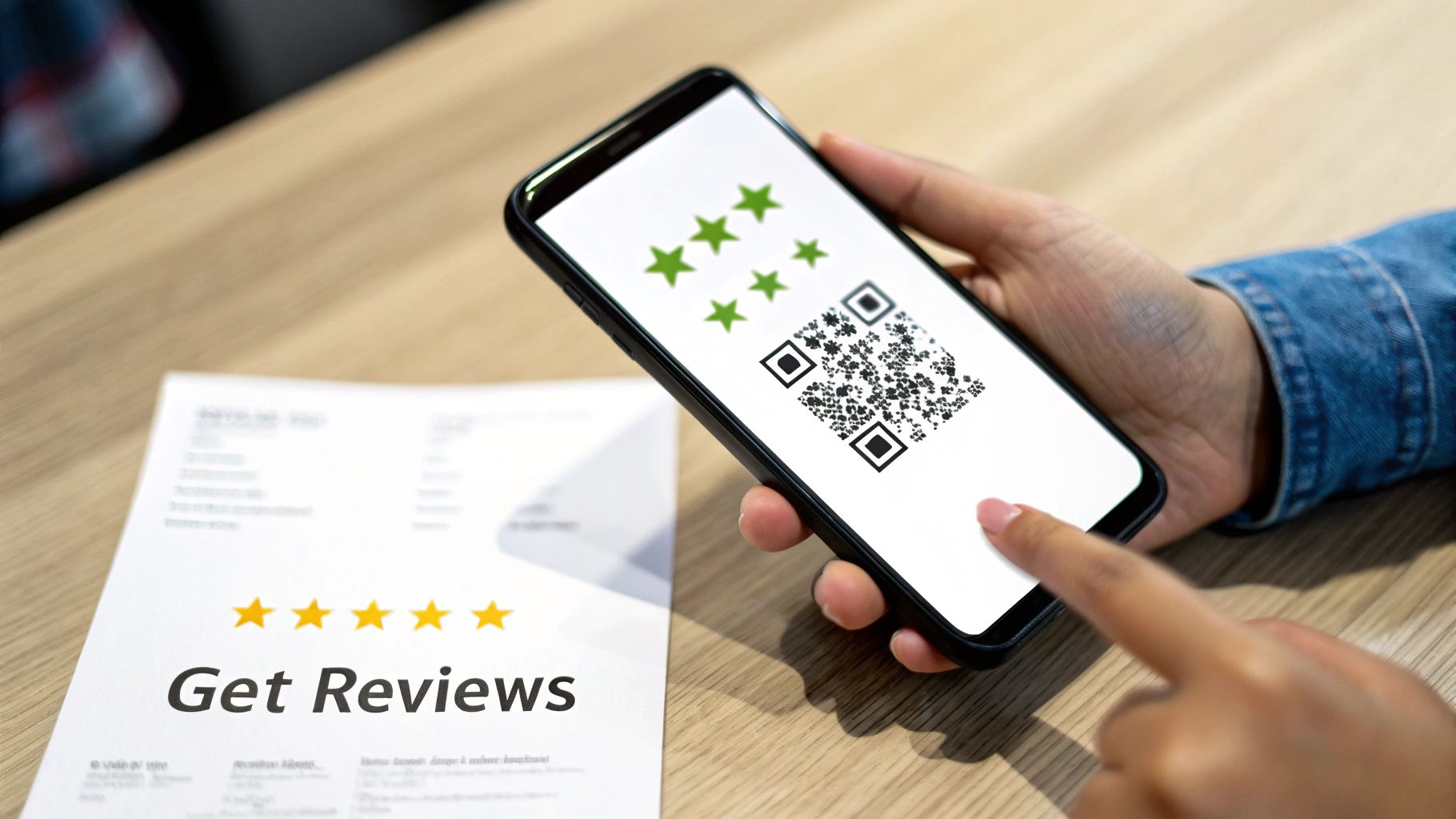
The biggest obstacle to getting reviews is friction. If it's a hassle, even happy customers won't bother. Make the process so simple they can do it in under a minute.
- Use Your Direct Review Link: In your GBP dashboard, find your unique short URL. This link takes people directly to the review pop-up.
- Use QR Codes: Put a QR code of your review link on receipts, business cards, or a sign at your counter.
- Automate Follow-Up: Send a simple, friendly email or text after a purchase asking for feedback. A simple "How did we do?" works great.
Some businesses even connect this to loyalty programs. Tools like the Loyalty Feature – Maps Reviews can help automate this process.
Focus on Consistency, Not Just Numbers
A hundred reviews in one week followed by six months of silence looks suspicious to Google. The algorithm prefers review velocity—a consistent, natural flow of new reviews over time. This shows your business is relevant right now.
A steady pace of 3-5 new reviews per week is much better than a single, large burst.
In Short: Getting a steady stream of new reviews is more important for your Google Maps ranking than getting a lot of reviews all at once.
Rule #1: Respond to Every Single Review
This is non-negotiable. Responding to all reviews—good and bad—is a huge trust signal for Google and future customers. It shows you're engaged and value feedback.
Key Takeaway: Your reply to a negative review is often more important than the review itself. It's a public display of your customer service.
How to Handle Good Reviews:
- Be Personal: Use the reviewer's name.
- Mention Their Experience: "We're so glad you loved the spicy tuna roll!"
- Say Thanks: "Thanks for choosing us, we can't wait to see you again!"
How to Handle Bad Reviews:
- Stay Calm: Your response is for everyone else reading it.
- Acknowledge and Apologize: "I'm so sorry your experience didn't meet your expectations."
- Take It Offline: Provide an email or phone number to resolve the issue privately. "Please reach out to me at [email] so I can make this right."
Achieve Rock-Solid NAP Consistency
Imagine you're a detective. If every ID for a person showed a different name—"John Smith," "Jon Smith," "J. Smith"—you’d get suspicious. Google feels the same way about your business information.
This is where NAP consistency is crucial. NAP stands for Name, Address, and Phone Number. It's your business's digital fingerprint. Making sure this info is identical everywhere online is a powerful, foundational ranking factor for Google Maps.
Why Does Google Care So Much About NAP?
Google’s goal is to provide accurate information. When its crawlers find your business on Yelp, your local Chamber of Commerce site, and your own website with the exact same NAP, its confidence in your business increases.
Inconsistencies create doubt. An old address on a forgotten directory or a typo in your business name can hurt that trust. This confusion harms your chances of ranking because Google will always favor a competitor with clear, consistent information.
How to Perform a Citation Audit
First, you need to find out where your business is listed online. This is called a citation audit. A "citation" is any online mention of your NAP.
- Check Major Sites: Look at your listings on Yelp, Apple Maps, Bing Places, and Foursquare.
- Use Google Search: Search for your business using different variations, like
"Your Business Name" + "Your Old Address". - Log Everything: Use a spreadsheet to track the URL of each citation, the NAP it shows, and whether it needs fixing.
In Short: A citation audit involves finding all online mentions of your business to ensure your Name, Address, and Phone number are 100% accurate everywhere.
Prioritize Your Citation Cleanup
Start cleaning up your citations, beginning with the most authoritative sites first. These directories are already trusted by Google.
- Primary Data Aggregators: These feed information to hundreds of smaller sites.
- Major Directories: Think Yelp, Yellow Pages, etc.
- Industry-Specific Sites: Angi for a plumber, TripAdvisor for a restaurant.
- Local Directories: Your local Chamber of Commerce or city business directories send strong local signals.
This is even more critical for businesses with multiple locations. You can find strategies for that in our guide to local SEO for multiple locations.
This isn't a one-time task. Do a quick audit every few months to maintain a solid foundation of trust with Google.
Your Website is a Secret Weapon for Local Rankings
Think of your Google Business Profile and your website as a team. Your GBP gets you noticed, but your website helps you win. When Google sees your profile is supported by a strong, locally-focused website, it sends a massive signal that you are a legitimate local authority.
This connection reinforces all the information in your GBP, building Google’s confidence that you are a real expert in your area. This is a huge piece of the puzzle for climbing the ranks in Google Maps.
Build Dedicated Pages for Multiple Locations
If you have more than one physical location, you need dedicated location pages on your website. A generic "services" page is not enough.
Don't just copy and paste content and change the city name. Each page should be a unique resource for that specific community.
Every location page should include:
- Unique Local Content: Mention projects in a specific neighborhood or local landmarks.
- Location-Specific NAP: The full Name, Address, and Phone number for that location must be easy to find.
- Embedded Google Map: Embed the specific Google Map for that location directly on the page.
- Local Customer Reviews: Add testimonials from customers in that city.
Weave Local Keywords Throughout Your Site
Your website is full of opportunities to send local signals. Create content that is genuinely helpful for your local audience to show up in "near me" searches. Your blog is a perfect place for this.
Content ideas that work:
- Write a case study about a project for a well-known local business.
- Publish a post about a local charity event you sponsored.
- Create a guide for your city, like "The 5 Best Patios in Austin," and mention your business.
For example, a Denver roofer could write an article titled, "Is Your Roof Ready for a Denver Hail Storm?" This is hyper-relevant and attracts the right local traffic. This type of content is a key part of effective local SEO services for small businesses.
The Bottom Line: Your website needs to scream "local." Every page is a chance to prove your local relevance to Google and your customers.
Don't Forget User Experience and Mobile
Google wants to send users to websites that provide a good experience. Your site's performance affects your Google Maps rankings. The two most important factors here are site speed and mobile-friendliness.
Many local searches happen on a phone. If a user taps your GBP, lands on your site, and has to pinch and zoom to read your phone number, they will leave. That quick "bounce" tells Google your site isn't helpful.
A slow site is just as bad. People expect pages to load instantly. Your site must be fast, responsive, and easy to use on any device.
Drive Engagement to Signal Popularity
Google doesn't just look at your profile; it watches what real people do with it. Every click for directions, call, or website visit from your GBP listing is a vote of confidence.
These are called engagement signals. They tell the algorithm that people are actively choosing your business.
Think of it like two coffee shops. One is busy, and the other is empty. Which one do you assume is better? Google uses the same logic. A profile with high engagement looks more popular and relevant, which is a huge factor in how you rank on Google Maps.
Encourage Clicks for Directions and Calls
Make it easy for customers to take the next step. Great photos and a solid description are the start, but you need to actively encourage those clicks.
Google's data shows that businesses with photos get 42% more requests for directions and 35% more clicks to their websites. These are direct signals of user intent.
How to get more of these clicks:
- Show off your storefront in photos. A clear shot of your entrance helps people feel confident they can find you.
- Show, don't just tell. A roofer can show their team working. A bakery can show mouth-watering pastries.
- Use a local phone number. Local area codes are a trust signal that confirms you're part of the community.
Use Google Posts to Drive Action
Google Posts are a powerful and underused tool. Think of them as free, temporary ads on your profile.
Posts are perfect for grabbing attention and prompting action. They signal to Google that your business is active right now. A post only lasts for seven days, so be consistent. Use them to share updates, announce a new service, or run an offer.
Pro Tip: Every Google Post needs a clear Call-to-Action (CTA). Tell people what to do next. Use the built-in "Call now," "Learn more," or "Book" buttons.
A local plumber could create a post saying, "10% off all drip repairs this week!" with a "Call now" button. This is much more effective than a generic post.
Activate Messaging and Manage Your Q&A
Making your business easy to reach is a massive engagement signal. Turn on the Messaging feature to let customers send a direct message from your profile. Responding quickly shows you're attentive.
The Q&A section is another goldmine.
- Be Proactive: Add and answer common questions yourself to build a helpful FAQ.
- Answer Quickly: When a customer posts a question, answer it fast.
- Upvote Good Content: Give a thumbs-up to helpful questions and answers to keep them at the top.
Key Engagement Metrics and How to Influence Them
| Engagement Metric | What It Signals to Google | Actionable Improvement Tactic |
|---|---|---|
| Website Clicks | High user interest. | Use Google Posts with a "Learn More" CTA linking to a relevant page. |
| Direction Requests | Strong intent to visit. | Add clear, high-quality photos of your storefront and parking area. |
| Phone Calls | Immediate user need. | Ensure your phone number is correct and use the "Call now" button on Posts. |
| Photo Views | User is visually exploring. | Regularly upload new, high-resolution photos (at least one per week). |
| Messages | Customer wants direct communication. | Enable messaging, set up automated welcome messages, and respond quickly. |
| Q&A Interactions | Profile is a trusted information source. | Proactively add and answer common questions; upvote helpful answers. |
By managing these engagement signals, you build a more helpful profile for your customers. For a great example of how online visibility drives offline results, check out these strategies for increasing local church attendance.
People Also Ask About Google Maps SEO
Local SEO can be confusing. Here are answers to some of the most common questions business owners have about their Google Maps rankings.
How can I get my business to show up first on Google Maps?
To rank first, you need to excel in Google's three main local ranking factors: relevance, distance, and prominence.
- Relevance: Make sure your GBP is fully optimized with the correct business categories, a detailed description, and relevant services. This tells Google exactly what you do.
- Distance: This is based on the searcher's location. You can't change it, but you can ensure your address is 100% accurate.
- Prominence: This is about how well-known your business is. Build it by getting a steady stream of positive reviews, ensuring your NAP is consistent across the web (citations), and having a strong, locally-focused website.
How long does it take to improve Google Maps ranking?
The honest answer: it depends. You might see small improvements in a few weeks, but significant, lasting results take time.
For most businesses, you're looking at a 3-6 month timeframe of consistent effort. Factors that affect this timeline include:
- Competition: Ranking in a crowded market like NYC is harder than in a small town.
- Starting Point: A brand new business has a steeper climb than an established one.
- Consistency: Regularly getting reviews, publishing Posts, and adding photos is key.
In Short: Treat local SEO like a marathon, not a sprint. Consistency is your most powerful tool for long-term success.
Why is my business not showing up on Google Maps?
If your business isn't showing up at all, there are a few common culprits:
- Your Profile Isn't Verified: A new Google Business Profile must be verified by mail or another method before it will appear on Maps.
- It's Been Suspended: Your profile might have violated one of Google's guidelines, such as using keywords in your business name. Check your GBP dashboard for any notifications.
- You're Outside the Search Area: Google Maps often shows results in a limited geographical area. If you search from too far away, your business may not appear.
- Inconsistent NAP: If your Name, Address, and Phone number are inconsistent across the web, Google may not trust your location information enough to show it.
How important are photos for my ranking?
Photos have a massive indirect impact on your ranking because they drive user engagement. They aren't a direct ranking factor like your business category, but they are critically important.
- More Clicks & Calls: Profiles with great photos are more appealing. Data shows businesses with photos get 42% more requests for driving directions and 35% more website clicks.
- Builds Trust: Good photos show customers what to expect, building confidence before they visit.
- Signals Activity: Consistently adding new photos tells Google you're an active, engaged business.
Make it a habit to upload clear pictures of your storefront, team, products, and happy customers.
Ready to stop guessing and start seeing real results from your local SEO? At Clicks Geek, we specialize in creating data-driven strategies that turn your Google Business Profile into a customer-generating machine. Learn more about how we can help your business dominate the local pack.