Ranking in the Google Map Pack boils down to three core ideas: relevance, distance, and prominence. You need to prove to Google that your business is the most relevant answer for a search, is close to the searcher, and has a strong reputation.
In Short: A complete Google Business Profile is the foundation for ranking in the Map Pack.
Everything starts with your Google Business Profile. Getting this right is the first and most important step.
Your Google Business Profile Is Your Local SEO Foundation
Think of your Google Business Profile (GBP) as your digital storefront. It's often the first impression local customers have of you. Simply claiming your profile isn't enough; you need to optimize every single part of it.
A complete profile signals to Google that you are a legitimate, active business. This means filling out more than just your name and address. Use every available feature to tell your story.
The process is straightforward but needs attention to detail.
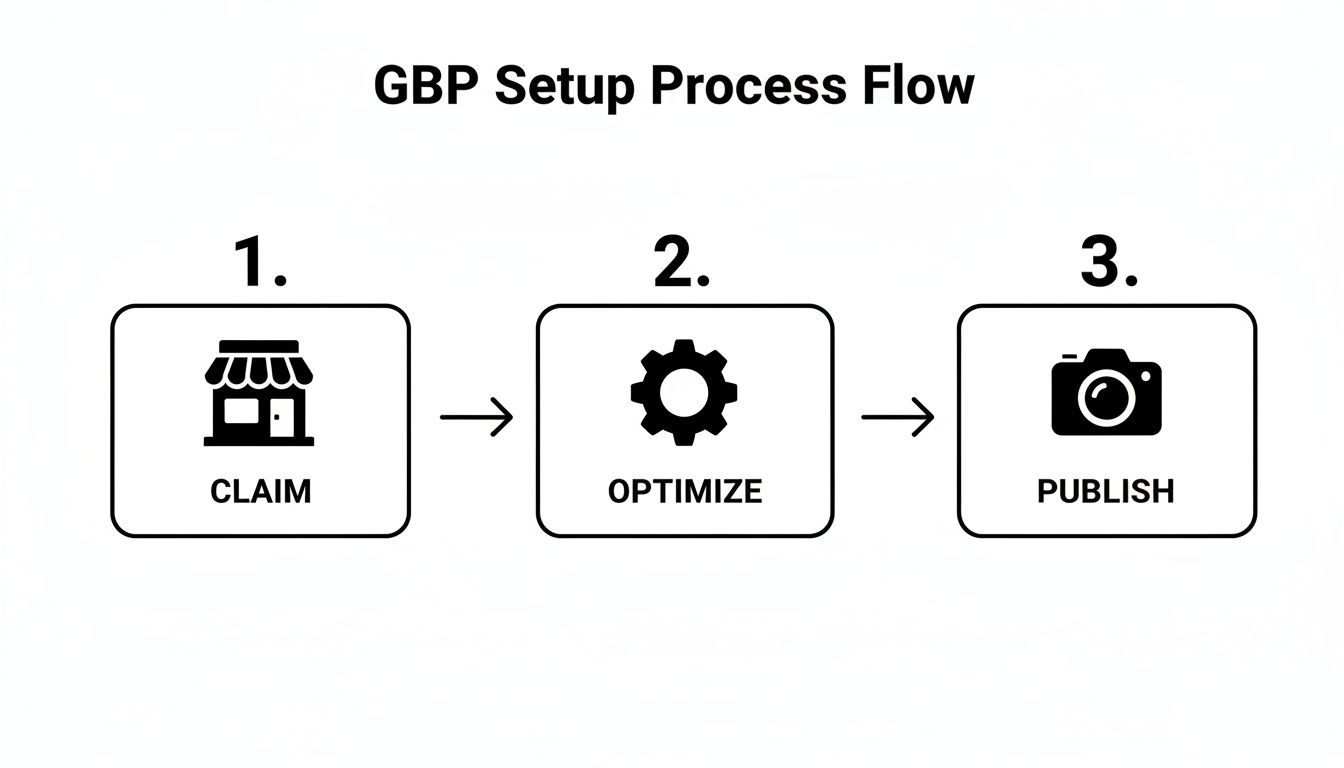
As you can see, it's not a one-time task. It's a cycle of optimizing and keeping your profile fresh.
Select the Right Business Categories
This is the most critical field in your GBP. Your primary category tells Google exactly what you do. Be specific. If you're a plumber, choose "Plumbing Contractor," not just "Contractor."
After setting your primary category, add several secondary ones. These should cover all your other services. For example, a "Plumbing Contractor" should also add categories like:
- Water Heater Installation & Repair Service
- Drain Cleaning Service
- Emergency Plumber
Adding these helps you show up for a wider range of local searches.
Craft a Compelling Business Description
You have 750 characters for your business description. Use them wisely. Explain what you do, who you serve, and why you're the best choice.
Weave your main keywords and location in naturally. Don't stuff them.
Pro Tip: Write for a person, not a search engine. A description like, "your trusted local plumber serving the greater Austin area for over 20 years," provides context for both customers and Google.
The effort pays off. 76% of people who search for something nearby on their phone visit a business within a day. With 32% of local SEO experts calling GBP the most important ranking factor, you can't afford to get this wrong. To see how this fits into a bigger picture, check out this guide on local business SEO.
Here is a checklist to help you stay on track.
GBP Optimization Checklist
This table breaks down what to do in each section of your Google Business Profile and why it matters for your Map Pack rankings.
| GBP Section | Optimization Action | Why It Matters |
|---|---|---|
| Business Name | Use your real-world business name. Do not add keywords. | Google penalizes keyword stuffing here. Consistency builds trust. |
| Categories | Choose the most specific primary category. Add all relevant secondary categories. | This is the #1 factor for relevance. It tells Google what queries you should rank for. |
| Service Area | If you're a service-area business, define your specific cities, zip codes, or radius. | Helps you rank for "near me" searches from customers you actually serve. |
| Address | Ensure it is 100% accurate and matches your citations and website. | Critical for the "distance" ranking factor. Inconsistency kills trust. |
| Hours | List all regular and special hours (holidays, events). Keep them updated. | Inaccurate hours create a poor customer experience, which Google hates. |
| Phone Number | Use a primary, local phone number that is consistent everywhere online. | A key part of your NAP. It allows for click-to-call conversions. |
| Website | Link to your homepage or a relevant local landing page. | Drives traffic and helps Google associate your GBP with your website. |
| Services/Products | Detail every service or product you offer with descriptions and prices. | Provides deep, relevant keyword context and clarity for customers. |
| Description | Write a compelling, 750-character summary of your business, naturally including keywords. | Your "elevator pitch" to convince users and provide context to Google. |
| Photos/Videos | Regularly upload high-quality, geotagged images of your team, work, and location. | Builds trust, increases engagement, and provides visual proof of your business. |
| Posts | Consistently publish updates, offers, and news via Google Posts. | Signals to Google that your business is active and engaged. |
| Q&A | Proactively seed your own frequently asked questions and answer them thoroughly. | Controls the narrative and provides helpful info, reducing friction for customers. |
Following this checklist ensures you maximize your ranking potential. Each completed field adds another layer of trust and relevance.
Maximize GBP Features for Engagement
Beyond the basics, use features designed for customer interaction. More engagement is a strong positive signal to Google.
- High-Quality Photos: Upload sharp photos of your storefront, team, and projects. Geotag your photos before uploading them for an easy location signal.
- Products & Services: List every service with its own description and pricing. This removes guesswork for the customer.
- Google Posts: Think of these as free mini-ads. Share updates, promotions, or blog posts. Posting regularly shows Google you're active.
- Q&A Section: Add your own FAQs and answer them. This lets you control the information people see first.
A well-maintained GBP makes customers 2.7 times more likely to see your business as trustworthy. If you want to dig deeper, this Local SEO for Small Businesses: A Practical Guide is a great resource.
Build Local Authority with Reviews and Citations
Google looks for external trust signals to determine who deserves a spot in the Map Pack. The two most important signals are customer reviews and business citations.
If you're serious about ranking, you have to get both of these right. One builds trust with customers, while the other builds credibility with Google.
Nail Your Review Strategy
Google reviews are a powerful ranking factor. A business with 80 five-star reviews will almost always outrank a competitor with only five.
A steady stream of positive reviews signals "prominence" to Google. The key is to make asking for reviews a natural part of your business process.
Simple Ways to Get More Reviews
- Ask at the peak of happiness. The best time to ask for a review is right after a great experience.
- Make it easy. Give them a direct link to your Google review form via text, email, or a QR code on your invoice.
- Respond to every review. Thank people for good reviews and professionally address bad ones. This shows Google and future customers that you are engaged.
The Bottom Line: A proactive review strategy builds public proof that you do great work. Customers and Google love this.
The top spot in the Map Pack gets a 17.6% click-through rate (CTR). A study found that top-ranking businesses average 47 reviews, proving that review volume and recency are critical.
Master Your Local Citations
A citation is any online mention of your business's Name, Address, and Phone number (NAP). These appear on directories like Yelp or industry-specific sites.
Think of each consistent citation as a vote of confidence. When Google sees your exact NAP across many reputable sites, it trusts that your information is correct.
Consistency Is Key: Get Your NAP in Sync
Inconsistency is a huge red flag for Google. If one directory lists "Main St." and another has "Main Street," it creates confusion.
Even small differences can hurt your rankings:
- Name: "Joe's Plumbing" vs. "Joe's Plumbing, LLC"
- Address: "Suite 200" vs. "Ste. 200" vs. "#200"
- Phone: "(555) 123-4567" vs. "555-123-4567"
Your NAP should be identical everywhere online, matching your Google Business Profile perfectly. For example, a photographer needs their studio address to be consistent across all listings. We cover specifics like this in our guide to local SEO for photographers.
How to Find and Fix Your Citations
First, you need to know where you stand. You can use a citation auditing tool to scan the web and get a full report.
Once you have a list, the cleanup process is:
- Spot the Errors: Find every listing with incorrect NAP information.
- Claim Your Profiles: Claim ownership of your profiles on these directory sites.
- Fix Everything: Update each incorrect listing to match your GBP.
- Build New Citations: Find high-quality directories where you aren't listed and create new, consistent profiles.
By managing reviews and citations, you build a strong case that your business is a credible choice for local customers.
Weaving Your Website into the Local Fabric
Your Google Business Profile and website work together. Your GBP is the storefront, and your website is the foundation. Google needs to see a consistent story on both.
This is about making your website scream "I am the local expert for this service in this town." When your website and GBP are in sync, Google sees you as a reliable business.
Go Hyperlocal with Your Content
A generic "Services" page isn't enough. Create dedicated pages for each service you offer and for each key area you serve.
For example, a roofer in Chicago should create individual pages like:
- Emergency Roof Repair in Lincoln Park
- Commercial Roofing Contractors in The Loop
- Residential Shingle Replacement in Wicker Park
Each page acts as a magnet for specific local searches. This is a core part of any strategy for local SEO services for small businesses.

Nail the On-Page Local SEO Basics
A few simple on-page tweaks can have a huge impact.
First, your NAP (Name, Address, Phone number) should be on your website, ideally in the footer of every page. It must exactly match your GBP information.
Next, embed a Google Map on your contact page. This directly connects your website to a physical location for Google.
Pro Tip: Your website's footer is prime real estate for local SEO. Putting your exact NAP and a link to your Google Maps listing there creates a consistent signal on every page.
Speak Google's Language with Schema Markup
Schema markup is a secret weapon. It's a snippet of code that acts as a translator for search engines.
It explicitly tells Google things like:
- Your official business name
- Your business category (e.g., LocalBusiness > Plumber)
- Your exact address and service area
- Your hours of operation
- Your phone number and website URL
Schema removes any guesswork for Google. On-page signals account for 36% of local ranking power. According to research from seoprofy.com, these signals are critical for landing in the top 3. Implementing Local Business schema gives you a technical edge over competitors.
Get People Clicking, Calling, and Visiting
Showing up in the Map Pack is one thing; getting people to choose you is another. This is where behavioral signals come in.
When someone clicks on your profile, calls your number, or requests directions, they're telling Google, "This is the one I want." These are votes of confidence. Your job is to make your profile so appealing that engaging with it is the obvious next step.
Turn Your Profile Into a Hotspot with Google Posts
Google Posts are like free mini-billboards on your business profile. A profile that isn't updated regularly looks stale.
Posting regularly shows Google and customers that you’re active and engaged.
Here are some ideas for Posts that get clicks:
- Flash an Offer: "10% off for first-time customers this week!" can get the phone ringing.
- Announce Something New: Just started a new service? Let people know.
- Show Off Your Work: Post photos of a recent project to let the results speak for themselves.
- Promote an Event: A Google Post is perfect for spreading the word about a sale or open house.
Let Your Photos Do the Selling
High-quality photos are crucial. A profile with blurry or old pictures looks unprofessional.
Your photos should tell a story. Show your storefront, team, and work. This visual proof builds instant credibility.
My Take: Photos are tangible proof you know what you're doing. A gallery of stunning kitchen remodels makes a homeowner much more likely to call for a quote. That interaction is a huge signal to Google.
Write a Business Description That Drives Action
You get 750 characters for your business description. Don't just list services. Write something that hooks the reader and tells them what to do next.
Instead of, "We offer plumbing services," try: "Leaky pipe causing chaos? Our expert plumbers deliver fast, reliable solutions to protect your home. Call us 24/7 for a free estimate!" It’s action-oriented and speaks directly to a customer's problem.
Be the Most Responsive Business in Town
Google loves seeing business owners who are active on their profiles. The Q&A section and direct messaging are two great places for this.
- Jump on Questions: When someone asks a question, answer it quickly and helpfully.
- Turn on Messaging: This feature lets customers message you directly from your profile. Turn it on and respond quickly.
Every click, call, and message is a point in your favor. By encouraging interaction, you’re sending Google the clearest signal that you deserve a top spot in the Map Pack.
Maintain Your Ranking with Ongoing Local SEO
Getting into the Map Pack is a huge win, but the work isn't over. Local SEO requires consistent effort to defend your spot.
Think of it like tending a garden. You have to keep watering and weeding. This ongoing maintenance keeps your business a top contender.
Build Authority with Local Link Building
For local SEO, the relevance of a link often matters more than raw authority. A single link from a local Chamber of Commerce can be more powerful than several from generic national blogs.
Your goal is to get backlinks from other businesses in your community.
Here are a few tactics for scoring valuable local links:
- Sponsor a local event. Youth sports teams, festivals, or charity runs often have sponsor pages with links.
- Join local business associations. Your city's Chamber of Commerce or a neighborhood business alliance is a goldmine for directory links.
- Host a local workshop. Team up with a complementary business to co-host an event and get a link from their site.
- Connect with local bloggers and news sites. Offer to be an expert source for a story to earn a high-quality, relevant link.
These links send a clear signal to Google: "This business is an important part of the local community."
Keep a Close Eye on Your Rankings
You can't improve what you don't measure. A local rank tracker or geo grid tool shows you how your business ranks for keywords from different locations in your city. You might be #1 when someone searches from one block away, but drop to #7 for the same search a mile down the road.
This insight helps you spot weak zones. If you're not showing up in a specific neighborhood, you can create a dedicated location page or run a targeted Google Post to boost your relevance there.
Run a Quick Monthly GBP Audit
Set aside 30 minutes each month to audit your Google Business Profile. This simple habit prevents small issues from becoming big problems.
This check-in is about ensuring accuracy and freshness.
Here’s a simple checklist to keep you on track.
Monthly Local SEO Maintenance Tasks
| Task | Frequency | Key Action |
|---|---|---|
| Review Your Info | Monthly | Double-check that your NAP, hours, and website are still 100% correct. Update if anything changed. |
| Check for New Reviews | Weekly/Monthly | Respond to every single new review, both positive and negative. Engagement matters. |
| Answer New Questions | Weekly/Monthly | Check the Q&A section and provide helpful, official answers to any new questions. |
| Upload Fresh Photos | Monthly | Add at least one or two new photos of a recent project, your team, or a happy customer. |
| Publish a Google Post | Weekly | Share a quick update, special offer, or link to a recent blog post to show activity. |
This proactive approach to how to rank in map pack keeps your profile from going stale and signals to Google that you are an active business.
Frequently Asked Questions About Ranking in the Map Pack
Diving into local SEO can bring up a lot of questions. Here are answers to some of the most common ones.
How long does it take to rank in the Google Map Pack?
It depends. If you're consistently working on your profile, building citations, and getting reviews, you could see traction within 2 to 4 months.
However, this timeline can vary based on:
- Your Industry: A personal injury lawyer in a big city has more competition than a niche bakery in a small town.
- Your Location: A dense downtown area is tougher than a quiet suburb.
In less competitive markets, results can come quickly. In highly competitive ones, it could take six months or longer. Consistency is key.
Why is my business not showing up on Google Maps?
This is a common frustration. It usually comes down to one of these issues:
- Is your profile verified? You must complete the verification process (usually a postcard with a PIN) to be visible to the public.
- Is the searcher far away? Google prioritizes businesses closer to the user's location.
- Are your business categories correct? Being too broad or inaccurate tells Google you aren't relevant for specific searches.
- Is your NAP consistent? Conflicting Name, Address, and Phone number information across the web erodes Google's trust.
Start by ensuring every field in your Google Business Profile is complete and 100% accurate.
Do you need a physical address to rank in the Map Pack?
Yes, you need a legitimate physical address to get verified by Google. This is how Google confirms you're a real business.
However, you don't have to show that address publicly. This is for Service Area Businesses (SABs) like plumbers or mobile dog groomers who travel to their customers.
When setting up your profile:
- Enter your real address for verification.
- Choose the option to hide it from your public profile.
- Define your service area by listing cities, zip codes, or a radius on the map.
You can still rank in the Map Pack this way, though businesses with a public storefront may have a slight advantage for searches happening right on their doorstep.
At Clicks Geek, we turn these local SEO principles into real results. If you're ready to see your business at the top of the Map Pack, check out our proven strategies at https://clicksgeek.com.