You’re staring at two CRM platforms that both promise to transform your small business. HubSpot’s sleek interface beckons with its free tier and marketing automation. Salesforce’s enterprise reputation suggests power and scalability. Meanwhile, your sales team is still tracking leads in spreadsheets, and you’re losing deals because follow-ups fall through the cracks.
Here’s the uncomfortable truth: choosing the wrong CRM isn’t just an inconvenience. It’s months of lost productivity, thousands in sunk costs, and a team that eventually abandons the system altogether. The decision between HubSpot and Salesforce isn’t about picking the “better” platform—it’s about identifying which one actually fits your business reality.
Most small business owners approach this decision backwards. They watch feature demos, get dazzled by capabilities they’ll never use, and sign contracts based on what sounds impressive rather than what they’ll actually implement. Then reality hits: the platform is too complex, too expensive, or too disconnected from how your team actually works.
This guide gives you seven practical strategies for cutting through the marketing noise and making a decision you won’t regret six months from now. We’re not here to crown a winner—we’re here to help you match the right tool to your specific budget, team capabilities, and growth trajectory. Let’s get into it.
1. Audit Your Actual CRM Needs Before Comparing Features
The Challenge It Solves
Walk into any CRM demo and you’ll be impressed. The sales rep will show you dashboards with real-time analytics, automated workflows that trigger based on customer behavior, and integrations with every tool imaginable. It all looks essential—until you realize your team just needs to track leads, schedule follow-ups, and see what stage each deal is in.
The feature bloat trap catches most small businesses. You end up paying for capabilities you don’t understand, can’t implement, or will never use. Your team gets overwhelmed by complexity when they just wanted something simpler than their current spreadsheet.
The Strategy Explained
Before you look at a single CRM demo, document what your business actually needs right now. Not what you might need someday. Not what sounds cool. What specific problems are you trying to solve this quarter?
Start by interviewing your sales team. What information do they need to close deals? Where do leads currently fall through the cracks? What manual tasks eat up their time? Then talk to your marketing team about how they generate and qualify leads. Finally, consider your customer service needs—are you just handling occasional support requests, or do you need a full ticketing system?
Create two lists: your “must-have” features that directly solve current pain points, and your “nice-to-have” features that would be useful but aren’t blocking your growth. This becomes your evaluation framework. Any feature that doesn’t appear on these lists is a distraction, no matter how impressive it looks in a demo.
Implementation Steps
1. Shadow your sales team for a week and document every step of your actual sales process, from first contact to closed deal. Note where information gets lost, where follow-ups are missed, and where manual work slows things down.
2. List your current tools and which ones absolutely must integrate with your CRM. Be honest—if you’re not actively using a tool now, you probably won’t use a CRM integration with it either.
3. Define success metrics for your CRM implementation. What specific improvements would make this investment worthwhile? Faster response times? Higher conversion rates? Better visibility into pipeline? Write these down—you’ll use them to evaluate both platforms.
Pro Tips
Resist the urge to plan for hypothetical future needs. Companies that buy CRMs for where they “might be in five years” often never implement the basics. Start with what you need in the next 6-12 months. Both HubSpot and Salesforce let you scale up—you’re not locked into your initial decision forever.
2. Calculate True Total Cost of Ownership Beyond Monthly Fees
The Challenge It Solves
HubSpot advertises a free CRM. Salesforce Essentials starts at a seemingly reasonable monthly fee. Then you start adding users, enabling features, connecting integrations, and hiring consultants to set everything up. Six months later, you’re paying triple your initial budget and still haven’t fully implemented the system.
The sticker price is just the beginning. Implementation costs, training time, integration fees, and the ongoing expense of adding features as you grow can turn an affordable solution into a budget-busting commitment. Small businesses often discover these hidden costs only after they’ve already migrated their data and trained their team.
The Strategy Explained
Build a realistic three-year cost projection for each platform that includes everything: base subscription fees, per-user costs as you grow, required add-ons for features you need, integration expenses, implementation support, ongoing training, and the opportunity cost of your team’s time during setup and learning.
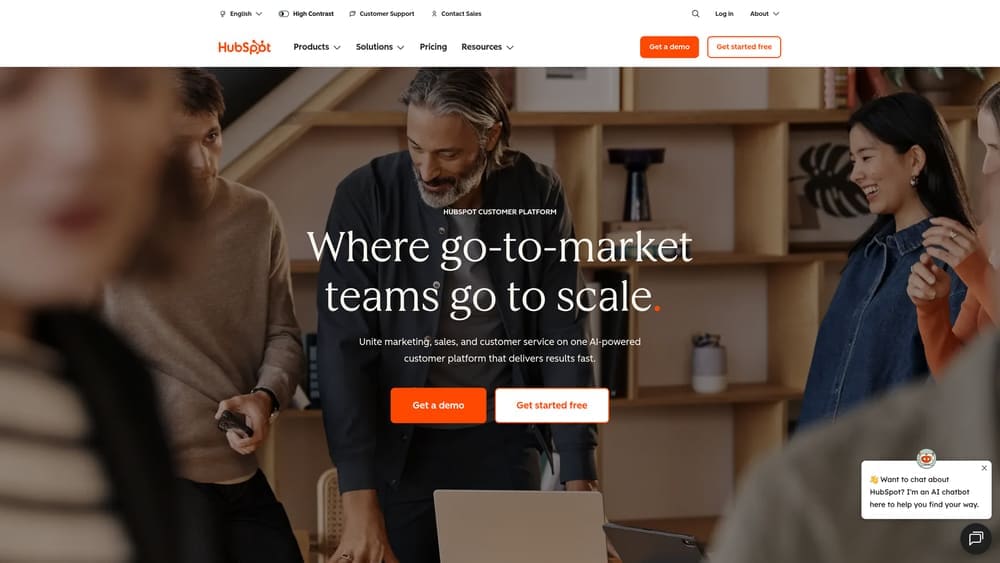
For HubSpot, the free tier is genuinely useful but limited. Most growing businesses eventually need Marketing Hub or Sales Hub Pro, which changes the cost equation significantly. Factor in costs for additional marketing contacts as your database grows—HubSpot charges based on contact volume, which can escalate quickly.
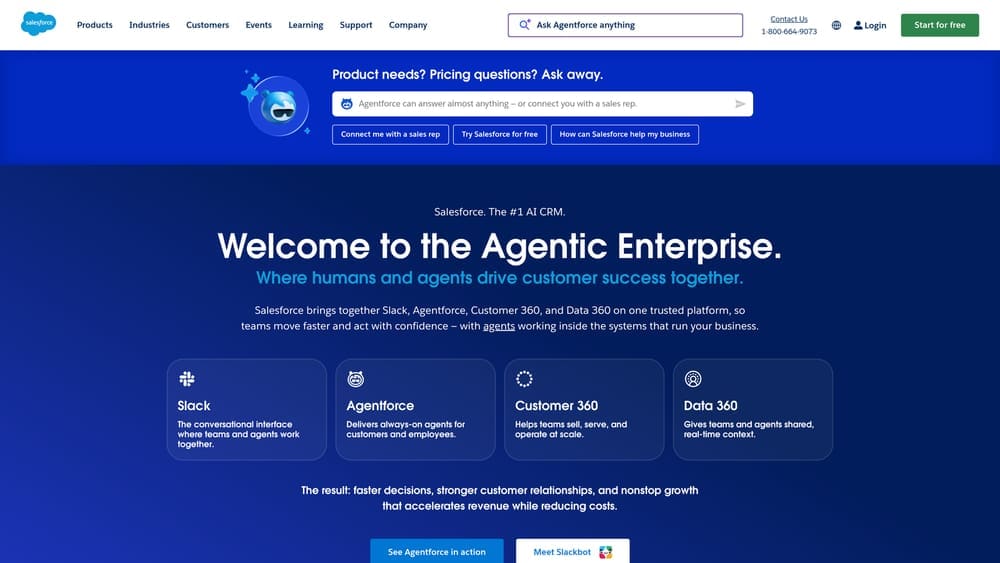
For Salesforce, the base license is just the start. Many small businesses need AppExchange apps to fill functionality gaps, and these add $10-$50+ per user monthly. Implementation often requires consultant help unless you have technical expertise in-house. Calculate these costs realistically—Salesforce implementations for small businesses typically run $5,000-$25,000 depending on complexity.
Implementation Steps
1. Create a spreadsheet with three columns: Year 1, Year 2, Year 3. In each column, list base platform costs, per-user fees for your projected team size, required add-ons or apps, estimated integration costs, and training/consulting expenses.
2. Request detailed pricing from both platforms based on your specific needs audit. Don’t accept generic pricing—ask for a quote that includes the features you identified as must-haves, scaled for your projected user growth.
3. Factor in migration costs if you’re switching from an existing system. Data migration, historical record cleanup, and the productivity dip during transition all have real costs even if they’re not line items on an invoice.
Pro Tips
Ask each platform about their typical small business implementation timeline and associated costs. HubSpot implementations often move faster because of simpler setup, which means less consulting expense. Salesforce’s flexibility means more customization options but also more implementation complexity. Neither approach is wrong—they just have different cost structures that favor different business types.
3. Match Platform Complexity to Your Team’s Technical Reality
The Challenge It Solves
Your sales team closes deals, your marketing team generates leads, and nobody signed up to become a CRM administrator. Yet here you are, looking at platforms that require workflow builders, custom fields, automation rules, and integration configurations. The gap between “powerful platform” and “team that can actually use it” kills more CRM implementations than any other factor.
Technical complexity isn’t just about initial setup—it’s about ongoing management. Who updates fields when your sales process changes? Who troubleshoots when integrations break? Who trains new hires? If the answer is “we’ll figure it out,” you’re setting yourself up for a system that works great for two months and then slowly deteriorates into chaos.
The Strategy Explained
Evaluate each platform against your team’s actual technical comfort level and available bandwidth for CRM management. This isn’t about whether the platform is “easy” in absolute terms—it’s about whether it’s manageable for your specific team with your specific resources.
HubSpot generally wins on user-friendliness. The interface feels consumer-grade, similar to tools your team already uses. Most features work out of the box without extensive configuration. Marketing automation uses visual workflow builders that non-technical users can understand. The trade-off is less flexibility—you work within HubSpot’s opinionated structure.
Salesforce offers significantly more customization but requires more technical sophistication to leverage it. The platform assumes you’ll have a Salesforce admin—either a dedicated role or someone who invests serious time in learning the system. For small businesses without technical resources, this often means ongoing consultant relationships. The upside is you can configure Salesforce to match virtually any business process. The downside is you need someone who knows how.
Implementation Steps
1. Identify who on your team will own CRM management. Be specific—not “the sales team” but “Sarah will spend 5 hours weekly managing the CRM.” If you can’t name a person with available bandwidth, that’s critical information for your decision.
2. Have that person (or people) actually use both platforms during trial periods. Don’t just watch demos—have them build a real workflow, create a custom field, set up an integration, and troubleshoot when something doesn’t work. Their experience during trials predicts your long-term reality.
3. Assess your appetite for external support. Are you comfortable budgeting for ongoing consultant help, or do you need a system your team can manage independently? Neither answer is wrong, but it dramatically affects which platform makes sense.
Pro Tips
Watch how each platform handles common changes you’ll need to make regularly. In HubSpot, adding a new pipeline stage or custom property is straightforward. In Salesforce, similar changes involve understanding object relationships and field dependencies. If your business process evolves frequently, the platform that makes changes easiest might be worth premium pricing.
4. Evaluate Marketing Integration Depth for Lead Generation
The Challenge It Solves
Your CRM isn’t just a database—it’s the hub connecting your marketing efforts to sales outcomes. When marketing and sales systems don’t talk to each other properly, you get leads that fall through the cracks, attribution confusion about which campaigns actually work, and sales teams complaining that marketing sends junk leads.
The disconnect between marketing tools and CRM creates blind spots that cost you money. You’re spending on ads and content without clear visibility into which efforts generate revenue. Your sales team can’t see a lead’s full journey, so they can’t personalize their approach. Marketing can’t see which leads actually closed, so they can’t optimize for quality over quantity.
The Strategy Explained
Evaluate how each platform handles the complete lead lifecycle from first website visit through closed deal. This goes beyond basic integrations—you need to understand how marketing data flows into sales visibility and how sales feedback informs marketing strategy.
HubSpot built its reputation on marketing automation. The platform natively includes email marketing, landing pages, forms, and ad tracking in its Marketing Hub. Everything lives in one ecosystem, which means seamless data flow between marketing activities and sales records. You can see exactly which blog posts, emails, or ads influenced each deal. The limitation is you’re largely working within HubSpot’s marketing tools—if you love your current email platform or advertising workflow, integration gets more complex.
Salesforce takes an integration-first approach. It connects with virtually every marketing tool through native integrations or AppExchange apps. This flexibility lets you keep your existing marketing stack and pipe data into Salesforce. The challenge is integration quality varies—some connections are robust, others require constant maintenance. Marketing Cloud exists for enterprise-level marketing automation, but it’s overkill and overpriced for most small businesses.
Implementation Steps
1. Map your current lead generation channels: website forms, paid ads, content downloads, email campaigns, social media, events. List which tools you use for each and whether you’re willing to switch tools or need to integrate existing ones. If you’re struggling with lead generation, understanding these channels becomes even more critical before choosing a CRM.
2. Define your lead scoring and qualification criteria. How do you distinguish a hot lead from a tire-kicker? Test how each platform lets you score leads based on behavior and demographics, and how that scoring triggers sales notifications.
3. Trace a sample lead journey through each platform. Create a test lead, have it interact with marketing content, get scored as sales-qualified, and move through your sales pipeline. The platform where this flow feels natural and provides visibility at each stage is your winner for marketing integration.
Pro Tips
If your business growth depends heavily on inbound marketing—content, SEO, email nurturing—HubSpot’s integrated approach often delivers faster results with less technical overhead. If you’re running complex multi-channel campaigns with specialized tools you love, Salesforce’s flexibility might justify the integration complexity. Match the platform to your actual marketing strategy, not your aspirational one.
5. Test Sales Pipeline Management Against Your Actual Process
The Challenge It Solves
Sales pipeline management sounds straightforward until you try to map your real process into a CRM. Your deals don’t move linearly from “prospect” to “closed won.” They stall, circle back, split into multiple opportunities, or involve multiple decision-makers who need different information. A CRM that can’t accommodate your actual sales reality becomes a reporting tool that your team updates grudgingly rather than a system that helps them sell.
The mismatch between your sales process and your CRM’s pipeline structure creates friction. Sales reps develop workarounds, enter incomplete data, or abandon the system entirely. Managers lose visibility into what’s really happening. Forecasts become guesswork because the CRM doesn’t reflect reality.
The Strategy Explained
Before choosing a platform, document your actual sales process in detail—not the idealized version from your sales playbook, but what really happens. Then test how each CRM accommodates the messiness of real selling: deals that pause, opportunities that split, prospects who re-engage months later, and the specific information your team needs at each stage.
HubSpot uses a straightforward deal pipeline with customizable stages. You define your stages, set probability percentages, and track deals as they progress. It handles most standard B2B sales processes well. The limitation comes with highly complex sales—if you need multiple parallel pipelines, intricate approval workflows, or deep customization around deal structures, you’ll hit HubSpot’s boundaries.
Salesforce offers sophisticated opportunity management with custom objects, record types, and approval processes. You can model virtually any sales complexity—multiple product lines with different processes, partner-involved deals, subscription renewals with expansion opportunities. This power comes with configuration complexity. Setting up custom sales processes requires understanding Salesforce’s data model and either technical skills or consultant support.
Implementation Steps
1. Document five recent deals from first contact to close, including every stage, every stakeholder involved, and every piece of information that mattered. Note where deals paused, what caused them to accelerate, and what information was missing when you needed it.
2. Build your sales pipeline in both platforms during trial periods. Don’t just create the stages—actually move test deals through the process. Add notes, schedule tasks, update deal values, and see how each platform surfaces the information your team needs to take next actions.
3. Have your sales team use both systems with real prospects for at least a week. Their feedback on which system feels intuitive versus which feels like extra work is your most valuable data point. A CRM that slows down your sales process isn’t worth any amount of powerful features.
Pro Tips
Pay attention to mobile experience if your sales team works outside the office. Both platforms offer mobile apps, but HubSpot’s tends to be more intuitive for quick updates and task management. Salesforce’s mobile app is powerful but can feel cluttered. If your reps need to update deals between meetings or while traveling, the mobile experience matters more than you might think.
6. Assess Scalability Pathways for Your Growth Trajectory
The Challenge It Solves
You’re choosing a CRM for your business as it exists today, but you’re also making a bet on where you’ll be in three to five years. Pick a platform that can’t grow with you, and you’ll face another painful migration just when momentum is building. Choose one that’s overkill for your current needs, and you’ll pay for complexity you can’t use while your team struggles with a system that’s too advanced.
The scalability question isn’t just about user counts—it’s about business model evolution. Will you add new product lines? Expand into new markets? Build out customer success teams? Start tracking more sophisticated metrics? The platform that works for a 10-person company selling one product might break under the weight of a 50-person company with three divisions and complex reporting needs.
The Strategy Explained
Project your realistic growth trajectory and evaluate how each platform accommodates that growth—not just in pricing, but in capabilities, complexity management, and the resources you’ll need to manage the system as you scale.
HubSpot scales elegantly for businesses growing within its core use case: inbound marketing, straightforward sales processes, and integrated customer service. You start with free or Starter tiers and graduate to Professional or Enterprise as you need more automation, reporting, and team capacity. The pricing increases predictably, and the learning curve is gradual. The limitation appears when your business model becomes more complex than HubSpot’s structure accommodates—if you need deep customization or highly specialized workflows, you’ll eventually hit walls.
Salesforce scales to virtually any size and complexity. Companies from 5 to 50,000 employees use it successfully. The platform grows with you through edition upgrades and custom development. The challenge is that scaling Salesforce typically requires increasing technical investment. As your needs become more sophisticated, you’ll likely need dedicated Salesforce expertise—either hiring an admin or maintaining consultant relationships.
Implementation Steps
1. Write out your realistic three-year business plan. How many employees will you have? How many customers? What new products or services might you add? Which new markets might you enter? Be honest—not optimistic or pessimistic, but realistic based on your current trajectory.
2. Research how each platform handles the specific growth scenarios you’ve identified. If you’re planning to add a customer success team, how does each platform support that function? If you’re expanding internationally, how do they handle multiple currencies and languages?
3. Calculate the total cost of ownership at your projected three-year scale. Factor in not just user licenses but the additional features, integrations, and support you’ll need. Sometimes the “cheaper” platform today becomes more expensive at scale, or vice versa.
Pro Tips
Talk to companies one stage ahead of where you are now. If you’re a 10-person company, find 25-person companies in similar industries using each platform. Ask them what surprised them as they scaled, what they wish they’d known earlier, and whether they’d make the same choice again. Their hindsight becomes your foresight.
7. Run a Structured Trial Period with Real Business Data
The Challenge It Solves
Watching demos and reading comparison articles only gets you so far. The real test is whether your team will actually use the system when they’re busy, stressed, and trying to close deals. The gap between “looks good in a demo” and “works in daily practice” is where most CRM implementations fail.
Many small businesses skip real trials because they seem time-consuming or because they’re eager to make a decision and move forward. This impatience costs them months of productivity and thousands in sunk costs when they realize six months in that they chose wrong. A structured trial period with real data and clear success metrics removes the guesswork.
The Strategy Explained
Don’t just sign up for free trials and click around. Run actual business operations through each platform for at least two weeks, using real prospect data, real sales activities, and real team workflows. Measure specific outcomes against the success criteria you defined in your needs audit.
HubSpot offers a permanently free CRM tier, which makes extended testing easy. You can run real operations through it without time pressure. The free tier has limitations, but it’s robust enough to test core functionality. If you need to test Marketing Hub or Sales Hub features, the 14-day trials give you enough time to evaluate if you’re focused and structured.
Salesforce typically offers 14-30 day trials depending on the edition. This shorter window requires more discipline—you need a testing plan before you start the trial, not figuring it out as you go. The trial period should focus on your must-have features and deal-breaker scenarios, not exploring every possible capability.
Implementation Steps
1. Create a trial scorecard based on your needs audit and success metrics. List specific tasks you need to accomplish (import 100 contacts, create an email sequence, build a sales pipeline, generate a forecast report) and rate how easy/effective each platform makes them.
2. Import a representative sample of real data—not test data with fake names. Use actual prospects, real deal values, and genuine email history. The platform that handles your messy real-world data well is more reliable than one that works great with clean demo data.
3. Have your entire team use both platforms for at least one full week each. Track adoption—are people actually logging in daily? Are they entering complete information? Are they finding value, or does it feel like extra work? User adoption predicts long-term success better than any feature comparison.
Pro Tips
Schedule a team debrief after each trial period. Ask specific questions: What felt intuitive? What was frustrating? What would make you more likely to use this daily? Did it help you close deals or just add administrative work? Your team’s honest feedback matters more than any expert opinion—they’re the ones who’ll live with this decision every day.
Making Your Final Decision
You’ve audited your needs, calculated true costs, assessed your team’s capabilities, and run real trials. Now it’s decision time. Here’s the framework that cuts through the noise:
Choose HubSpot if your business growth centers on inbound marketing, you value speed of implementation over deep customization, your team prefers user-friendly tools over powerful-but-complex ones, and you want a system that works well out of the box without extensive configuration. HubSpot shines for businesses under 50 employees with straightforward sales processes who want to start seeing value within weeks, not months.
Choose Salesforce if you have complex sales processes that require deep customization, you’re planning significant scale and need a platform that grows infinitely, you have technical resources to manage implementation and ongoing optimization, or your industry requires specific compliance or customization that only Salesforce’s flexibility can accommodate. Salesforce rewards businesses willing to invest time and money upfront for long-term flexibility.
The honest truth? Most small businesses overestimate how much complexity they need and underestimate how much simplicity matters. The best CRM is the one your team will actually use consistently. A simpler system used daily beats a sophisticated system that sits idle because it’s too complicated.
Start with your needs audit—that document you created in Strategy 1. Review it against your trial experiences. Which platform solved your must-have problems more elegantly? Which one felt natural to your team? Which one fits your realistic budget over three years?
Make your choice based on where your business is now, not where you hope it might be someday. Both platforms let you scale up. You’re not locked in forever. Choose the one that solves today’s problems and provides a clear path for tomorrow’s growth.
One final consideration: implementation support matters. Whether you choose HubSpot or Salesforce, budget for proper setup help. The platform itself is just software—the real value comes from configuring it correctly for your specific business. Trying to DIY complex CRM implementation while running your business often leads to half-implemented systems that never deliver their potential value. A digital marketing consultant can help you navigate both the CRM setup and the broader marketing strategy it needs to support.
Your CRM should make your business run better, not create new problems to solve. If you want to see what this would look like for your specific situation—how to generate qualified leads that actually convert into revenue, not just database records—we’ll walk you through what’s realistic for your market and business model. Book a consultation and we’ll show you how businesses like yours turn marketing investment into measurable sales growth.
The HubSpot versus Salesforce decision isn’t about picking the “winner.” It’s about matching the right tool to your specific reality. Use these seven strategies, trust your trial data, and make the choice that serves your business today while accommodating your growth tomorrow. Your team will thank you, your budget will thank you, and your sales pipeline will finally have the structure it needs to turn prospects into customers consistently.