To rank in Google Maps, your Google Business Profile (GBP) needs to be your digital command center. Think of it as your online storefront. It is the single most important factor for showing up in local search results, especially in the coveted "Local Pack."
What moves the needle? Consistent activity on your profile, filling out every detail, and getting a steady stream of positive reviews. These are the main signals that tell Google you're a relevant and trustworthy business worth showing to users.
In Short: A complete and active Google Business Profile is the foundation for ranking in Maps.
Your Google Business Profile Is Your Maps Ranking Engine
Getting your business to show up on Google Maps isn't a one-time task. Your Google Business Profile is the engine for your local SEO strategy. It’s a live profile that constantly sends Google information about your business, what you do, and why you’re the best choice for local customers.
When someone searches "plumber near me," Google scans countless GBP listings. It looks for the most relevant, prominent, and trusted businesses to recommend.
Signals from your Google Business Profile are the heavyweight champion of local Maps rankings, making up a huge 32% of all ranking factors. I've seen businesses with incomplete profiles drop an average of 15 spots in competitive markets. It's that important.
Simply put, a neglected profile is like leaving your front door open for competitors. Every empty field is a missed opportunity.
Nail the Basics with Pinpoint Accuracy
Accuracy is everything. Google cross-references your business information across the web. Small inconsistencies, like using "St." instead of "Street," can create doubt and hurt your ranking.
Start by making sure these core elements are perfect:
- Business Name: Use your real business name. Do not add keywords or city names. This can lead to a penalty.
- Address: Your physical address must be exact and match what’s on your website and other online profiles.
- Phone Number: Use a local phone number with the correct area code to reinforce your local presence.
- Website: Link to your homepage or a specific location page if you have multiple branches.
🔑 Key Takeaway: Your business Name, Address, and Phone number (NAP) is your digital fingerprint. It must be identical everywhere online to build trust with Google.
Go Beyond the Basics with Rich Content
Once your core information is correct, it's time to add rich details. A profile that’s completely filled out is a huge signal of an active, thriving business.
Completing every section shows Google you're engaged. More importantly, it helps you rank for specific, long-tail searches. This is a key part of any good local SEO strategy.
For example, a restaurant that adds attributes like "outdoor seating" and "free Wi-Fi" is more likely to show up for "restaurants with patios near me" than a competitor who left those fields blank. You can find a complete guide to Google My Business SEO that breaks down every section you can optimize.
To help you get this right, use this checklist to audit your profile. Make sure you haven't missed any opportunities.
Your Essential Google Business Profile Optimization Checklist
Use this table to audit your GBP and ensure every element is optimized to climb the Google Maps rankings.
| GBP Element | Optimization Action | Why It Boosts Your Map Ranking |
|---|---|---|
| Primary Category | Choose the most specific category that describes your core business. | This is the single biggest factor for relevance. Wrong category = no visibility. |
| Services/Products | Add every service or product you offer with detailed descriptions and pricing. | Helps you rank for long-tail searches like "emergency plumbing leak repair." |
| Business Description | Write a compelling, 750-character description using relevant keywords naturally. | Provides context to Google and convinces users to choose you. |
| Photos & Videos | Upload high-quality, geotagged images weekly (exterior, interior, team, work). | Visuals increase engagement and trust. Fresh content signals an active business. |
| Google Posts | Publish a Post at least once a week with offers, updates, or events. | Shows Google you're active and gives you a direct way to communicate with searchers. |
| Reviews | Actively request reviews and respond to every single one (good and bad). | Social proof is huge. High ratings and owner responses build immense trust. |
| Q&A Section | Proactively ask and answer your own FAQs. Monitor and answer new questions. | Lets you control the narrative and provide valuable information directly in the SERP. |
| Attributes | Select all relevant attributes (e.g., "Woman-owned," "Wheelchair accessible"). | Helps you appear in filtered and highly specific searches. |
Once you've gone through this checklist, you’re giving Google every possible reason to put you at the top of the map.
Turn Customer Reviews into Your Ranking Superpower
Think of customer reviews as digital word-of-mouth. They are gold for local SEO because they tell both Google and customers that you’re a trustworthy business.
It’s not enough to just get a bunch of five-star ratings. Google wants to see a steady, consistent stream of feedback. This constant flow, known as review velocity, often matters more than having a large number of old reviews.
Why Fresh Reviews Matter So Much
When your profile has recent reviews, it sends a clear signal: you're open, active, and making customers happy right now. This ongoing social proof is a massive trust signal for Google. In fact, review signals are a huge piece of the puzzle, making up 20% of Google Maps ranking factors.
Modern search algorithms love recent content. I’ve seen businesses getting new reviews every month leapfrog competitors who have more total reviews, but older ones. In some AI-driven searches, that boost can be as much as 35%. Maintaining a 4.5+ star rating can also lift your 'near me' rankings by an average of 28%.
You can find more data over at mapranks.com's breakdown of Google Maps ranking factors.
In Short: Consistently getting new reviews is more important for your map ranking than just having a high total number of old reviews.
How to Ask for Reviews Without Being Pushy
So, how do you get more reviews? The easiest way is to just ask. But how you ask makes all the difference. The key is to make it effortless for your happy customers.
Personal requests sent shortly after a great experience are much more effective than mass emails.
Here are a few simple ways to do it:
- Your Email Signature: Add a simple link like, "Happy with our service? Leave us a review on Google!"
- A Quick Text Follow-Up: A day after the service, send a friendly text. "Hi [Customer Name], thanks for choosing us! If you have a moment, we'd love your feedback on Google: [Your Review Link]."
- The In-Person Nudge: For physical shops, a small card or a QR code at the checkout counter is perfect. A simple, "We'd be grateful for your feedback on Google," works wonders.
This all starts with creating a great customer experience. Our guide on local SEO for hair salons goes deeper into nailing those positive customer touchpoints.
Always Respond to Every Review—Good or Bad
Your work isn't done when a review comes in. Responding to reviews—all of them—is just as important as getting them.
Why? Because your public replies show everyone that you value feedback. It also tells Google’s algorithm you’re actively managing your profile, which is another positive signal.
- For Good Reviews: Thank the customer by name. Mention the specific service they liked.
- For Bad Reviews: Respond quickly and professionally. Acknowledge their frustration and apologize. The goal is to take the conversation offline to fix it.
Never ignore a negative review. A thoughtful response can sometimes win back a frustrated customer and shows others you handle issues professionally.
People Also Ask About Google Reviews
How do I get my first 10 reviews on Google?
Start with your most recent, happiest customers. Reach out personally via email or text right after their purchase. You can also ask trusted long-term clients or even friends and family (as long as they've used your business) to get started.
Is it okay to offer incentives for reviews?
No. This is against Google's policy. Do not offer discounts or gift cards for a review. Instead, focus on providing an amazing experience that makes people want to leave positive feedback.
How many reviews do I need to rank on Google Maps?
There is no magic number. It's about consistency. A business with 50 reviews spread out over a year looks more credible to Google than one with 100 reviews that all appeared in one week. Aim for a steady stream, not a one-time flood.
Why Consistent Business Info Is a Non-Negotiable
Imagine getting three different addresses for a meeting. You'd get frustrated and give up. That’s how Google feels when it finds conflicting information about your business online.
This is where NAP consistency comes in. Your business's Name, Address, and Phone number are its digital fingerprint. If your Yelp profile has a different business name than your Google profile, it creates confusion.
That confusion hurts trust. For Google, trust is everything. If it can’t be sure which phone number is correct, it will hesitate to show you in the map pack.
Understanding Citations: The Digital Breadcrumbs
So, where does Google find this information? It looks for citations. A citation is any online mention of your business’s NAP details. It doesn’t even need a link to your website to count.
Think of each consistent citation as a vote of confidence. When Google sees your exact NAP on a reputable site like Apple Maps or the Better Business Bureau, it reinforces that your information is correct.
These digital breadcrumbs build a web of trust. The more high-quality, consistent citations you have, the more confident Google becomes in your data. That confidence is a huge factor in how to rank in maps.
- Structured Citations: These are listings in big business directories like Yelp, Yellow Pages, and industry-specific sites.
- Unstructured Citations: These are organic mentions, like a local blogger writing about your cafe and including the address.
🔑 Key Insight: A clean, consistent citation profile is a fundamental part of local SEO. It is critical for securing your spot in the local pack.
How to Find and Fix Your Messy Listings
Over time, business information can get messy. Maybe you moved offices, changed your phone number, or an employee made a typo. The first step is to do an audit.
Start by Googling your business name in different ways. If you're "Main Street Auto," search for "Main St Auto" and "Main Street Automotive" to see what comes up.
For a quick check, you can use a free tool like Moz's Check Listing. It scans major data sources and shows you inconsistencies.
Once you find errors, you need to go to each site, claim the listing, and manually update the information. It can be a slow process, but it's a necessary step to rank locally.
People Also Ask About Citations and NAP
What is a local citation in SEO?
A local citation is any online mention of your business's Name, Address, and Phone number (NAP). This can be on business directories, social media, or other websites. Google uses them to verify your business details.
How do I build citations for my local business?
Start with the big ones: Google Business Profile, Apple Maps, Facebook, and Yelp. Then, tackle data aggregators like Foursquare. After that, find reputable directories for your city and industry.
Does NAP affect SEO?
Yes, absolutely. Consistent NAP is a huge trust signal for Google. When your information is the same everywhere, it tells search engines they can rely on your data. Inconsistencies create doubt and can damage your ability to show up in Google Maps.
Weaving Your Website into Your Local SEO Strategy
Think of your website and your Google Business Profile as a team. They need to tell the same story. Your website is the home base that validates everything on your GBP.
When Google crawls your site and sees that the information perfectly matches your business profile, it's a big trust signal. This connection is a key part of learning how to rank in maps. A strong, locally-focused website tells Google, "This business is legit."
Build Out Powerful, Location-Specific Pages
If you serve more than one city or have multiple locations, you need dedicated pages for each one. Do not just list all your service areas on a single page. Build unique content that speaks to each community.
For example, a roofer who works in both Phoenix and Scottsdale should have two separate pages:
- Your Phoenix page: This page could have testimonials from Phoenix customers and mention specific neighborhoods.
- Your Scottsdale page: This page could talk about tile roof repairs popular in North Scottsdale or showcase a local project.
This hyper-local approach proves to Google that you have a real presence and expertise in each area.
Weave Local Keywords into Your Content Naturally
Your website needs to include local keywords. Sprinkle location-based terms throughout your site—not just on your homepage.
Think about how people search. They don't just type "electrician." They search for "24-hour electrician in downtown San Diego."
- Mention nearby landmarks.
- Write blog posts about local events you sponsored.
- Create case studies featuring local clients.
The goal is to make your local relevance obvious without sounding robotic. Your content should feel helpful to someone in your service area. A core part of high map rankings is a solid overall SEO strategy, which is key for driving quality traffic and leads. This is covered well in this guide on SEO lead generation.
Embed a Google Map—It’s a No-Brainer
This is an easy win. Go to your contact page and embed a Google Map showing your exact business location. It's a direct, visual signal to Google that confirms your physical address.
Every time a Googlebot crawls your site and sees that map, it adds another checkmark in the "trust" column. This simple action cements the connection between your digital and real-world locations.
Don't Be Scared of LocalBusiness Schema Markup
Schema markup is a bit of code you add to your website. Visitors won't see it, but it speaks directly to search engines.
Specifically, you'll want to use LocalBusiness schema. It gives Google critical information like:
- Your exact NAP (Name, Address, Phone)
- Your hours of operation
- The types of payment you accept
- Your price range
This code removes any guesswork for Google. It helps categorize your business correctly and can even show richer information directly in search results.
People Also Ask About On-Site Local SEO
Where should I put my address on my website?
Your complete Name, Address, and Phone number (NAP) should be in the footer of every page. You also need it on your "Contact Us" page, ideally next to an embedded Google Map.
Does my website content really affect my map ranking?
Yes, 100%. Google analyzes your website content to verify what you do and where you do it. A site with rich, location-specific content will almost always beat a generic website in local map rankings.
Is schema markup hard to implement?
It used to be. Now, there are many free tools and WordPress plugins that will generate the code for you. You just fill out a form with your business details, and it gives you the code to copy and paste.
Advanced Tactics to Dominate the Map Pack
Alright, you have the basics down. Your GBP is sharp, reviews are coming in, and your website speaks the local language. So, what’s next? Let's move past the fundamentals.
These strategies don't just get you on the map—they get you to the top of it.
Build a Moat with Local Link Building
In SEO, links are like votes of confidence. For local businesses, local links are the most valuable votes. A link from a national site is nice, but a link from the local Chamber of Commerce is gold.
These hyperlocal links tell Google you're a part of the community. This is hard for competitors to replicate.
So, how do you get them? Think about community involvement.
- Sponsor a local youth sports team: Most teams have a website with a sponsor page. This is an easy and authentic local link.
- Host a community event: Let a local nonprofit use your space for a meeting. This can attract mentions and links from community calendars and local news.
- Team up with other local businesses: Partner with a non-competing business. You can link to each other as recommended partners.
- Join local business associations: Your membership in the Chamber of Commerce usually comes with a spot in their online directory, with a link back to your site.
In Short: The best local link-building strategy often starts offline. The links are a great SEO bonus that competitors can't easily fake.
Get More Mileage Out of Your GBP with Posts and Q&A
Your Google Business Profile is a communication tool. Two of the most underused features are Google Posts and the Q&A section. Using them consistently shows Google your business is active.
Think of Google Posts as free ad space in search results. Use them for special offers, new products, or company news. Aim for at least one post a week.
The Q&A section is another hidden gem. Don't wait for customers to ask questions.
- Write down the top 5-10 questions you get all the time.
- Have a friend or use your personal account to ask those questions on your profile.
- Use your business account to answer them clearly.
This tactic lets you control the information and use important keywords. You should also answer any real customer questions that come up.
Nudge Your Rankings with User Behavior Signals
Google watches how people interact with your listing in the map pack. These "behavioral signals" can impact your ranking.
Here are the big ones:
- Click-to-Call: The number of people who tap the "Call" button.
- Requests for Directions: A powerful signal that someone plans to visit.
- Website Clicks: How many people click through to your site.
- Photo Engagement: People swiping through your photos shows strong interest.
You can't force people to do these things, but you can encourage them. Make your profile compelling. Use your best photos. Write Google Posts with a clear call to action like, "Call now to book!"
Common Questions About Ranking in Google Maps
Trying to get your business to show up on Google Maps can feel like a guessing game. Let's tackle some of the most common questions business owners ask.
Before we dive in, this image shows how advanced tactics work together.
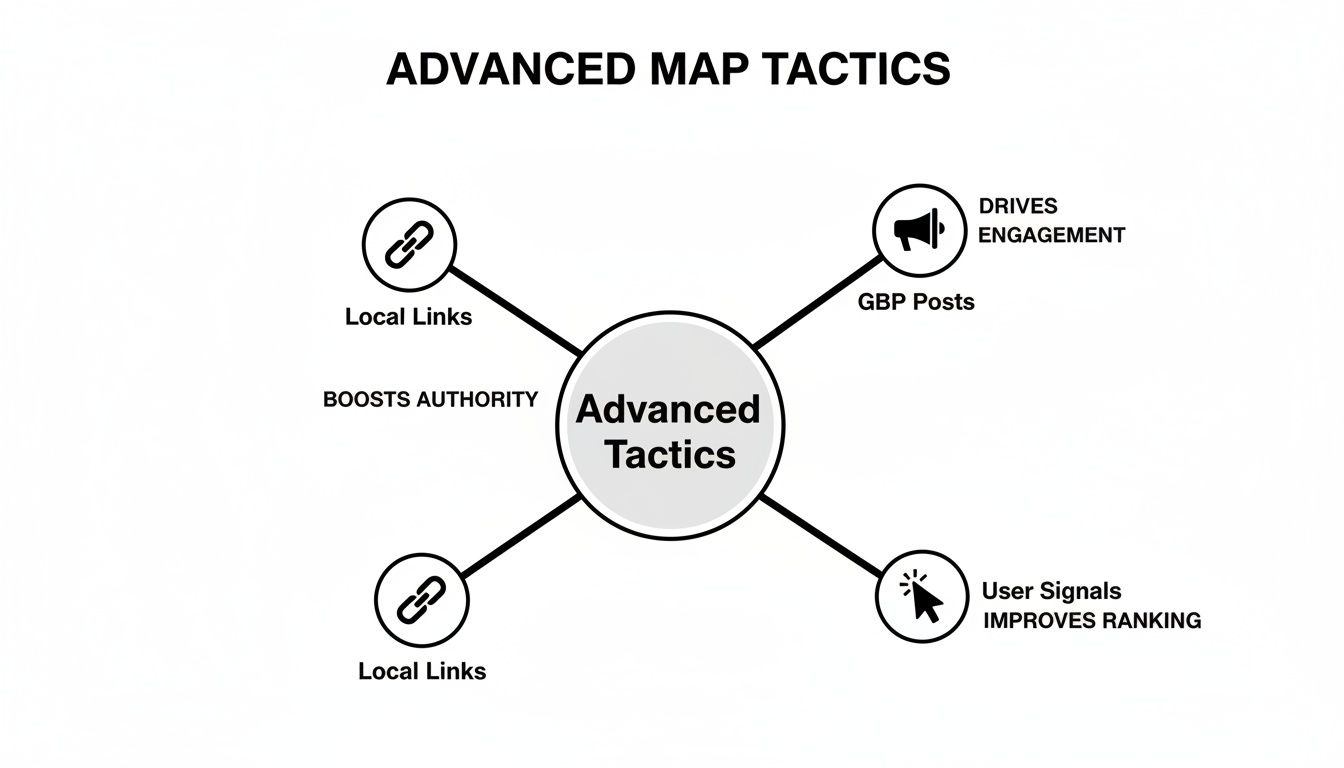
As you can see, earning local links, keeping your Google Business Profile fresh, and generating positive user signals all work together.
How Long Does It Take to Rank in Google Maps?
There is no magic switch. After you fully optimize your Google Business Profile, you might see some movement in 2-4 weeks. But getting into the top-3 Local Pack is a longer game. For most businesses, it takes 3 to 6 months of consistent effort.
The timeline depends on your industry, competition, and how consistently you work on it. Building your online presence is a marathon, not a sprint.
Can I Rank in a City Where I Don't Have a Physical Address?
The short answer is no, not really. It is very difficult and goes against Google's rules. The point of Google Maps is to connect users with businesses that are physically near them. Proximity is a ranking factor you can't cheat.
You can set a 'service area' in your profile, which is good for businesses that travel to customers. However, your ranking power will always be strongest in the city of your verified physical address. You might show up in organic search for nearby towns by creating specific website pages, but cracking the map pack there is a long shot.
🔑 Key Takeaway: Don't try to fake proximity. Focus your energy on dominating the map rankings in the city where you are actually located.
What Are the Most Important Ranking Factors for Google Maps?
Google's local search algorithm boils down to three core ideas.
- Relevance: How well your business profile matches a search. This is why choosing accurate categories and detailing your services is so important.
- Distance: How far your business is from the person searching. You can't change this, but high relevance and prominence can help you show up for searches that are a little farther away.
- Prominence: Your online reputation. Google looks at things like a steady flow of positive reviews, links from other local sites, and consistent business citations.
Optimizing your GBP boosts your relevance. The user's location handles distance. But prominence is what you build over time.
At Clicks Geek, we specialize in turning local searches into real customers. If you're ready to dominate the map pack and drive measurable growth, our local SEO experts can build a strategy that gets results. Learn more at https://clicksgeek.com.