Getting into the Google Map Pack isn't about luck. It's about a clear strategy. To get your business in that top-three spot, you need three key things working together: a great Google Business Profile (GBP), a steady flow of positive customer reviews, and consistent business information across the web (these are called citations).
When you get these right, you're sending a strong signal to Google that your business is a top choice for local customers.
In Short: Ranking in the Map Pack requires an optimized GBP, consistent reviews, and accurate online citations.
Why the Map Pack Matters for Your Business
When a customer searches for "plumber near me" or "best coffee in Austin," the Map Pack is often the first thing they see. This box shows a map and three business listings, making it prime digital real estate. This is where most calls and clicks happen.
Getting a spot here means proving your business is the most relevant and trustworthy option. Think of your GBP as your digital storefront. Your reviews act as word-of-mouth. And citations are endorsements from other websites. Each part supports the others.
The 3 Main Signals Google Uses
How does Google decide who gets featured? It comes down to three main signals:
- Relevance: Does your business match what the user is searching for? This is about choosing the right business categories and using relevant keywords in your GBP.
- Proximity: How close is your business to the person searching? You can't change your address, but you can clearly define your service areas in your profile.
- Prominence: How well-known is your business? Google looks at your review count, your website's authority, and how consistently you're mentioned online.
Ranking is a process, not a one-time task. It starts with a solid foundation and builds over time.
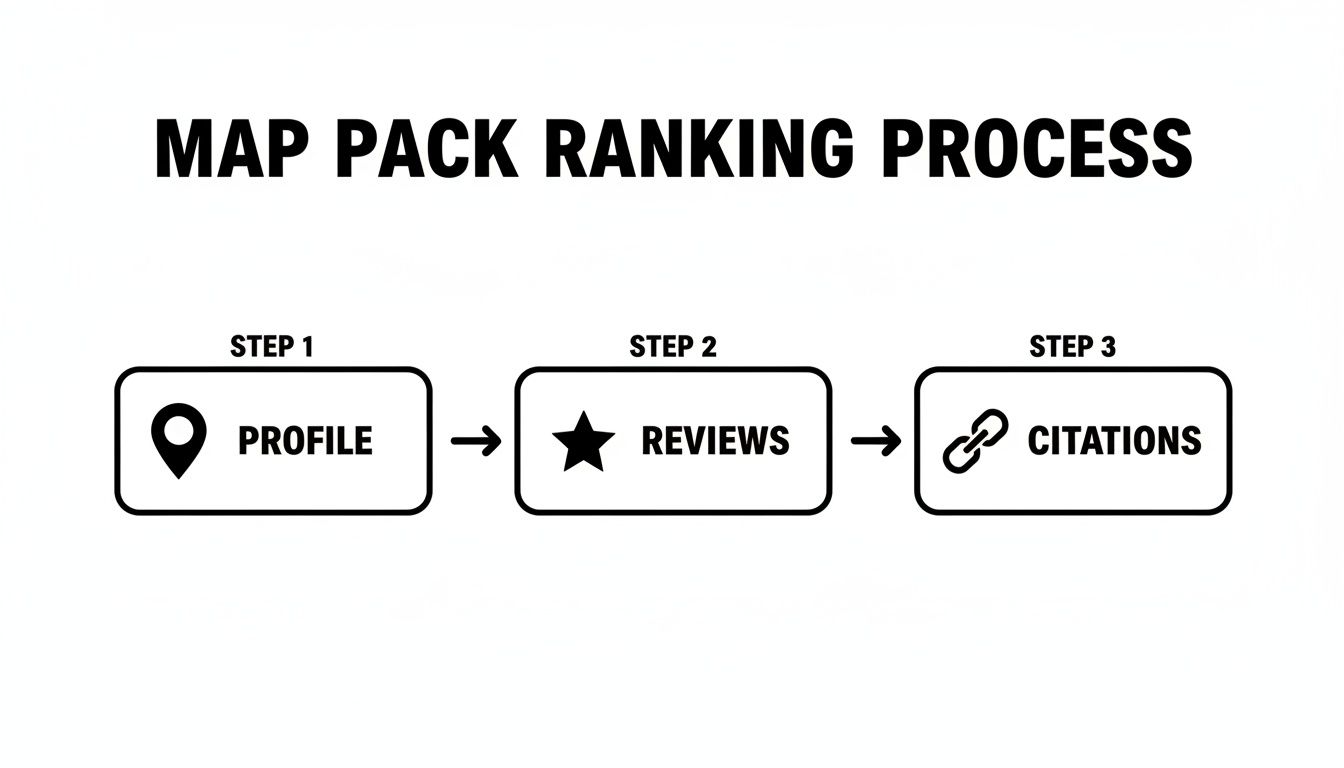
As the chart shows, a complete profile is step one. From there, you build your reputation with reviews and establish authority with citations.
Core Map Pack Ranking Factors
Here is a breakdown of the key pillars for a winning Map Pack strategy.
| Ranking Pillar | What It Means | Why It's Critical |
|---|---|---|
| GBP Optimization | Completely filling out every section of your Google Business Profile with accurate information. | This is your direct line to Google. It’s the core data Google uses to understand and rank your business. |
| Reviews & Reputation | Consistently getting positive reviews and responding to all of them (good and bad). | Reviews build trust with both potential customers and Google’s algorithm. They provide powerful social proof. |
| Citations & NAP | Ensuring your Name, Address, and Phone number (NAP) are identical across all online directories. | Consistency builds authority. It proves to Google that your business information is legitimate and reliable. |
| On-Page SEO | Optimizing your website with location-specific keywords, content, and schema markup. | Your website confirms the information on your GBP. Strong local SEO on your site boosts your Map Pack chances. |
Getting these four pillars right is essential. They all work together to show Google that your business deserves to be at the top.
The Truth About Proximity
Proximity is a huge factor in local search. Being physically close to the searcher gives you a massive advantage in the Map Pack.
The Local Pack appears for 93% of searches with local intent. The businesses inside it get 93% more actions like calls and website visits than the organic results below.
If two businesses are equal in every other way, the one that's closer to the customer will almost always rank higher. Your job is to make every other part of your strategy so strong that you can compete even when you're not the closest option.
For a deeper dive, our guide on local maps SEO has more details. Now, let's start with the foundation: your Google Business Profile.
How to Optimize Your Google Business Profile
Your Google Business Profile is the engine of your local SEO strategy. It’s your digital storefront and your direct line to Google's ranking algorithm.
A neglected profile is a dead end. But a fully detailed profile sends strong signals of trust and relevance. Every field you fill out is another chance to tell Google and your customers who you are and why they should choose you.
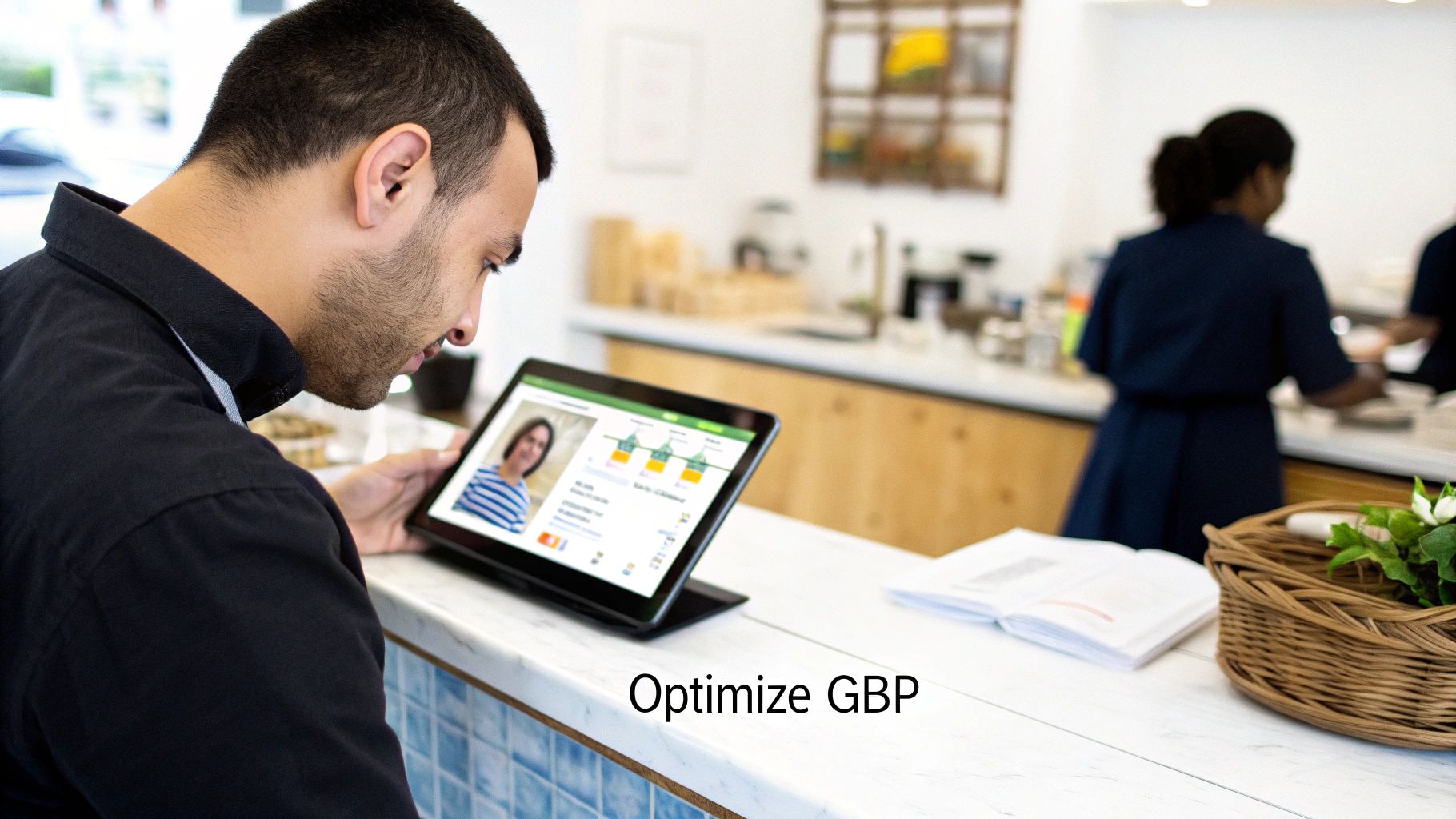
Going beyond the basics—like adding photos and creating posts—is what separates top-ranking businesses from the rest.
Choose the Right Business Categories
This is one of the most important parts of setting up your GBP. Your categories tell Google when to show your business in search results.
Your primary category should be the single best description of your main business. For example, if you are a plumber who also does some HVAC work, "Plumber" should be your primary category if that's your main service.
Then, you can add secondary categories for your other services. Don't add too many—only choose categories that represent a significant part of what you do.
- Be specific. Instead of "Contractor," choose "Roofing Contractor" or "Painting Contractor."
- Think like your customer. What terms would they search for to find you?
- Check your competitors. See what categories the top-ranking businesses in your area are using.
Write a Helpful Business Description
You have 750 characters for your business description. This is your chance to connect with customers, not just stuff in keywords.
Start with your most important service and location keywords. Then, talk about what makes your business special. Are you family-owned? Do you offer 24/7 service? Mention it here.
Always write for humans first and Google second. A clear, natural description that explains what you do will perform better than a paragraph full of keywords. For more tips, check out these strategies for Google My Business optimization for local leads.
Fill Out Every Single Section
An incomplete profile looks unprofessional. Google provides many fields because it wants as much data as possible to confidently recommend your business.
Go through your GBP dashboard and fill out everything:
- Services: List every service you offer. This helps you appear in specific searches like "emergency tankless water heater repair."
- Products: If you sell products, add them with high-quality photos and descriptions.
- Attributes: Use tags like "Wheelchair accessible" or "Veteran-led" to highlight key features.
- Hours of Operation: Keep your hours updated, especially for holidays.
A complete profile shows Google you're an active and attentive business owner.
Use GBP Features That Others Ignore
Many business owners stop after filling out the basic info. This is a mistake. Using GBP's interactive features gives you a competitive edge.
Google Posts are like mini-updates for your profile. Use them to share:
- Special offers or discounts.
- Business news, like a new team member.
- Upcoming events or workshops.
Posts expire after seven days (unless they're for an event), so they are a great way to keep your profile fresh.
The Q&A section is another useful feature. You can pre-load it with answers to common questions. This saves customers time and shows that you are proactive.
Building a Powerful Review Strategy
Once your GBP is optimized, focus on customer reviews. Reviews are a core part of ranking in the Map Pack.
They are a huge trust signal for both customers and Google. The total number of reviews, how often you get new ones, and how you respond to them all matter.
Each positive review is a vote of confidence. A steady stream of new reviews shows that your business is active and consistently delivering great service.

Reviews make up 12-14% of local ranking factors. Businesses with 5-star ratings in the Map Pack get 69% of user attention, while 3-star businesses get only 44%. Better ratings mean more clicks. To learn more, see how these local search ranking factors are weighted.
Make It Easy for Customers to Leave a Review
Happy customers often don't leave reviews because it's inconvenient. Your job is to make it as easy as possible.
Here are a few tactics that work:
- QR Codes: Put a QR code that links directly to your review page on receipts or business cards.
- SMS Follow-Ups: Send a simple text a day after a service. For example, "Hi [Customer Name], thanks for choosing us! Would you mind sharing your experience on Google? [Link]"
- Email Signatures: Add a review link to your email signature.
The best time to ask is right after a customer has had a great experience.
Why You Must Respond to Every Single Review
Responding to every review shows that you care about customer feedback. This is important for both customers and Google.
Responding to Positive Reviews:
Don't just say "Thanks!" Personalize your response. Mention something specific from their review to show you read it.
Responding to Negative Reviews:
A professional response to a bad review can win over future customers.
- Never get defensive.
- Acknowledge their frustration.
- Apologize that their experience wasn't perfect.
- Offer to resolve the issue offline.
This shows everyone that you take accountability.
How do I ask a customer for a Google review?
The best approach is to be direct and make it simple. Send a follow-up email or text with a direct link to your Google review page. You can also use QR codes at your business. Frame it as, "Your feedback is important and helps other customers find us."
How do I respond to a fake Google review?
Stay calm. Post a polite public reply stating that you have no record of this person as a customer. Then, go into your GBP dashboard, find the review, and flag it for removal. Explain to Google why you believe it violates their policies (e.g., "This person was never a customer.").
How important are Google reviews for SEO?
They are critical for local SEO and ranking in the Map Pack. Reviews act as social proof, signaling to Google that your business is trusted and relevant in the community. The number, frequency, and quality of your reviews all impact your visibility.
Nailing Your Local Citations for Map Pack Dominance
Think of your business information online as a trail. Google follows this trail to verify your business. If your Name, Address, and Phone number (NAP) are consistent, Google's trust in you grows. If they are inconsistent, it creates confusion.
A citation is any online mention of your business's NAP. You can find them in online directories, on social media, and on industry-specific websites.
The golden rule here is NAP consistency. Even a small difference, like "St." versus "Street," can cause problems. Your NAP must be identical everywhere.
Why Inconsistency Is a Problem
Inconsistent information sends mixed signals to Google. The algorithm is trying to verify that your business is real and located where you say it is. Conflicting data makes it harder for Google to trust you.
This is a major roadblock if you're trying to figure out how to rank in the map pack. Every consistent citation acts like a vote of confidence.
Each consistent citation from a reputable site makes you appear more legitimate to Google, which helps you climb the Map Pack rankings.
First, Audit and Clean Up Existing Citations
Before building new citations, you must find and fix old, incorrect ones. Many businesses have incorrect listings from old addresses or typos.
Start with a citation audit. You can search for your business on Google, but a specialized tool will be more thorough. These tools can find every place your business is listed online.
Once you have a list:
- Identify all errors.
- Claim your business profiles on sites like Yelp or Yellow Pages.
- Update each listing to match your correct NAP.
This process takes patience, but it creates a solid foundation for your local SEO.
Now, Build New, High-Quality Citations
Once your existing listings are clean, it's time to build new citations. Quality is more important than quantity. Focus on directories and platforms that are relevant to your business and location.
Start with the major platforms, then move to niche-specific sites.
Top Priority Citation Sources for Local Businesses
Focus on these essential platforms to build a strong foundation for your NAP consistency.
| Platform | Category | Key Benefit |
|---|---|---|
| Yelp | General Directory | A high-authority platform that customers and Google trust. |
| Apple Maps | Navigation & Maps | Essential for reaching millions of iPhone users. |
| Social Media | Your business page is a powerful citation and a way to connect with customers. | |
| Industry Sites | Niche Directories | Listings on sites like Houzz (home services) or TripAdvisor (hospitality) are very valuable because they are highly relevant. |
Focusing on these key platforms helps you build an authoritative presence where it matters most. For more help, this guide to local SEO services is a great resource.
What are the most important local citations?
The most important citations come from high-authority platforms and directories specific to your industry. Start with Google Business Profile, Apple Maps, Yelp, and Facebook. Then, find directories that are important in your field (like Avvo for lawyers or Angi for home contractors).
How do I fix my NAP consistency?
First, establish one "master" version of your NAP. Then, use a citation audit tool to find all online listings of your business. Finally, log in to each platform and edit the information to match your master NAP.
Does changing my business address affect SEO?
Yes, absolutely. Moving your business is a major event for local SEO. You must update your Google Business Profile immediately and then update every single online citation. If you don't, it will create NAP confusion and hurt your local search rankings.
Aligning Your Website for Local Search
Your Google Business Profile and your website need to work together. To successfully learn how to rank in the map pack, your website must support all the local signals you send through your GBP.
When Google sees that your website confirms the information on your profile, its confidence in your business grows. Your website needs to show that you are a local authority.
Create Hyper-Local Service Pages
Many local businesses put all their services on one generic page. This is a missed opportunity. Create dedicated pages for each core service in each main area you serve.
For example, instead of a single page for "roofing, siding, gutters," create specific pages like:
- "Roof Repair in Austin"
- "Gutter Installation in Austin"
- "Commercial Siding in Round Rock"
This allows you to target the exact keywords customers in that area are using. It also reinforces your geographic relevance to Google.
Make Your Contact Information Easy to Find
Your Name, Address, and Phone number (NAP) on your website must exactly match your GBP. The best places to put this information are in your website's footer and on a "Contact Us" page.
On your contact page, also embed a Google Map. This is a simple but effective way to visually confirm your physical location for Google. This consistency is essential for building the trust needed to rank in the Map Pack.
Speak Google’s Language with Local Schema
Local Business schema markup is code you add to your website that acts like a digital name tag for search engines. It clearly tells Google important details about your business in a language it understands.
This code specifies things like:
- Your official business name
- Your precise address
- Your hours of operation
- Your customer review ratings
You don't need to be a coding expert to do this. Many website builders and SEO plugins can generate this code for you. Adding it makes it easier for Google to validate your business and rank you with confidence. This is a key part of any solid local business SEO strategy.
What is the most important part of local SEO?
While everything is connected, a fully optimized Google Business Profile is the most critical piece. However, your website's on-page local SEO is what validates and supports your GBP. Without a website that reinforces your location and services, your GBP is less effective.
How do I get my business to show up on Google Maps in a different city?
This is difficult without a physical address in that city. Your best strategy is to create location-specific service pages on your website for that city (e.g., "Plumbing Services in Springfield"). This shows Google you serve that area, which can help you appear in broader Map Pack results.
Does my website affect my Google Maps ranking?
Yes, 100%. Google cross-references the information on your GBP with the content on your website. A well-optimized site with local keywords, location pages, and consistent NAP info sends powerful signals that improve your chances of ranking in the Map Pack.
Got Questions About Ranking in the Map Pack? We've Got Answers.
Figuring out local SEO can bring up a lot of questions. Let's cover some of the most common ones we hear from business owners who are trying to understand how to rank in the Map Pack.
Getting clear answers helps you set realistic goals and refine your strategy for the best chance of success.
How Long Does It Realistically Take to Rank?
The honest answer is: it depends. There is no magic timeline.
For a new company in a competitive market—like a "plumber in Dallas"—it could take six months or more of consistent work to see real results in the Map Pack.
However, if you're an established business in a smaller town, you might see improvement in just a few weeks after optimizing your GBP and getting new reviews.
Your timeline depends on:
- Competition: How many other businesses are competing for the same keywords?
- Your Starting Point: A business with an inconsistent online presence has more cleanup work to do.
- Your Consistency: Ranking requires ongoing effort. You have to keep earning reviews and managing your profile.
Why Is My Competitor Outranking Me with Fewer Reviews?
This is a common frustration. You have 150 five-star reviews, but the competitor above you only has 30. What's going on?
While reviews are a major ranking factor, they aren't the only one.
Your competitor might be outranking you because their website's on-page SEO is better optimized for local search. Or maybe their citation profile is cleaner. It could even be that their physical location is closer to the person searching.
Google’s algorithm considers dozens of factors. Your competitor might just be stronger in an area you've overlooked.
What Is the Best Way to Manage Multiple Locations?
If your business has more than one location, the goal is to avoid confusing Google. You need a meticulous system.
The golden rule is to create a separate and unique Google Business Profile for each physical address.
Never try to list multiple locations on a single profile. Each location needs its own distinct online identity.
This means each location gets its own:
- Unique GBP listing with its own address, phone number, and hours.
- Dedicated landing page on your website (e.g.,
yoursite.com/locations/austin). - Set of local citations that point to that specific location’s NAP.
Using a tool like the Google Business Profile Manager helps you manage everything from one dashboard. This approach sends clear signals to Google for each location, giving each one the best chance to rank in its local Map Pack.
Ready to stop guessing and start dominating the Map Pack? The team at Clicks Geek specializes in turning local searches into real customers. We build comprehensive local SEO strategies that get you seen by the people who matter most. Find out how we can help your business grow today.