Want to know how to rank in Google Maps? It all starts with one thing: your Google Business Profile (GBP). This is the center of the universe for local search. Think of it as your business's digital handshake with Google. A fully built-out, accurate, and active profile is the most important signal you can send to its algorithm.
A strong GBP is your foundation for getting noticed in the local pack, that valuable map section that shows up for local searches. It’s what helps customers find you when they're looking for services "near me."
Your Foundation for Ranking on Google Maps
Before you think about anything else, you have to get your GBP right. This is the bedrock of local SEO. It’s not just about filling in the blanks. You need to strategically complete every section to leave no doubt in Google's mind about who you are, where you are, and what you do.
Many businesses just do the bare minimum. That's a huge mistake. Every empty field is a missed opportunity to outshine your competition. This is your chance to control how you show up and prove you’re the best answer for a local customer’s search.
In Short: A complete and optimized Google Business Profile is the most critical first step to ranking in Google Maps.
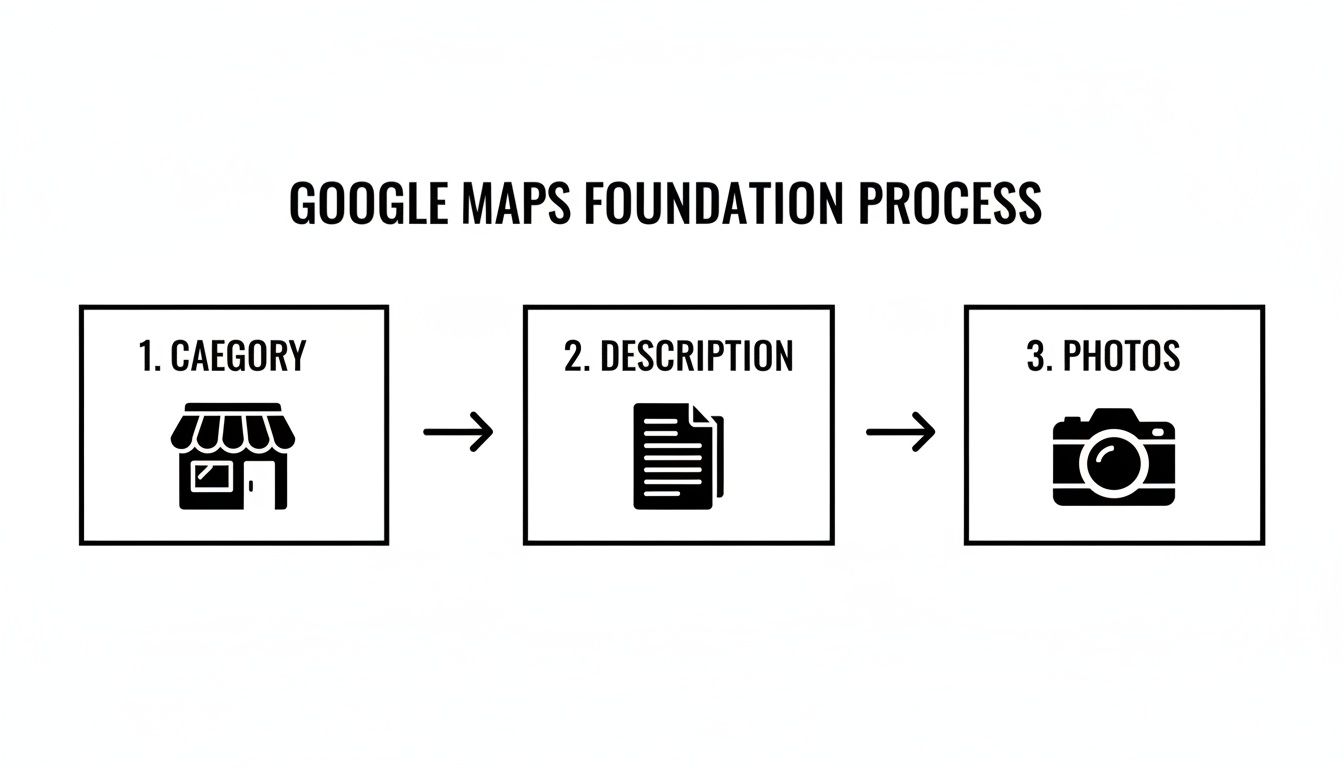
Nail Your Business Categories
Getting your business categories right is probably the single most impactful thing you can do on your profile. Your primary category needs to be laser-focused. Don't pick "Plumber" if you can pick "Drain Cleaning Service" and that's your main job. Be as specific as possible.
Once your primary category is locked in, fill out the secondary categories to cover everything else you offer. A roofer, for example, might be a "Roofing Contractor" first, but they should also add:
- Gutter Cleaning Service
- Siding Contractor
- Window Installation Service
This helps you cast a wider net and show up for all the different ways people might search for your services.
Craft a Keyword-Rich Description
Your business description is prime real estate. Don't waste it with generic fluff. This is your spot to tell your story while naturally including the keywords your customers are searching for.
Instead of just listing services, talk about what makes you different. Are you the go-to "emergency plumber in downtown Denver" or a "third-generation family bakery in the Brooklyn Heights neighborhood"? This gives Google powerful context. The trick is to make it sound human and helpful, not like a robot stuffed it with keywords.
Pro Tip: Google's algorithm is smart enough to understand context. Mentioning specific services and neighborhoods in your description can directly boost your visibility for longer, more specific search queries.
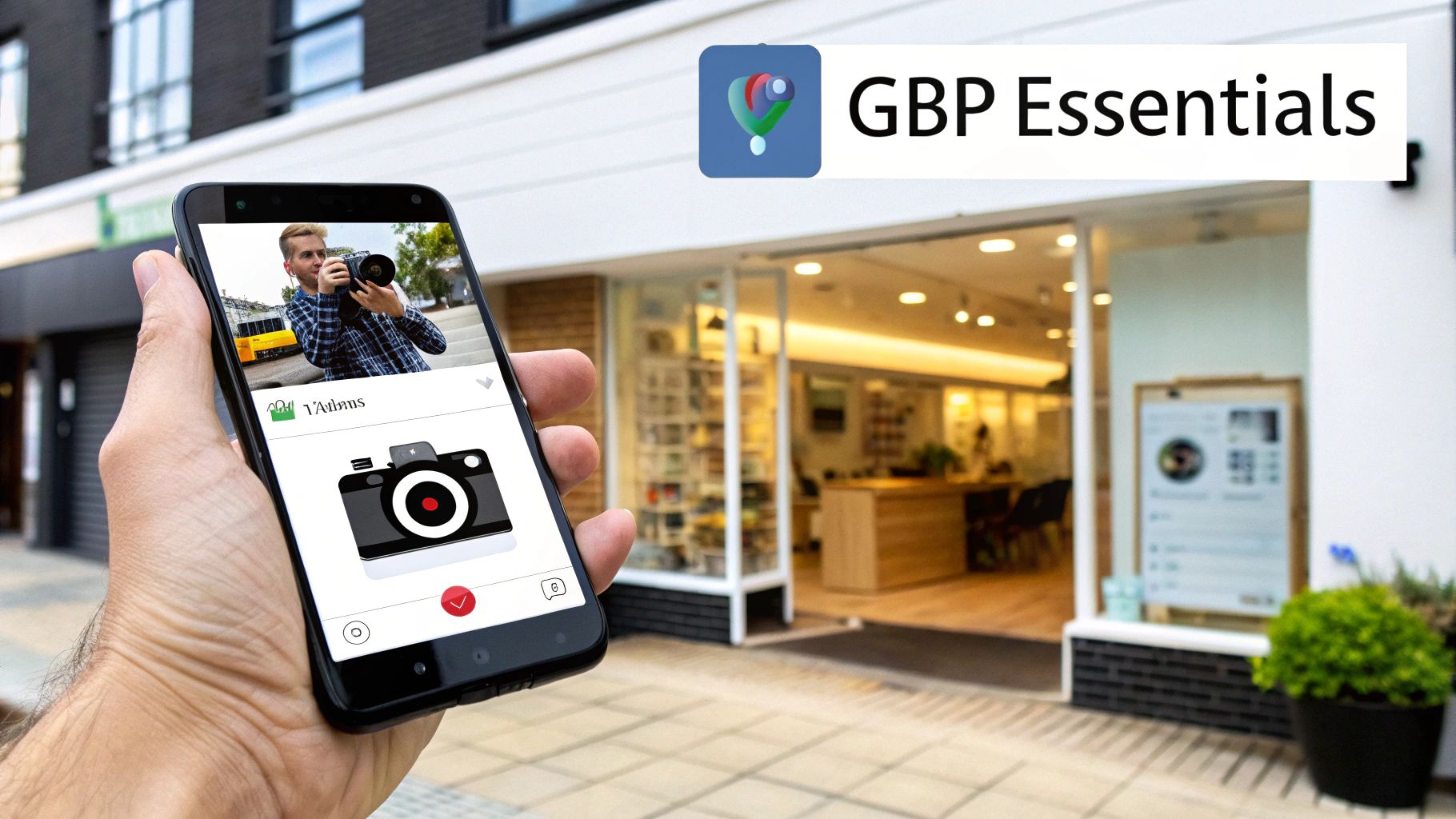
Upload High-Quality Photos and Videos
Nothing says "we're out of business" like a GBP with no photos. You need to show you're a real, active, and thriving business. Profiles with a steady stream of high-quality images get more clicks and calls. It’s that simple.
Get sharp photos of your storefront (inside and out), your team in action, finished projects, and your products. This visual proof builds instant trust.
A simple trick is to geotag your photos. Make sure location services are turned on for your phone's camera when you snap pictures at your business or job site. It’s one more signal that reinforces your location to Google.
Ultimately, proximity is still king in Google Maps. Having a verified address is the most critical factor. For any local business, making sure your profile is verified at the correct physical address is non-negotiable. If you really want to dig into advanced strategies, learning how to rank higher on Google Maps is your next step.
Google Business Profile Core Optimization Checklist
Use this checklist to ensure your Google Business Profile is fully optimized and sending the right signals to Google for better Maps ranking.
| GBP Section | Why It Matters for Ranking | Pro Tip |
|---|---|---|
| Business Name | Your official, real-world business name. Consistency is key. | Do not add keywords here. This can get your profile suspended. Stick to your registered business name. |
| Categories | The most crucial factor for showing up in relevant searches. | Be as specific as possible for your primary category. Use secondary categories for all other services. |
| Address | Establishes your physical location and defines your service area. | Make sure the pin is dropped in the exact right spot on the map. Get this verified immediately. |
| Hours of Operation | Informs customers when you are open and influences "open now" searches. | Keep them updated! Use special hours for holidays to build trust and avoid frustrating customers. |
| Phone Number | A primary way for customers to contact you. Use a local number. | Use a consistent, primary business number across all your online profiles to help with NAP consistency. |
| Website | Connects your GBP to your website, a key ranking signal hub. | Link to your most relevant local landing page, not just your homepage (e.g., your city-specific page). |
| Services/Products | Details what you offer, allowing you to rank for specific service searches. | Fill this out completely. Add descriptions and prices if applicable. It’s a goldmine for long-tail keywords. |
| Business Description | Provides context and a place for natural keyword integration. | Tell your story. Mention your main services and service area in a natural, compelling way. |
| Photos & Videos | Builds trust, increases engagement, and proves you're an active business. | Add new photos weekly. Make sure to include your logo, exterior, interior, team, and "at work" shots. |
| Q&A Section | Pre-emptively answers common questions and shows you're engaged. | Seed your own Q&A! Ask and answer the top 5-10 questions you always get from new customers. |
Getting these core elements right is the essential first step. It sets the stage for everything else you'll do to climb the ranks in Google Maps.
Build Trust With Citations and Reviews
Okay, your Google Business Profile is looking sharp. What’s next? Now you need to build authority across the web. Think of your GBP as your home base. Google also looks at other reputable sites to double-check that you are who you say you are.
This is where citations and reviews come in. They are your best friends for building trust with Google.
Citations are just mentions of your business's key information online. The most important piece of a citation is your NAP—your Name, Address, and Phone number. You’ll find these on business directories like Yelp, Angi, and the Better Business Bureau, plus smaller, industry-specific sites.
Why NAP Consistency Is a Deal-Breaker
I can't stress this enough: inconsistent NAP data is a huge red flag for Google.
If one directory lists you as "Joe's Plumbing LLC" at "123 Main St" and another has "Joe's Plumbers" at "123 Main Street," you're creating confusion. This digital mess makes Google less confident in your business info, which can hurt your ranking in the Map Pack.
Think of every consistent citation as a vote of confidence. When dozens of trusted sites all point to the same NAP, it tells Google that your information is rock-solid.
A good first step is a quick audit. Use a solid local SEO audit checklist to find and fix any inconsistencies.
Building Citations That Matter
Once you’ve tidied up your existing listings, it's time to build new ones. But focus on quality over quantity. A single listing on a respected, industry-specific directory is worth more than 50 listings on spammy websites.
Here’s where to focus your efforts:
- The Big Guys: Get your listings perfect on core platforms like Yelp, Bing Places, and Apple Maps.
- Your Niche Directories: Are you a law firm? You need to be on Avvo. A contractor? Get on Houzz. These sites send powerful signals about your industry.
- Hyper-Local Sites: Don’t forget your local Chamber of Commerce or city business directories. These are gold for cementing your local authority.
Turn Customer Feedback into a Ranking Superpower
Reviews are the new word-of-mouth, and they are a massive ranking factor for Google Maps. They signal trust to both potential customers and Google’s algorithm. A steady flow of recent, positive reviews tells the world you’re an active, top-tier business.
The secret is to make leaving feedback a natural part of your process. Don't be pushy. A simple follow-up email after a service, with a direct link to your GBP review page, works wonders.
Pro Tip: Responding to every single review—good and bad—is just as crucial as getting them. It shows Google and your future customers that you’re engaged and you care. This is a huge trust signal.
How to Respond to Reviews Like a Pro
The way you handle reviews speaks volumes. For positive ones, a simple "thank you" is nice, but you can do better. When you reply, casually mention the service they loved and your location. For example: "Thanks, Sarah! We're thrilled you love the new roof installation on your Denver home. It was a pleasure working with you!"
Negative reviews are different. Here's the game plan:
- Don't Get Emotional: Take a deep breath. Never argue.
- Acknowledge the Problem: Show empathy. Let them know you hear their frustration.
- Take It Offline: Offer a direct line to solve it. "We're sorry to hear this. Please call me directly at…"
A thoughtful response can often turn a one-star review into a showcase of your amazing customer service.
Ultimately, a killer review strategy is built on a killer customer experience. When you focus on the customer journey, great reviews will follow. For example, learning how to improve patient experience isn't just for doctors—the principles apply to any local business building its reputation.
Connect Your Website to Your Maps Ranking
Think of your Google Business Profile as the storefront and your website as the foundation. Many businesses treat them as separate things, which is a massive mistake. To succeed in local search, you need to show Google they're a team.
Your website is the source of truth that backs up everything Google sees on your GBP. When your site and your profile are in sync, it sends a powerful signal that you’re legitimate and relevant. This connection is a must-do for anyone serious about figuring out how to rank in Google Maps.
Create Hyper-Local Service Pages
Generic service pages are where local SEO goes to die. If you have one "Services" page listing everything you offer, you won’t rank well for specific local searches. The fix is to create dedicated, hyper-local pages.
Put yourself in your customer's shoes. They aren't just searching "plumber." They're searching for "emergency plumber in downtown Denver" or "leak detection in Highlands Ranch." Your website needs pages that speak directly to those searches.
- Instead of: One page for "Our Roofing Services."
- Create: Separate pages like "Asphalt Shingle Repair in Aurora" and "Commercial Flat Roof Installation in Lakewood."
Each of these pages should be an authority on that topic for that specific place. Add details about the service, mention local landmarks, and talk about common issues in that neighborhood. This tells Google you are the expert for that service in that location. For a deeper look, our guide on how to improve local SEO rankings digs into the details.
Perfect Your On-Site NAP and Map Embed
Consistency is king in local SEO. The Name, Address, and Phone number (NAP) on your website—ideally in the footer of every page—must be an exact match with what's on your Google Business Profile.
- If your GBP says "Street," your site shouldn't say "St."
- The phone number format needs to be identical.
- The business name has to be exactly the same.
Even a tiny difference can confuse Google. Once you've triple-checked that your NAP is perfect, embed a Google Map of your location on your contact page. This is a direct technical signal that visually confirms your location to Google. Just find your business on Google Maps, click "Share," then "Embed a map," and copy the code.
Key Takeaway: An embedded Google Map on your contact page, right alongside your perfectly matching NAP, is one of the strongest on-site signals you can send to prove your location.
On-Site vs. Off-Site Local SEO Signals
It helps to see the difference between signals you control on your website and those you build elsewhere online.
| Signal Type | On-Site Signals (Your Website) | Off-Site Signals (GBP, Directories, etc.) |
|---|---|---|
| Primary Goal | Provide detailed context and authority. | Build trust, prominence, and social proof. |
| Key Elements | Hyper-local service/location pages, Local Business Schema, embedded map, NAP in footer, blog content about local events/topics. | Google Business Profile, local directory listings (citations), customer reviews, local link building, social media profiles. |
| Control Level | 100% – You own the website. | Partial – You influence it, but don't fully control platforms or customer reviews. |
Both sides of this table are critical. Your on-site work provides deep, authoritative content, while your off-site efforts broadcast that authority across the web. They have to work together.
Demystify Local Business Schema
Okay, this part sounds a little techy, but it’s a game-changer. Local Business Schema is a snippet of code you add to your website that works like a translator for search engines. It spoon-feeds Google your key business info in a format it can instantly understand.
Schema markup removes any guesswork. You can explicitly tell Google:
- Your exact business name, address, and phone number.
- Your precise hours of operation.
- The specific services you offer.
- Your service area.
- Links to your social media accounts.
By adding this structured data, you’re giving yourself an edge over competitors. It helps Google pull your info for rich results and makes the connection between your site and your GBP rock solid.
With over 80% of business happening on mobile devices, a well-optimized site is no longer optional. Google’s Core Web Vitals and other performance factors play a big role in local search. Having proper schema is now a basic requirement.
Use Engagement to Boost Your Ranking
So, you’ve filled out every detail on your Google Business Profile. That’s a great start, but it only gets you in the game. To win, you need to show Google that real people are interacting with your listing.
Google is always watching. It tracks how users behave when they see your profile. These interactions, or behavioral signals, are powerful proof that your business is relevant and popular.
Think about it from Google's perspective. You have two identical coffee shops. One gets a few views. The other gets dozens of clicks for directions, phone calls, and website visits every day. Which one do you think Google will show more often? The busy one, of course. High engagement tells Google you're an authoritative choice.
Keep Your Profile Fresh With Google Posts
One of the simplest ways to keep your profile active is by consistently using Google Posts. These are like small social media updates that live right on your business profile. They're perfect for sharing offers, news, or events.
Posting regularly does a couple of crucial things. First, it prevents your profile from looking abandoned. Second, it gives people a reason to click and learn more, rather than just scrolling by.
Here are a few ideas to get you started:
- Limited-Time Offers: "This month only! Get 15% off any roof inspection."
- New Service Announcements: "Exciting news! We now offer eco-friendly HVAC solutions. Click to learn more!"
- Event Promotions: "Join our free homeowner's workshop this Saturday."
- Showcase Recent Work: Snap a photo of a finished job and add a quick caption about the project.
The goal here is a steady drumbeat of fresh content. You're showing both customers and Google that you're open for business.
Proactively Manage Your Questions and Answers
The Q&A section on your profile is an underrated goldmine for engagement. Most businesses ignore it. This feature allows anyone to ask a question, and worse, anyone can answer it. If you're not on top of this, you’re letting random people control your business's narrative.
Don't wait for questions to roll in. Be proactive. You already know your most frequently asked questions, so get ahead of them.
Pro Tip: Log into your personal Google account, find your business listing, and post your top 5-10 FAQs. Then, switch back to your business account and provide clear, helpful answers. This adds value and stops misinformation.
Here are some common questions you can seed yourself:
- Do you offer free estimates?
- What are your weekend hours?
- Is there parking available?
- Do you offer warranties on your services?
The Engagement Metrics That Matter Most
At the end of the day, Google is tracking specific user actions on your profile. These behavioral signals have a direct impact on how you rank in Google Maps. The more of these actions you can encourage, the more Google's algorithm will favor your listing.
Let's break down the key metrics:
- Click-to-Call: This is a huge one. Someone clicking this button is often ready to do business. A steady stream of calls signals to Google that you're a top choice.
- Direction Requests: This is a powerful signal of real-world intent. They are planning to come to you. Fun fact: businesses with a good set of photos get 42% more requests for directions.
- Website Visits: A click through to your website means your profile was interesting enough to make someone want more information. It's another strong vote of confidence.
- Photo Views and Engagement: Don't underestimate your photos. The number of views they get is a signal. Profiles with plenty of high-quality, recent images see much more engagement.
By focusing on things that drive these actions—like creating compelling Google Posts and pre-loading your Q&A—you're feeding Google exactly what it wants to see.
Advanced Local Link Building and Content
Alright, you’ve dialed in your Google Business Profile, cleaned up your citations, and your website is set up correctly. That puts you way ahead of most competitors.
But now, it's time to build a competitive moat. We're moving into strategies that separate the front-runners from the pack. This is where we get serious about local link building and creating content that resonates with your community.
Everything you've done so far tells Google who you are and where you are. This next level is all about proving you're a trusted, authoritative voice in your local area.
What is local link building?
Local link building is just getting other reputable local websites to link back to yours. These aren't just any links; they're powerful, location-specific votes of confidence.
When a local business, a neighborhood blog, or a community organization links to your site, it sends a huge signal to Google that you’re a legitimate and important part of that community. It screams local relevance.
A single link from your city’s Chamber of Commerce can be more valuable for your Maps ranking than ten generic links from a random national directory. It anchors your business to your community in a way Google’s algorithm loves.
How to Earn High-Value Local Links
So, where do these links come from? It’s not from spamming hundreds of people with generic emails. It’s about getting involved in your community and creating real value.
Here are a few practical strategies that work time and time again:
- Sponsor a Local Event: Look for charity 5Ks, youth sports leagues, or community festivals. Sponsorship almost always includes a link from their event page back to your website.
- Join Your Local Chamber of Commerce: This is a no-brainer. Most local chambers have an online member directory that links to your site.
- Host a Local Workshop or Meetup: Are you a financial advisor? Host a free "Retirement Planning 101" workshop. A landscaper? Run a "Spring Gardening Basics" class. Partner with a local library or community center to host it and get links from their event calendars.
Key Insight: Local link building isn't just a technical SEO task. It’s about building real-world relationships that translate into digital authority. Your offline community engagement fuels your online visibility.
Creating Content That's Genuinely Local
Your blog can be one of the most powerful tools in your local SEO toolbox, but only if you use it right. Stop writing generic articles that could apply to anyone, anywhere. Your goal should be to become the go-to resource for your specific city or neighborhood.
We call this hyperlocal content, and it's a game-changer. This kind of content naturally attracts local search traffic and positions you as a true local expert. Plus, it gives other local websites something valuable to link to.
Hyperlocal Content Ideas That Get Clicks
Start thinking about the unique questions and interests of people in your service area. Your content needs to be the answer.
For example:
- A roofer in Denver could write: "How to Prepare Your Roof for a Brutal Denver Hail Storm."
- A plumber in Phoenix could create: "A Homeowner's Guide to Dealing with Hard Water in the Phoenix Area."
- A real estate agent in Chicago might publish: "The Top 5 Dog-Friendly Parks in the Lincoln Park Neighborhood."
See the pattern? This content is specific and useful to a local audience. It’s the kind of resource a neighborhood blogger or local news site would be happy to share.
When you create content that solves local problems, you're building a brand that's embedded in the community you serve. That authority is a powerful signal that helps you rank in Google Maps.
Frequently Asked Questions About Ranking on Google Maps
If you're trying to figure out how to climb the ranks in Google Maps, you're not alone. Let's clear the air and tackle some of the most common questions from business owners.
How long does it take to rank in Google Maps?
This is the million-dollar question. The honest answer is it doesn't happen overnight. For a new business or one just starting local SEO, you're realistically looking at three to six months to see significant, consistent results.
Of course, that timeline can shift based on a few big variables:
- Your Market's Competition: Are you a solo plumber in a small town or a restaurant in Chicago? The more businesses you're up against, the tougher the climb.
- Your Physical Location: Your ranking power will always be strongest closest to your verified business address.
- Your Consistency: Are you actively working on your profile, getting new reviews, and building citations week after week? Steady effort is what separates winners from losers.
The key is to think of it as a marathon, not a sprint.
Can I rank in a city where I don't have a physical address?
This is a major hurdle in local SEO. Google Maps is built around a verified physical address. Without one, ranking prominently in a city is incredibly difficult.
You can set "service areas" in your Google Business Profile, which tells customers where you operate. But your actual ranking power will always be concentrated around that pin on the map. Trying to rank in the next town over without a real presence there is a serious uphill battle.
The only truly effective way to rank in another city is to open a physical location there. It could be a new office or even a registered co-working space that you can get verified by Google.
A Word of Warning: Do not try to trick Google with a P.O. box or a virtual office address. They've gotten good at sniffing these out, and it can get your entire listing suspended. It's not worth the risk.
Do Google Ads help my organic Maps ranking?
I hear this one all the time. The short answer is no, it does not. There's a persistent myth that running Google Ads will give your organic (free, non-paid) Maps listing a boost.
Paid ads and organic rankings are two completely different systems. You can't pay your way into the top organic spots. However, there's a small, indirect benefit.
When you run local search ads, your business shows up at the very top with an "Ad" label. This gets you more eyeballs, which can lead to more clicks and calls. While that burst of activity might send some positive behavioral signals, it's not a direct ranking factor.
What is more important for Google Maps: reviews or citations?
That's like asking if an engine or the wheels are more important for a car. You need both, but they do different jobs.
Citations—your business listings on sites like Yelp, Angi, and other directories—are your foundation. They're about proving to Google that you're a real, legitimate business with consistent information (Name, Address, Phone number) across the web. Think of them as the table stakes you need just to play the game.
Reviews, on the other hand, are all about trust and momentum. A steady flow of new, positive reviews has a huge impact on your ranking and on a customer's decision to click on your listing. Great reviews build social proof that nothing else can.
Here’s the best approach: First, get your foundational citations cleaned up and consistent. Once that's solid, make getting new reviews a core, ongoing priority for your business.
At Clicks Geek, we turn local search into a predictable pipeline of new customers. If you're tired of guessing and ready to see real results, see how our Local SEO services can help you dominate the map.