If you want to rank higher on Google Maps, start treating your Google Business Profile (GBP) like the powerhouse marketing tool it is. A complete profile, a steady stream of good reviews, and accurate business info across the web are key signals. These tell Google you’re a legitimate, trustworthy choice for people searching nearby.
In Short: A well-managed Google Business Profile is the most important factor for ranking higher in local map searches.
Nail Your Google Business Profile to Dominate the Local Pack
Think of your Google Business Profile as your digital storefront. It’s often the first thing a potential customer sees. Getting this part right is the whole game.
It all starts with your primary business category. This one choice tells Google’s algorithm what you do and which searches to show up for. I've seen a roofer accidentally list themselves as a "General Contractor" and become invisible for valuable searches like "roof repair near me." It’s a simple mistake with huge consequences.
The Power of a 100% Complete Profile
A profile that's filled out to the last detail does more than inform customers; it builds trust. Consumers are 2.7 times more likely to find a business with a complete GBP listing reputable. This isn't just about the basics; it's about filling out every single field Google offers.
Your profile is a huge ranking factor. Let’s say you're a plumber in Chicago targeting "emergency plumber near me." Your GBP is the key, accounting for 32% of all Local Pack ranking factors. Those top three map spots pull in an incredible 44% of all clicks.
Studies show the primary GBP category is the most important ranking element. It's followed by your proximity to the searcher and having keywords in your business name. With 88% of people using Google Maps to find local businesses, a weak profile means leaving money on the table.
This visual gives you a quick rundown of the essential first steps.
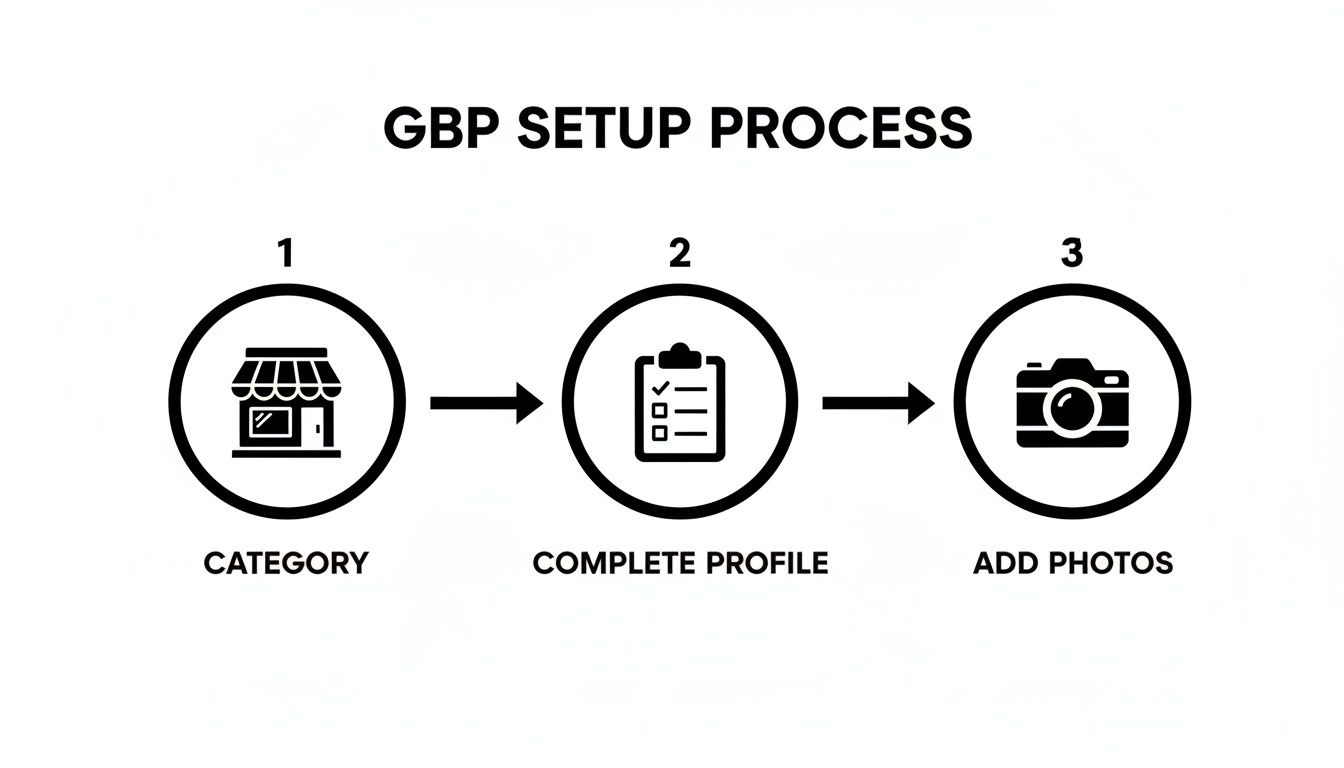
As the graphic shows, it all starts with picking the right category. From there, you build strength with a complete profile and bring it to life with great photos.
Your Actionable GBP Checklist
To get your profile ready, focus on these core areas. Each one adds another layer of trust and authority, pushing you higher in the rankings.
- Rock-Solid NAP Information: Your Name, Address, and Phone number need to be identical everywhere online. A simple difference like "St." vs. "Street" can confuse Google and lower your ranking.
- A Smart Business Description: You have 750 characters. Use them wisely. Weave in important keywords naturally, but write for a human, not a robot. Tell your story.
- High-Quality Photos and Videos: Show, don't just tell. Upload crisp photos of your location, your team, and your finished work. Pro tip: Geotagging your photos can give Google an extra location signal.
- Detailed Services and Products: Don't just list "plumbing." Be specific. List every service, like "tankless water heater installation" or "drain cleaning." This helps you appear in specific, high-intent searches.
In Short: A meticulously completed Google Business Profile is non-negotiable. It’s the single most powerful tool for climbing Google Maps rankings and reaching local customers.
For a complete picture, businesses often need to dig into their market numbers. You can learn more about unlocking your market edge with data analytics. If you're overwhelmed, exploring professional local SEO services for small businesses can provide expert guidance.
Your Reputation is Your Ranking: The Power of Customer Reviews
Once your profile is set, focus on customer reviews. They're pure gold for climbing Google Maps rankings. They act as digital word-of-mouth, telling both customers and Google you’re a trusted business.
A steady stream of positive feedback is a powerful trust signal. It's not just about the five-star rating. It’s about proving your business consistently delivers a great experience now. A business with 50 recent four-star reviews often looks more relevant to Google than one with 20 perfect five-star reviews from two years ago. Freshness matters.
Why Google Cares About Review Velocity and Diversity
Google's algorithm pays close attention to two key things with reviews: velocity and diversity.
- Review Velocity: This is how often you get new reviews. A consistent, natural pace tells Google your business is active and relevant today.
- Review Diversity: This involves getting reviews on different platforms beyond Google, like Yelp or Facebook. It makes your business look more credible across the web.
Think about a family restaurant competing with big chains. They can climb the rankings by focusing on these signals. Consistent reviews help them get a bigger piece of the 44% of clicks that go to the Local Pack. Review signals are a huge piece of the puzzle. You can learn more about the impact of these local SEO statistics to see how critical they are.
How do I get more reviews on Google?
Getting a steady flow of reviews doesn't have to be awkward. The secret is making it easy for happy customers to share their experience.
- Ask at the Perfect Moment: Timing is key. Ask right after you’ve delivered great service.
- Use a Direct Review Link: Google gives you a special link that takes customers straight to the review box. Text or email it to them for a one-click process.
- Get Your Team on Board: Make asking for reviews a standard part of your customer service. A simple, "If you were happy today, we'd be grateful if you could share your experience on Google" works well.
What to Do When a Negative Review Hits
First, don't panic. A negative review is an opportunity to show everyone how much you care. How you respond publicly says a lot about your business.
Never respond with anger. Your goal is to show other potential customers that you take feedback seriously. Acknowledge their issue, apologize, and offer to take the conversation offline to resolve it.
Pro Tip: Responding to all reviews—good and bad—is a huge engagement signal for Google. A simple "Thank you!" on a positive review shows you're active and appreciative.
The Don'ts of Asking for Reviews
While getting reviews is crucial, play by the rules. Breaking Google’s policies can get your profile penalized.
Here’s what to avoid:
- Don't offer incentives: You can't offer discounts or gift cards for a review.
- Don't "review gate": You can't selectively ask only happy customers for reviews.
- Don't use review stations: Setting up a tablet at your business for on-the-spot reviews is against policy.
Spread Your Name Across the Web with Local Citations
Imagine the internet is a neighborhood. To trust that you're a real local business, Google needs to see "signposts" for you everywhere. These signposts are called local citations.
A citation is any online mention of your business's Name, Address, and Phone number (NAP). You'll find them on local directories like Yelp or industry-specific sites. Every time Google sees your correct NAP on a reputable site, it’s a vote of confidence.
When it comes to local search, consistency is king. A tiny difference—like "St." on your GBP but "Street" on Facebook—creates NAP inconsistency. It's a quiet but serious problem for local rankings.
Which citations actually matter for ranking?
Not all citations are created equal. A hundred listings on random, low-quality websites won't help. It's about quality over quantity.
Focus on high-authority platforms and sites that are relevant to your local area and industry.
Here’s a quick priority list:
- The Big Guys: Get these done first. Think Yelp, Apple Maps, Facebook, and the Yellow Pages.
- Your Niche Directories: Are you a contractor? You need to be on Angi. A restaurant? TripAdvisor is a must.
- Hyper-Local Sites: This is where the magic happens. Get listed with your local Chamber of Commerce or city business directory.
In Short: You're building a web of trust. When Google finds your exact NAP on dozens of reputable sites, it becomes certain about who you are and where you are. This trust fuels higher rankings.
Time for a Citation Audit and Cleanup
Before building new citations, deal with the mess that's already out there. Old phone numbers or a previous address are ranking anchors. Finding and fixing them is a citation audit. It's tedious but critical if you want to rank higher on Google Maps.
First, create a "single source of truth." Use a spreadsheet for your perfectly correct NAP.
Next, go hunting. Google your business name, old names, previous addresses, and old phone numbers. You might be shocked by what you find.
Document all the bad data. Add incorrect listings to your spreadsheet with notes on what’s wrong.
Then comes the real work: claiming and correcting. You have to go to each site, claim the listing, and manually submit corrections. Be prepared to wait, as some directories are slow to update.
This process is a grind. That’s why many people use tools like BrightLocal or the listing management feature in Semrush to automate the cleanup. A good tool can save you hours.
Tie Your Website In with On-Page Local SEO
Think of your Google Business Profile and your website as a tag team. They need to work together perfectly. When they're in sync, Google bumps you up in local rankings. On-page local SEO is about fine-tuning your website's content to send strong, consistent signals back to your GBP.
The goal is to create a solid bridge between what someone is searching for locally and what they find on your site. Make it a no-brainer for Google to see you as the most relevant local answer.
Build Out Hyper-Local Service Pages
Here’s a powerful move: stop thinking broad and start getting specific. A generic "Roofing Services" page is okay, but a dedicated "Metal Roof Repair in Austin, TX" page is a magnet for ready-to-buy customers.
Why does this work? You're mirroring the exact language customers use. When someone searches "plumber in Brooklyn," a page titled "Your Expert Plumber in Brooklyn, NY" will beat a generic "Services" page every time.
To optimize these pages:
- Put the city/neighborhood in the title tag. This is prime real estate.
- Drop in local landmarks or street names. Mentioning you're "near Zilker Park" gives your content an authentic, local feel.
- Customize the content. Talk about unique local problems. Are you a roofer dealing with hail damage in Denver? Say so!
These pages tell Google you're not just some company serving an area; you're the go-to local expert.
In Short: Creating individual pages for each service in every city you cover is a game-changer. It's more work, but the payoff in local map rankings is massive.
Put Local Business Schema to Work
Want to spoon-feed Google all your key business info? That's what local business schema is for. It's code (microdata) you add to your website. It doesn’t change how your site looks to a person, but it translates your business details into a language search engines understand.
It explicitly tells Google things like:
- Your exact NAP (Name, Address, Phone number)
- Your hours of operation
- Your business category (e.g., "Electrician")
By adding schema, you remove guesswork for Google. You confirm the same details on your GBP, which builds the trust Google needs to rank you higher.
Supercharge Your Contact Page and Embed a Google Map
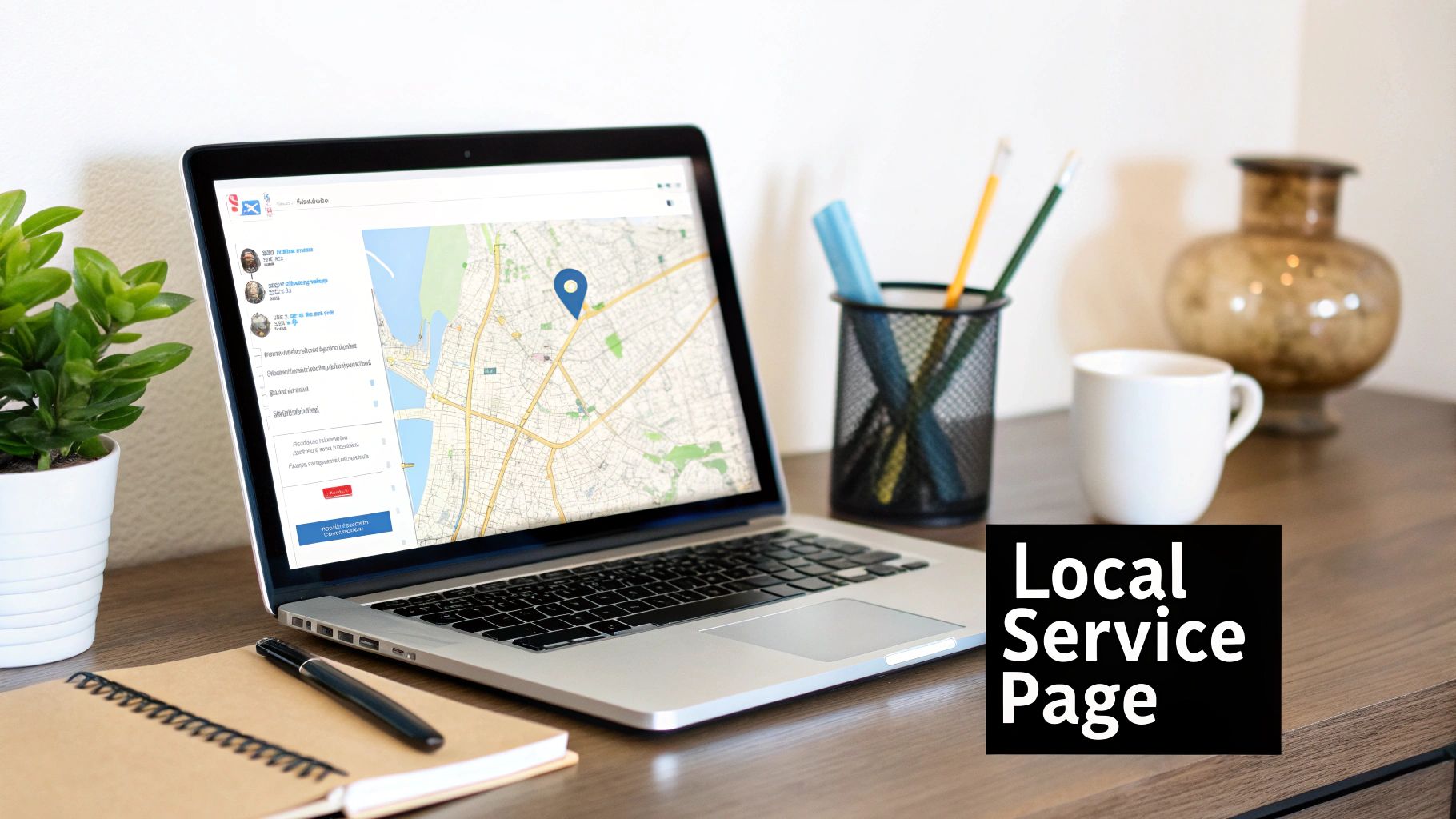
Your "Contact Us" page is a local SEO goldmine. It should be the absolute source of truth for your location info. A simple but effective tactic is to embed a Google Map right on that page.
This does two things:
- It sends a direct signal to Google. You're using Google's own map on your site to point to your location.
- It’s great for customers. People can instantly see where you are and get directions.
Make sure the map pin is on the exact address listed on your Google Business Profile. Next to the map, have your full NAP written in plain text. This makes it simple for people and search engines to verify your info.
Your on-page efforts are a huge piece of the puzzle. For a deeper look, this contractor's guide to SEO has fantastic tips.
Signal Your Popularity by Driving Real Engagement
Google watches how real people interact with your business profile. It uses that data to figure out who's popular.
Every time someone clicks to call, requests directions, or visits your website from your Google profile, it’s a vote of confidence. These are powerful behavioral signals that tell Google, "Hey, people like this place!" Your job is to encourage these interactions.
Keep Your Profile Fresh with Google Posts
One of the best ways to show Google your profile is active is by using Google Posts. These are like mini-ads that show up on your profile, perfect for timely info. A constantly updated profile looks active and cared for.
Use posts to announce:
- Sales or limited-time offers
- New products or featured services
- Company news or events
Posts last for seven days, so publish a new one at least once a week. This simple habit keeps your profile from looking abandoned.
Take Control of the Q&A Section
The "Questions & Answers" section on your profile is a goldmine for engagement. Anyone can ask a question, and anyone can answer. If you're not paying attention, you could end up with wrong information posted.
The smartest move is to get ahead of it. Ask and answer your own questions.
First, list all the questions you get asked constantly (parking, payment options, etc.).
Next, log into your personal Google account, find your business, and post those questions. Then, switch back to your business manager account and provide clear, helpful answers. This fills your profile with useful info and shows Google you're an authority.
In Short: Proactively managing your Q&A is a massive trust signal. When customers see you've already answered their exact question, it removes a barrier and makes them more likely to choose you.
Weekly Engagement Activity Planner
| Day | Activity | Goal |
|---|---|---|
| Monday | Review new reviews & draft responses. | Respond to all new reviews within 24-48 hours. |
| Tuesday | Publish a new Google Post (e.g., weekly special). | Keep the profile fresh and signal activity to Google. |
| Wednesday | Add a new photo or video (e.g., behind-the-scenes). | Increase visual appeal and user dwell time. |
| Thursday | Check the Q&A section for new questions. | Ensure accuracy and demonstrate expertise. |
| Friday | Seed a new FAQ in the Q&A section. | Proactively provide valuable information to customers. |
This routine ensures you're consistently sending positive engagement signals.
Make It Dead Simple for Customers to Act
Ultimately, the most valuable signals are calls, website clicks, and direction requests. Everything you do should lead people toward taking action.
- Turn on Messaging: Let customers message you right from your profile. Be ready to respond quickly!
- Use Strong Calls-to-Action (CTAs): Your Google Posts should end with a clear prompt like "Call Now" or "Learn More."
- Check Your Phone Number: Make sure your number is correct for easy click-to-call on mobile.
These small interactions stack up, painting a picture of a busy, in-demand business. While this guide is about local SEO, many engagement principles cross over. Learning about 6 ways to boost your ecommerce customer engagement can spark great ideas.
Your Top Google Maps Ranking Questions, Answered
Even with a good plan, you'll have questions. Here are some of the most common ones from business owners trying to improve their local search results.
How long does it take to rank higher on Google Maps?
The honest answer is… it depends. Local SEO is a marathon, not a sprint. You might see small bumps in a few weeks, but significant, lasting improvements typically take 3 to 6 months of consistent work.
Google needs time to see your changes, crawl new citations, and register your flow of reviews. Patience is part of the strategy.
Why is my competitor with fewer reviews outranking me?
This is frustrating. While reviews are a huge ranking signal, they're just one piece of the puzzle. Your competitor could be ahead for other reasons:
- Better On-Page SEO: Their website might have great local landing pages or perfect schema markup.
- Cleaner Citation Profile: They might have more high-quality, consistent business listings across the web.
- Proximity: This is a big one. Often, the top result is simply the business that's physically closer to the searcher.
- Older GBP: A Google Business Profile that has been active and managed for years carries more authority.
In Short: Don't focus on just one thing like review count. Your competitor might be lagging in one area but crushing it in several others.
What's the difference between ranking on Maps and in regular Google Search?
They are connected but operate differently. Regular organic search ranks web pages based on things like content quality and backlinks.
Google Maps, on the other hand, is focused on three things for ranking a business profile:
- Relevance: How well your business profile matches the search.
- Distance (Proximity): How close you are to the person searching.
- Prominence: How well-known your business is (reviews, citations, website authority).
It’s possible to rank #1 on Maps but be on page three of regular search results, or vice versa.
Help! My business isn't showing up on Google Maps at all.
If your business is totally missing on Maps, don't panic. It's usually a common, fixable issue. Run through this quick checklist:
- Is your profile verified? You won't show up until you complete the verification process, usually with a postcard from Google.
- Could you be suspended? Log into your Google Business Profile dashboard. Google will show a red warning if your profile is suspended.
- Is your address hidden? If you are a Service Area Business, you must hide your physical address in your settings.
- Are you searching from too far away? Try searching while standing near your business. If you show up there but not from across town, it's a prominence issue, not a technical one.
Ready to stop guessing and start dominating the local pack? The team at Clicks Geek specializes in turning your Google Business Profile into a customer-generating machine. We build data-driven local SEO strategies that deliver real, measurable results. Get in touch with us today to see how we can help you climb the rankings.