Want to know how to increase ranking on Google Maps? Your most important tool is your Google Business Profile (GBP). Think of it as your digital command center for local search.
A complete, accurate profile sends the strongest signal to Google that you are a relevant local business worth showing to users.
In Short: Optimizing your Google Business Profile is the fastest way to improve your local search visibility and get more customers from Google Maps.
1. Optimize Your Google Business Profile (GBP)
Everything starts here. Your Google Business Profile is the cornerstone of your Maps ranking. It's the primary source Google uses to understand what you do and where you do it.
A weak or incomplete profile is like building a house on a shaky foundation. It won't hold up against the competition.
The first step is perfecting your Name, Address, and Phone number (NAP). You must be strict about consistency. Your business name, address, and phone number on GBP must exactly match what’s on your website and other online directories. Even a small difference, like "St." vs. "Street," can confuse search engines and hurt your authority.
Choose the Right Business Categories
Next, you have to tell Google exactly what kind of business you run by choosing the right categories. This is a critical step that many businesses overlook.
Your primary category should be the most specific and accurate description of your main service. If you're a coffee shop that also sells sandwiches, your primary category should be "Coffee Shop," not just "Restaurant." You can add "Sandwich Shop" as a secondary category.
Here are a few tips:
- Be Specific: "Roofer" is okay, but "Metal Roofing Contractor" is better if that's your specialty.
- Stay Relevant: Only add secondary categories that accurately describe your services. Don't add unrelated ones.
- Think Like a Customer: What would someone search for to find you? Use that as your guide.
Correct categories help Google match your business to relevant user searches.
Fill Out Every Single Detail
An incomplete profile is a huge missed opportunity. Google provides many fields and attributes because it needs data to serve the best results.
Take the time to fill out every section you can:
- Services: List every service you offer. Instead of just "Plumbing," list "Drain Cleaning," "Water Heater Repair," and "Leak Detection."
- Products: If you sell physical items, add them with good photos and prices.
- Attributes: Use tags like "Wheelchair accessible," "Free Wi-Fi," or "Online appointments" to appear in specific searches.
- Business Description: Write a clear summary of your business. Include keywords that describe what you do and where you do it.
Your goal is to paint a complete picture of your business for Google. The data shows that a fully optimized GBP has a massive impact on your ranking.
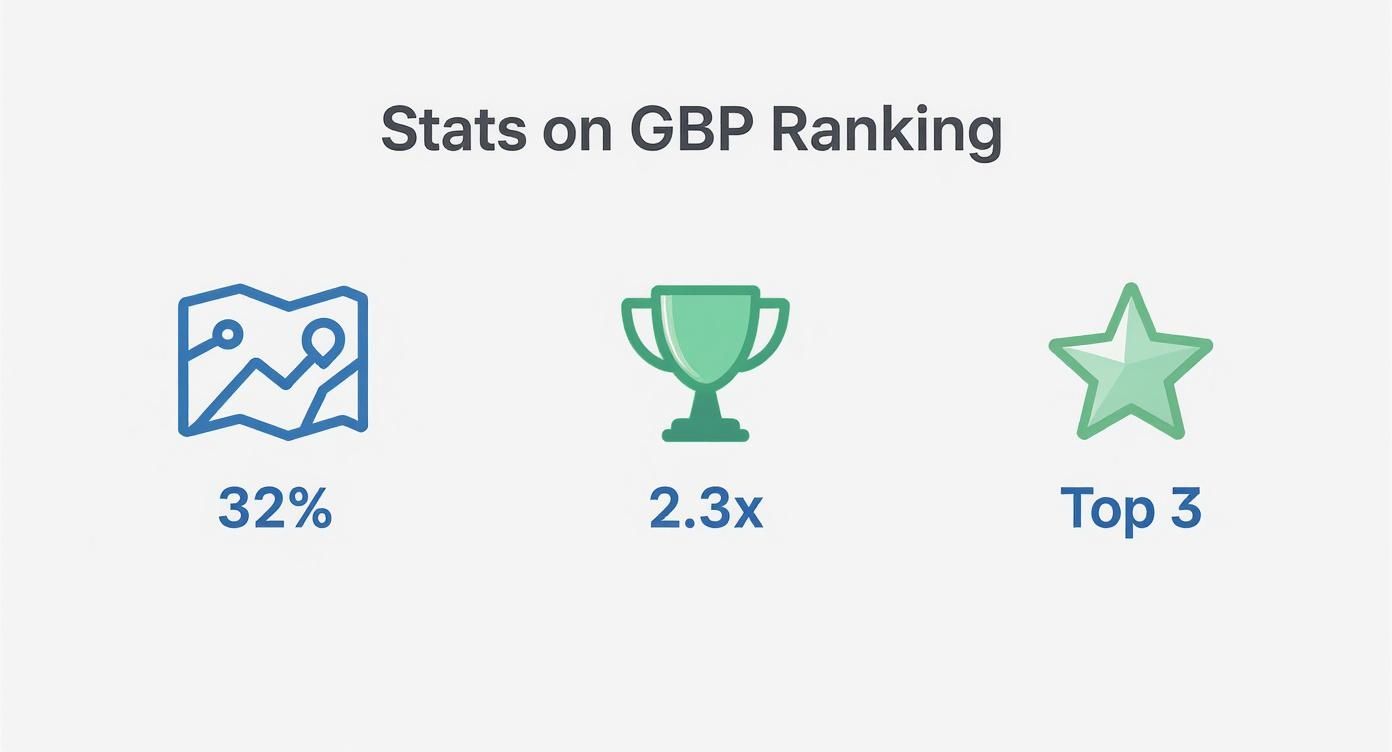
One study found that GBP factors can influence up to 32% of a business’s ranking in the Google Maps pack. The same analysis showed that businesses with complete profiles were 2.3 times more likely to rank in the top three local results.
For a deeper dive, check out these comprehensive Google Business Profile optimization tips. Or, if you prefer an expert to handle it, our local SEO services for small businesses can take care of every detail for you.
2. Get More Customer Reviews
After optimizing your GBP, your next focus should be on reviews. Reviews are a massive trust signal for both customers and Google's algorithm.
Every positive review acts as a vote of confidence. The more votes you have, the more Google sees you as a popular and relevant choice.
It’s not just about getting a 5-star rating. The quantity, frequency, and even the words used in reviews all play a role. You need a real strategy, not just hope.
How do I make my business show up first on Google Maps?
To show up first, you need to focus on three key areas:
- Relevance: Make sure your GBP categories and business info accurately match what users are searching for.
- Distance: Google prioritizes businesses closer to the user's location.
- Prominence: Build your business's authority with a high number of positive reviews, backlinks from local sites, and consistent directory listings (citations).
Make It Easy for Customers to Leave a Review
The main reason people don’t leave reviews is friction. If it's hard to do, they won't bother. Your job is to make the process completely painless.
Here’s a simple plan:
- Get Your Direct Review Link: In your GBP dashboard, find the "Get more reviews" button and copy the direct link. This link takes customers straight to the review box.
- Use QR Codes: If you have a physical location, place a QR code on receipts, business cards, or at the counter.
- Automate the Request: Use email or SMS marketing to automatically send a review request a day or two after a purchase.
Pro Tip: The best time to ask for a review is right after a positive experience. The customer's good feelings are fresh, making them more likely to share.
Ask for Detailed, Keyword-Rich Reviews
A simple "Great service!" review is nice, but a detailed one is an SEO goldmine. You want reviews that mention the specific services or products a customer used.
When you ask, gently guide them. For example, an appliance repair company could say, "We'd love it if you could share which appliance we fixed and how the service went!" This encourages customers to naturally use keywords like "refrigerator repair." You can see more industry-specific ideas in our guide on local SEO for appliance repair.
Always Respond to Every Review
Getting reviews is only half the job. Responding to them is just as important. Reply to every single one—good or bad.
- For positive reviews: Thank the customer by name and mention a specific point they made.
- For negative reviews: Respond quickly and professionally. Never get defensive. Offer to take the conversation offline to resolve the issue.
Responding shows Google and customers that you are an active, engaged business. This activity helps your ranking over time. If you want to learn more, you can discover more insights about the impact of Google reviews.
3. Connect Your Website to Your Maps Listing
Your website and your Google Business Profile work together. Your website sends signals to Google that confirm you are a legitimate, active local business.
When Google sees a strong connection between your site and your profile, its confidence in your business grows. This is a key part of learning how to increase ranking on Google Maps.

Add Local SEO to Your Website Content
Your website content needs to be locally focused. It’s not enough to list services; you must connect them to the areas you serve.
One of the best ways to do this is with location-specific pages. Instead of one "Services" page, create pages like "Plumber in Dallas" or "Drain Cleaning in Fort Worth."
- Write Unique Content: Don't just copy and paste text and change the city name. Write unique descriptions for each page, mentioning local landmarks or common issues.
- Use Local Keywords: Naturally include city and neighborhood names in your headings, text, and image alt text.
- Add Local Testimonials: If you have a great review from a customer in a specific city, feature it on that city's page.
What are the 3 main ranking factors for Google Maps?
The three main ranking factors for Google Maps are:
- Relevance: How well your business profile matches a user's search query. This is influenced by your business categories and the information you provide.
- Distance: The physical distance between your business and the user's location at the time of the search.
- Prominence: How well-known your business is. This is based on factors like your review count, your website's authority, and how often your business is mentioned across the web.
Use an Embedded Map and Consistent NAP
There are two simple but important tweaks every local website needs.
First, your Name, Address, and Phone number (NAP) on your website must be an exact match to your Google Business Profile. The best place for this is your website's footer, so it appears on every page.
Next, embed a Google Map directly on your site, usually on your "Contact Us" page. This creates a direct technical link between your website and your Maps listing, confirming your location for Google.
Add Local Schema Markup
Schema markup is a type of code you add to your website. It doesn't change how your site looks to visitors, but it helps search engines understand your business information.
For local businesses, the "LocalBusiness" schema is essential. It lets you clearly define details like:
- Business name
- Full address
- Hours of operation
- Phone number
- Customer reviews
Adding this code is like giving Google a cheat sheet for your business. It removes guesswork, which helps Google trust and validate your information faster. Many WordPress plugins and online generators can create this code for you.
4. Build Local Authority with Citations & Links
Think of your GBP as your home base. Now you need to build your reputation around town. Google looks for proof from other trusted online sources to verify your business.
This proof comes from citations and local links. Getting these right is a huge part of learning how to increase your ranking on Google Maps.
A citation is any online mention of your business's Name, Address, and Phone number (NAP). Examples include directories like Yelp, the Better Business Bureau, and industry-specific sites. Every time Google finds your correct NAP on a reputable site, it's another vote of confidence.
Consistency is key. Your NAP must be a perfect match everywhere. Any small difference can confuse Google.
How to Build Your Citations
Organizing your citations is a foundational SEO task. It takes time but creates a trustworthy digital footprint.
Here’s a simple process:
- Audit existing citations. Find every mention of your business online. Use a spreadsheet to track listings with incorrect NAP information.
- Clean up incorrect listings. This is the most critical step. Contact every site with bad data and get it corrected. Your goal is a single, unified business identity online.
- Build new, high-quality citations. Focus on quality over quantity. Start with major directories and then find hyper-local or industry-specific sites.
Expert Insight: One link from your local Chamber of Commerce is worth more than a dozen listings on random, low-quality directories.
Earn Powerful Local Links
Local links are about credibility. A local link is when another website in your area links to your site. It’s a massive signal to Google that other local businesses vouch for you.
Here’s how to earn them:
- Sponsor a local event. Little league teams, charity runs, and community festivals often have a sponsors page with links.
- Partner with other local businesses. Work with a non-competing business on a joint promotion and link to each other's websites.
- Get local press. Pitch a story about your business to a local blogger or news site. A feature story usually includes a valuable backlink.
5. Send the Right Signals with User Engagement
Google also watches how real people interact with your listing. These are called behavioral signals, and they are a major ranking factor.
Every time someone clicks to call, asks for directions, or scrolls through your photos, they are casting a vote for your business. It tells Google you are a popular and relevant result.
Keep Your Profile Fresh and Active
An active profile is an engagement magnet. A stale one gets ignored. You need to give people reasons to interact with your listing.
- Upload Photos Often: Try to add new, high-quality photos weekly. Show your team, new products, or happy customers (with their permission).
- Use Google Posts: These are like free mini-ads on your profile. Use them to announce special offers, share updates, or link to a new blog post.
What is the most important ranking factor for Google Maps?
While Google uses a mix of factors, the most important is your Google Business Profile (GBP) optimization. A complete, accurate, and active GBP that correctly uses primary and secondary categories is the foundation for everything else. It's the primary way Google understands what your business is and who it's for.
Manage Your Q&A Section
The "Questions & Answers" section on your profile is a goldmine that most businesses ignore. Don't wait for customers to ask questions—start the conversation yourself.
List the top 5-10 questions you get asked most often. Then, post those questions on your profile and answer them yourself. This gives customers instant answers and lets you control the information.
Bridge the Online and Offline Gap
Google connects online activity with real-world behavior. Your offline popularity—actual foot traffic—can influence your Maps ranking.
One study found that businesses with high foot traffic were 28% more likely to rank in the top 5 of the local pack. When Google sees people search for you and then physically navigate to your address, it's a huge vote of confidence. Learn more about these real-world ranking factors.
A user clicking "Directions" is the ultimate behavioral signal. Encourage this with compelling offers in your Google Posts. And when users do click through to your website, make sure it’s ready for them. Check out this guide on how to build a great mobile landing page to convert that traffic into customers.
Is it worth paying for ads to improve my Maps ranking?
This is a common question. Running Google Ads will not directly improve your organic (free) ranking. They are two separate channels.
What paid ads can do is get you a sponsored slot at the top of the map results. This gives you instant visibility while you work on your long-term organic SEO.
- Organic SEO builds long-term authority and trust.
- Paid Ads generate immediate traffic and calls.
Data from your ad campaigns can also help refine your organic SEO strategy. You can find more insights from the Rebelgrowth blog on digital marketing.
Ready to stop guessing and start ranking? Clicks Geek specializes in data-driven local SEO and Google Ads management that gets real results for businesses like yours. Let's build a strategy to dominate your local market.