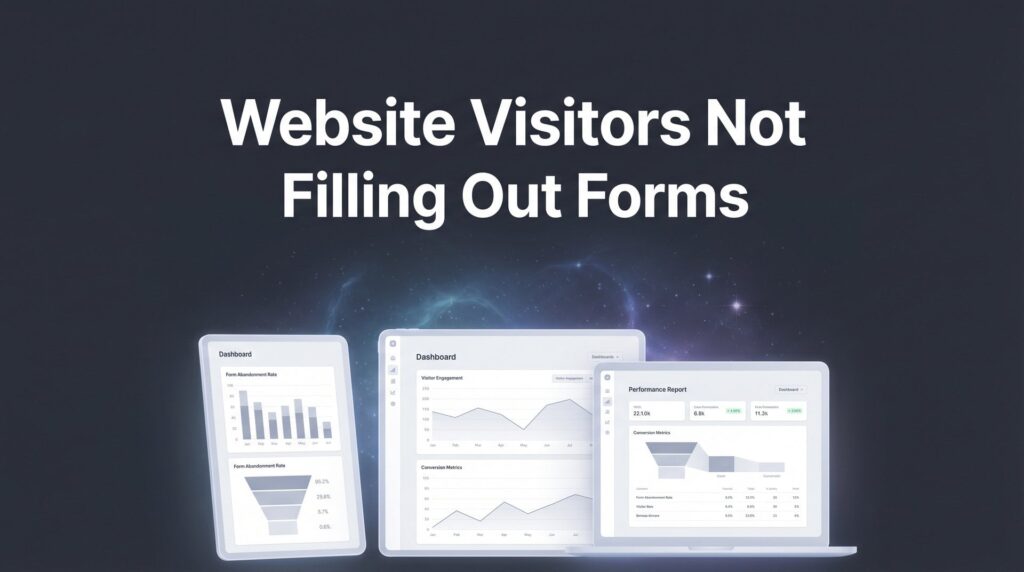
You’re driving traffic to your website, but those visitors aren’t converting into leads or customers. Sound familiar? The frustrating truth is that most local businesses focus obsessively on getting more traffic while ignoring the visitors they already have.
Here’s the thing: doubling your conversion rate has the same revenue impact as doubling your traffic—but it’s often faster, cheaper, and more sustainable.
The conversion rate optimization process isn’t about random tweaks or copying what competitors do. It’s a systematic approach to understanding why visitors leave without taking action and fixing those friction points one by one. At Clicks Geek, we’ve seen local businesses transform their results by following a disciplined CRO process rather than chasing the latest “hack.”
This guide walks you through the exact six-step conversion rate optimization process we use with our clients. You’ll learn how to identify your biggest conversion opportunities, gather meaningful data, form testable hypotheses, run experiments that actually prove what works, and build a system for continuous improvement.
Whether you’re optimizing a lead generation form, a service page, or an e-commerce checkout, these steps apply universally. Let’s turn your existing traffic into paying customers.
Step 1: Audit Your Current Conversion Performance
Before you can improve anything, you need to know where you stand. Think of this as taking your website’s vital signs—you’re establishing the baseline that every future improvement will be measured against.
Start by identifying your baseline conversion rates for each key action on your site. For a local service business, this might include form submissions, phone calls, chat conversations, or appointment bookings. For e-commerce, you’re tracking add-to-cart rates, checkout completion, and purchase conversion. Don’t just look at the overall site conversion rate—break it down by traffic source, device type, and landing page.
Here’s where most businesses discover their first surprise: conversion rates vary wildly depending on where visitors come from. Your Google Ads traffic might convert at 8% while organic search converts at 3%. Mobile visitors might abandon forms at twice the rate of desktop users. These insights immediately tell you where to focus your optimization efforts.
Map your conversion funnel to find where visitors drop off. If you’re running a lead generation business, your funnel might look like this: landing page view, scroll to form, form start, form completion, thank you page. Understanding how to optimize your conversion funnel helps you track how many visitors make it through each stage. If 1,000 people land on your page but only 50 start the form, you have a motivation or clarity problem. If 50 start the form but only 10 complete it, you have a friction problem.
Calculate the revenue impact of improving each conversion point. This step separates guesswork from strategy. Let’s say your service booking page gets 500 visitors per month with a 2% conversion rate—that’s 10 bookings. If your average customer value is $1,200, that page generates $12,000 monthly. Improving the conversion rate to 4% doubles that to $24,000. Now you know exactly what’s at stake.
If you don’t have proper tracking set up, stop everything and fix this first. Install Google Analytics 4 with conversion tracking for every meaningful action. Set up call tracking so you know which marketing channels drive phone calls. Use form tracking to see which fields cause abandonment. Without accurate data, you’re optimizing blind.
The audit phase typically reveals low-hanging fruit—pages with high traffic but terrible conversion rates, mobile experiences that are clearly broken, or forms that nobody completes. Document everything you find. These observations become the foundation for the data gathering that comes next.
Step 2: Gather Qualitative and Quantitative Data
Numbers tell you what’s happening. People tell you why. The conversion rate optimization process requires both types of data to work effectively.
Use heatmaps and session recordings to see how visitors actually behave on your pages. Install tools like Hotjar or Microsoft Clarity (which is free) to watch real user sessions. You’ll discover things analytics alone can’t show you—visitors who rage-click on elements that aren’t clickable, people who scroll past your call-to-action without seeing it, or users who fill out your entire form only to abandon at the final field. For a comprehensive overview of available options, check out the best conversion rate optimization tools on the market.
We’ve seen businesses spend thousands improving the wrong things because they relied only on analytics data. Session recordings show you the human behavior behind the numbers. One client discovered that mobile visitors couldn’t see their phone number because it was hidden behind a hamburger menu. The analytics showed high mobile bounce rates, but the recordings showed why—people were looking for a way to call and couldn’t find it.
Analyze form analytics to identify abandonment points. Most form tools can show you exactly which fields cause people to give up. If everyone abandons when you ask for their company size or annual revenue, that question is costing you conversions. If people start the form but never submit, your submit button might be unclear or your form might feel too long.
Collect customer feedback through surveys and reviews. Add a simple exit-intent survey asking “What stopped you from contacting us today?” with multiple choice answers and an open text field. The responses are often brutally honest and incredibly valuable. Common themes emerge: “Your prices aren’t clear,” “I couldn’t tell if you serve my area,” “The form asked for too much information.”
Review your existing customer reviews and testimonials. What do happy customers say convinced them to choose you? Those are the messages that should be prominent on your conversion pages. What objections do negative reviews mention? Those are the friction points you need to address.
Talk to your sales team about common objections and questions. They hear the same concerns repeatedly—prospects who worry about pricing, timeline, quality, or whether you’re the right fit. Every objection represents a conversion barrier that your website should address proactively. If every sales call starts with “Do you serve my city?” then your geographic coverage needs to be crystal clear on your landing pages.
The goal of this step is to build a complete picture of why visitors don’t convert. You’re gathering evidence, not making assumptions. When you move to the hypothesis stage, you’ll have specific data points to reference rather than opinions about what “should” work.
Step 3: Identify Conversion Barriers and Opportunities
Now you have data. The next step is making sense of it all and deciding where to focus your optimization efforts. Not all conversion barriers are created equal, and trying to fix everything at once is a recipe for confusion.
Categorize issues by type to understand what you’re dealing with. Conversion barriers typically fall into five categories. Clarity issues mean visitors don’t understand what you offer or why it matters—your value proposition is unclear or buried. Trust issues mean visitors doubt your credibility—missing testimonials, no social proof, or a website that looks outdated. Motivation issues mean visitors don’t feel urgency or desire—weak calls-to-action or benefits that don’t resonate. Friction issues mean the conversion process is too difficult—long forms, slow loading, or confusing navigation. Technical issues mean things are literally broken—forms that don’t submit, pages that don’t load on mobile, or buttons that don’t work.
Understanding the category helps you craft better solutions. A clarity problem requires better messaging. A friction problem requires simplifying the process. A trust problem requires adding credibility elements. If you’re struggling with low conversion rate problems, identifying the root cause is the essential first step.
Prioritize opportunities using the ICE framework: Impact, Confidence, and Ease. Score each potential optimization on a scale of 1-10 for each factor. Impact: How much will fixing this improve conversions? Confidence: How certain are you this is a real problem based on your data? Ease: How simple is this to implement? Add up the scores and tackle the highest-scoring opportunities first.
For example, adding trust badges to your checkout page might score: Impact 7 (checkout is high-value), Confidence 9 (session recordings show people hesitating), Ease 8 (quick to implement). Total score: 24. Redesigning your entire homepage might score: Impact 6 (unclear benefit), Confidence 4 (just a hunch), Ease 2 (major project). Total score: 12. The trust badges win.
Focus on high-traffic pages first for maximum impact. Optimizing a page that gets 5,000 visitors per month delivers results faster than optimizing one that gets 50 visitors. You’ll reach statistical significance quicker, and even small conversion rate improvements generate meaningful revenue when applied to high volume.
Document specific problems with evidence, not assumptions. Don’t write “Homepage messaging is weak.” Write “Homepage bounce rate is 68%, and exit surveys show 34% of respondents couldn’t understand what services we offer within 10 seconds.” This level of specificity makes it easier to develop targeted hypotheses in the next step.
Create a prioritized list of the top 5-10 conversion barriers you want to address. This becomes your optimization roadmap for the next quarter. You’re not guessing what to test—you’re following a data-driven plan based on real user behavior and feedback.
Step 4: Develop Data-Driven Hypotheses
This is where the conversion rate optimization process becomes scientific. You’re not making random changes and hoping they work. You’re forming testable predictions based on evidence.
Structure hypotheses properly using this format: “If we [specific change], then [predicted outcome] because [data-supported reasoning].” This structure forces you to connect your proposed change to actual data rather than opinion.
Here’s a weak hypothesis: “If we make the form shorter, conversions will increase.” Why? Based on what evidence? How much shorter?
Here’s a strong hypothesis: “If we reduce the contact form from 8 fields to 4 fields (removing company size, annual revenue, timeline, and budget), then form completion rate will increase by at least 25% because form analytics show 67% of visitors who start the form abandon at the ‘annual revenue’ field, and exit surveys indicate the form ‘asks for too much personal information.'”
See the difference? The strong hypothesis includes the specific change, the predicted outcome with a measurable target, and clear reasoning tied to data points you gathered in Steps 1 and 2.
Connect each hypothesis to specific data points from your research. Reference the heatmap that shows visitors don’t scroll to your call-to-action. Cite the session recordings that reveal confusion. Quote the exit survey responses. Link to the form analytics that prove abandonment. This evidence-based approach means you’re testing solutions to real problems, not imaginary ones. Learning how to improve website conversion rate starts with this kind of rigorous hypothesis development.
Avoid opinion-based changes. Every test needs a rationale grounded in user behavior or feedback. “I think the button should be green” is not a hypothesis—it’s a preference. “If we change the CTA button from gray to high-contrast orange, then click-through rate will increase by at least 15% because heatmap data shows visitors scroll past the current button without noticing it, and eye-tracking studies consistently show high-contrast elements attract more attention” is a hypothesis worth testing.
Prioritize hypotheses that address the biggest friction points you identified in Step 3. If your ICE scoring showed that checkout trust issues have the highest combined score, develop multiple hypotheses around adding security badges, customer testimonials, or money-back guarantees at checkout. Test the most promising one first, then move to the next.
Write down 3-5 hypotheses for each major conversion barrier. You won’t test them all at once, but having a backlog means you’re never stuck wondering what to test next. The conversion rate optimization process works best when it’s continuous—as soon as one test concludes, the next one launches.
Step 5: Design and Run Controlled Experiments
Now comes the execution phase. You’ve identified problems, formed hypotheses, and it’s time to prove whether your solutions actually work. This step separates businesses that make data-driven decisions from those that make expensive mistakes based on gut feelings.
Choose the right test type for your situation. A/B tests compare two versions of a single element—original headline versus new headline, short form versus long form. This is your default choice for most tests because it’s simple and produces clear results. Multivariate tests compare multiple elements simultaneously—testing different combinations of headlines, images, and CTAs all at once. These require significantly more traffic to reach significance, so most local businesses should stick with A/B tests. Split URL tests send traffic to completely different pages, useful when you’re testing a major redesign or entirely different approach.
Calculate required sample size before launching. This prevents the most common mistake in CRO: stopping tests too early. Use a sample size calculator (many are available free online) and input your current conversion rate, expected improvement, and desired confidence level. The calculator tells you how many visitors each variation needs before you can trust the results.
For local businesses with lower traffic, this reality check is crucial. If your landing page gets 500 visitors per month and you need 5,000 per variation to reach significance, you have two choices: run the test for several months or make bigger, bolder changes that require fewer visitors to prove. Small tweaks like button color changes need huge sample sizes. Major changes like completely rewriting your value proposition can show results with less traffic. Professional landing page optimization services can help you design tests that reach significance faster.
Run tests to statistical significance, typically 95% confidence. This means you’re 95% certain the results aren’t due to random chance. Many testing tools display this automatically. Resist the urge to call a winner early just because one variation is ahead after a few days. Traffic patterns vary by day of week, time of month, and seasonality. A test that looks like a winner on Monday might reverse by Friday.
Avoid common testing mistakes that invalidate results. Don’t stop tests early—let them run until they reach significance or you hit your predetermined time limit. Don’t test too many variables at once—if you change the headline, image, CTA button, and form length simultaneously, you won’t know which change drove the results. Don’t ignore segments—a variation might lose overall but win significantly for mobile users or a specific traffic source.
Monitor tests regularly but don’t obsess over daily fluctuations. Check in every few days to ensure the test is running correctly and traffic is splitting evenly between variations. If you notice technical issues, pause the test, fix the problem, and restart. Better to delay results than collect bad data.
Document everything during the test: when it started, what you’re testing, your hypothesis, any external factors that might influence results (seasonal promotions, PR coverage, major ad campaigns), and preliminary observations. This documentation becomes valuable when you analyze results and plan future tests.
Step 6: Analyze Results and Implement Winners
Your test has reached statistical significance. Now comes the critical analysis phase where you extract maximum value from the experiment—whether it won, lost, or proved inconclusive.
Look beyond the primary metric to check for unexpected impacts on other conversions. Your test might have increased form submissions by 30%, but did it also decrease phone calls by 20%? If form leads are lower quality than phone leads, you might have actually hurt overall revenue. Always check secondary metrics: time on page, bounce rate, downstream conversions, and ultimately revenue per visitor.
We’ve seen tests that “won” on the primary metric but failed the business. One client tested a simplified contact form that increased submissions dramatically—but lead quality plummeted because the shorter form didn’t qualify prospects effectively. The sales team wasted time on unqualified leads, and cost per qualified lead actually increased. The test technically won, but implementing it would have been a mistake.
Segment your results to uncover hidden insights. A variation might lose overall but win convincingly for mobile users, returning visitors, or traffic from Google Ads. These segments might be valuable enough to warrant a targeted implementation. Modern testing tools make segmentation easy—use it.
Document learnings whether the test wins, loses, or is inconclusive. Losing tests are just as valuable as winning ones because they teach you what doesn’t resonate with your audience. If you tested an aggressive, urgency-focused headline and it lost badly, you’ve learned something important about how your audience responds to pressure tactics. That insight informs every future hypothesis.
Create a testing knowledge base that captures: the hypothesis, what you tested, results for each segment, why you think it won or lost, and implications for future tests. Over time, this knowledge base reveals patterns about what works for your specific audience. You might discover that your audience responds better to benefit-focused messaging than feature-focused messaging, or that social proof matters more than you expected.
Implement winning variations properly across all relevant pages. Don’t just update the page you tested—if you proved that a specific trust badge increases conversions on your main landing page, add it to all landing pages. If a particular value proposition headline outperformed the original, update it everywhere that message appears. Maximize the impact of your wins. Many businesses find that working with conversion rate optimization services helps them implement changes consistently across their entire site.
Use insights to fuel your next round of hypotheses. Winning tests often raise new questions. If adding customer testimonials increased conversions, test different types of testimonials—video versus text, specific results versus general praise, local customers versus national brands. Each answer leads to the next question.
The conversion rate optimization process is a cycle, not a linear path. Analysis feeds back into data gathering, which informs new hypotheses, which lead to new tests. Companies that embrace this continuous improvement mindset compound their results over time. Each optimization makes the next one easier because you understand your audience better.
Building Your Conversion Optimization System
The conversion rate optimization process isn’t a one-time project—it’s an ongoing system that compounds results over time. Each test teaches you something about your audience, and those insights make every future optimization more effective.
Here’s your quick checklist to get started. First, audit your current conversion rates and set up proper tracking. You can’t improve what you don’t measure, and you can’t measure without proper tracking infrastructure. Second, gather both quantitative data from analytics and qualitative data from user feedback. Numbers tell you what’s happening, but people tell you why. Third, identify and prioritize your biggest conversion barriers using the ICE framework. Focus on high-impact opportunities you’re confident about that are relatively easy to implement.
Fourth, form structured hypotheses based on evidence, not opinions. Every test should connect to specific data points from your research. Fifth, run properly designed experiments to statistical significance. Don’t stop tests early or draw conclusions from insufficient data. Sixth, document everything and keep the cycle going. Build a knowledge base that captures what you’ve learned and use those insights to inform your next round of tests.
Most local businesses see their biggest CRO wins in the first 90 days simply because they’ve never looked systematically at why visitors don’t convert. The opportunities are sitting there waiting to be discovered—unclear value propositions, missing trust signals, friction-filled forms, weak calls-to-action. Once you start addressing these systematically, the results compound quickly.
The businesses that win with conversion rate optimization aren’t necessarily the ones with the most traffic or the biggest budgets. They’re the ones that commit to the process—gathering data, forming hypotheses, running tests, analyzing results, and repeating the cycle. They treat CRO as a core business function, not a side project.
Remember that improving conversion rates makes every other marketing investment more effective. If you’re spending money on PPC advertising, SEO, or content marketing to drive traffic, every percentage point improvement in conversion rate amplifies the return on those investments. You’re getting more value from the same traffic, which means lower customer acquisition costs and higher profit margins.
Tired of spending money on marketing that doesn’t produce real revenue? At Clicks Geek, we build lead systems that turn traffic into qualified leads and measurable sales growth. We handle the technical setup, testing, and analysis so you can focus on running your business. If you want to see what this would look like for your business, we’ll walk you through how it works and break down what’s realistic in your market.
Want More Leads for Your Business?
Most agencies chase clicks, impressions, and “traffic.” Clicks Geek builds lead systems. We uncover where prospects are dropping off, where your budget is being wasted, and which channels will actually produce ROI for your business, then we build and manage the strategy for you.