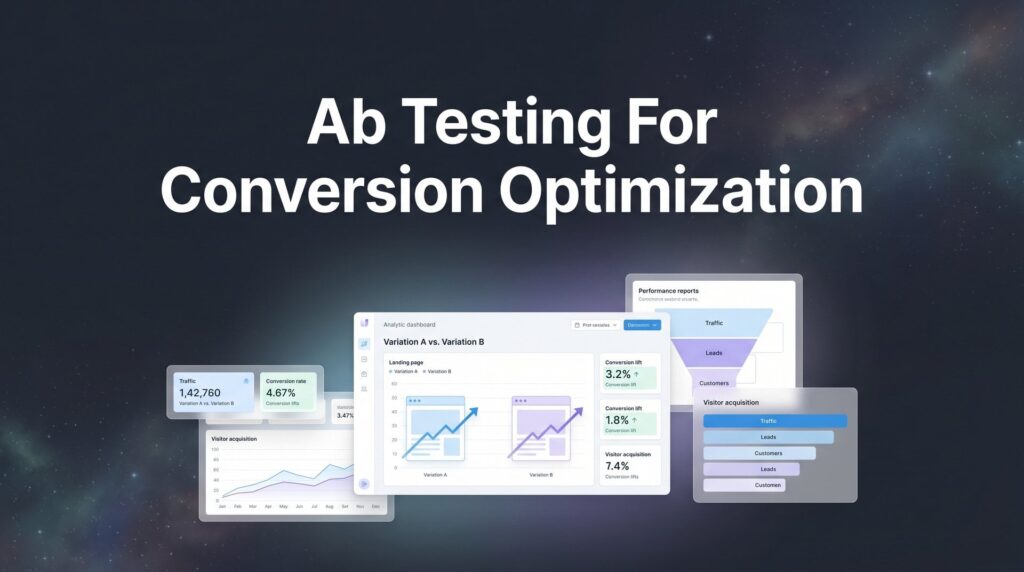
Your website gets 10,000 visitors a month. Two percent convert. That’s 200 conversions—whether they’re leads, sales, or signups. Now imagine bumping that to 3%. That’s 300 conversions from the exact same traffic. Same ad spend, same SEO effort, 50% more results. That’s the power of A/B testing for conversion optimization.
Most businesses never unlock this potential. They build a landing page, launch it, and hope for the best. Meanwhile, their checkout flow has a friction point that kills 40% of purchases. Their headline confuses visitors instead of compelling them. Their form asks for three fields too many.
The solution isn’t more traffic. It’s testing what you already have.
But here’s where most businesses go wrong: they run tests for three days, see a variant ahead by 8%, and declare victory. Two weeks later, conversions are back where they started. Or they test five different elements at once and can’t figure out what actually moved the needle. Or they pick testing ideas out of thin air instead of addressing real user friction.
A/B testing works when you do it right. It fails when you skip the fundamentals.
This guide breaks down the exact process we use at Clicks Geek to help local businesses turn their existing traffic into more revenue. No theoretical frameworks or academic exercises. Just the practical steps that separate tests that produce real results from tests that waste your time. You’ll learn how to identify what to test, structure proper experiments, reach reliable conclusions, and build a testing program that compounds gains over time.
Let’s start with the most critical decision: what to test first.
Step 1: Identify Your Highest-Impact Testing Opportunities
Testing random elements produces random results. Smart testing starts with finding the pages where small improvements create big revenue impacts.
Open Google Analytics and navigate to your conversion funnel. Look at every step from landing to conversion. Where do visitors drop off? A 60% exit rate on your pricing page? That’s a red flag. Half your form starts abandoning before completion? That’s your testing opportunity.
The Traffic-Impact Matrix: You need two things for a successful test—enough traffic to reach statistical significance quickly, and enough conversion impact to matter. A page with 10,000 monthly visitors and a 1% conversion rate beats a page with 500 visitors and a 0.5% conversion rate, even though the latter has worse performance. Test high-traffic pages first.
Use the PIE framework to rank your opportunities systematically. Potential: How much improvement is possible? A page converting at 0.5% has more potential than one at 8%. Importance: How much revenue does this page influence? Your main landing page matters more than your about page. Ease: How difficult is the test to implement? Changing a headline is easier than rebuilding your checkout flow.
Score each opportunity 1-10 on all three factors. Multiply them together. The highest scores become your testing roadmap.
Revenue-Generating Pages First: Start where conversions happen. Your main landing pages, checkout process, lead capture forms, and PPC destination pages. These directly impact your bottom line. Your blog posts and informational pages can wait.
Here’s what a prioritized testing list looks like: Homepage hero section and CTA (10,000 monthly visitors, 2% conversion, PIE score: 240). Service page form fields (5,000 monthly visitors, 3% conversion, PIE score: 210). Checkout page layout (3,000 monthly visitors, 15% conversion, PIE score: 180). Understanding how to optimize your conversion funnel helps you identify which stages need testing most urgently.
Success indicator: You have a spreadsheet with 3-5 pages ranked by PIE score, including current traffic, current conversion rate, and the specific element you plan to test on each. No guesswork, just data-backed priorities.
Step 2: Form a Data-Backed Hypothesis
A hypothesis isn’t a guess. It’s a prediction grounded in actual user behavior that explains why a specific change should improve a specific metric.
Use this structure every time: “If we change [specific element], then [specific metric] will improve because [user behavior insight].” For example: “If we reduce the contact form from 7 fields to 4 fields, then form completion rate will increase because session recordings show 40% of users abandon after the phone number field.”
That’s a proper hypothesis. It identifies the change, predicts the outcome, and explains the reasoning based on observed behavior.
Where to Find User Behavior Insights: Install a heatmapping tool like Hotjar or Microsoft Clarity. Watch where users click, how far they scroll, and where they rage-click in frustration. Review session recordings to see exactly where people get stuck. Check your customer support tickets—repeated questions reveal confusion points on your site. Send post-purchase surveys asking what nearly stopped them from buying. Many of the best conversion rate optimization tools include built-in heatmapping and session recording features.
This qualitative data reveals the “why” behind your conversion rates. Analytics tells you what’s happening. Heatmaps and recordings show you why it’s happening.
The biggest mistake? Opinion-based hypotheses. “I think the blue button will convert better than the red button” isn’t a hypothesis—it’s a preference. Unless your heatmaps show users missing the red button or your surveys mention color as a friction point, you’re testing random ideas.
Common friction points worth testing: Form fields that ask for information users don’t want to give. Headlines that don’t immediately communicate value. CTAs that use vague language like “Submit” instead of specific language like “Get My Free Quote.” Pages that load slowly on mobile. Checkout processes that force account creation.
Document your hypothesis before building your test. Write down the current performance, the proposed change, the expected improvement, and the user behavior insight that supports it. This documentation becomes your testing archive—a knowledge base that grows with every experiment.
Success indicator: Your hypothesis clearly states what you’re changing, what metric you expect to improve, by approximately how much, and why user behavior data suggests this change will work. You can explain it to someone else in under 30 seconds.
Step 3: Choose Your Testing Tool and Set Up the Experiment
The right testing platform depends on your traffic volume and technical capabilities. High-traffic sites with developer resources can use Optimizely or VWO. Businesses with moderate traffic and limited technical teams often prefer platforms like Convert or AB Tasty. Very small sites might start with built-in WordPress plugins, though these have limitations.
Your testing tool needs three core capabilities: traffic splitting, conversion tracking, and statistical significance calculation. Everything else is nice to have.
Create Your Variants: Your control is your current page—the baseline. Your variant is the changed version. Critical rule: change only one variable at a time. If you change the headline and the button color and the form fields simultaneously, you’ll never know which change drove the results.
This is called a confounding variable problem, and it’s why most businesses can’t replicate their test results. They test multiple changes, see improvement, implement everything, and can’t figure out which element actually mattered. Understanding the relationship between conversion rate optimization and A/B testing helps clarify when to use each approach.
Build your variant in your testing platform’s visual editor or through code, depending on the tool. Most platforms offer both options. Visual editors work well for text changes, button modifications, and layout adjustments. Code-based tests give you more control for complex changes.
Configure Conversion Tracking: Before launching anything, verify your conversion goals are firing correctly. Set up a test conversion on both the control and variant. Check your analytics platform to confirm it recorded properly. This step catches 90% of tracking errors before they ruin your test.
Define your primary conversion goal clearly. Is it form submissions? Purchases? Phone calls? Whatever drives revenue for your business. You can track secondary metrics too—time on page, scroll depth, button clicks—but your primary goal is what determines the winner.
Set Your Traffic Split: For most tests, split traffic 50/50 between control and variant. This reaches statistical significance fastest. Some platforms offer multi-variant testing where you can test three or four versions simultaneously, but this requires significantly more traffic and longer test durations.
Configure your audience targeting if needed. You might test only mobile users, only new visitors, or only traffic from specific sources. Just remember that narrower targeting means longer tests because you’re working with a smaller sample size.
Success indicator: Both versions are live, traffic is splitting correctly, conversion tracking fires on both variants, and you’ve completed at least one test conversion to verify everything works. No technical errors in your platform’s dashboard. You’re ready to collect data.
Step 4: Calculate Sample Size and Run Until Statistical Significance
This is where most tests fail. Businesses see their variant ahead after two days and declare victory. Then they implement the “winner” and conversions drop back to baseline. What happened? They stopped before reaching statistical significance.
Statistical significance means you’re confident the results aren’t due to random chance. A 95% confidence level means there’s only a 5% probability your results are random noise. That’s the minimum standard. For major business decisions, aim for 99% confidence.
Calculate Required Sample Size First: Before launching your test, use a sample size calculator to determine how long it needs to run. Input your current conversion rate, your expected improvement, and your desired confidence level. The calculator tells you how many visitors each variant needs.
If your page gets 1,000 visitors per week and you need 5,000 visitors per variant, your test runs for 10 weeks minimum. That’s reality. You can’t speed it up by checking results daily and hoping for the best.
Low-traffic sites face a challenge here. If you only get 500 visitors monthly, you might need six months to reach significance. In that case, test higher-traffic pages first or accept longer test durations. There’s no shortcut that produces reliable results. For businesses struggling with traffic volume, understanding whether to prioritize conversion rate optimization vs more traffic becomes a critical strategic decision.
Account for Business Cycles: Always run tests for complete weeks. A test that runs Monday through Thursday misses weekend traffic, which often converts differently. If your business has monthly cycles—like B2B companies that see more activity at month-end—run tests for complete months.
Seasonal businesses need even more care. Testing during your peak season produces different results than testing during your slow season. Document when tests run so you can interpret results in context.
The Patience Problem: Three days into your test, the variant is ahead 12%. You’re tempted to call it. Don’t. Early results fluctuate wildly. The variant might be ahead because it randomly got more high-intent visitors. By day seven, the control might be winning. By day fourteen, they might be tied.
This is called peeking—checking results before reaching your predetermined sample size. It introduces bias and produces false positives. Set your sample size requirement, launch the test, and don’t look at results until you hit that number.
Most testing platforms show a “statistical significance” indicator. Don’t trust it blindly. Verify the sample size matches your pre-test calculation. Verify the confidence level meets your 95% minimum. Only then do you have reliable results.
Success indicator: Your test has reached the predetermined sample size calculated before launch. Your platform shows 95% or higher statistical confidence. The test has run for complete business cycles relevant to your industry. You have enough data to make a reliable decision.
Step 5: Analyze Results and Segment Your Data
The headline number—variant beat control by 15%—is just the starting point. Real insights come from segmentation.
Break down your results by device type first. Desktop, mobile, and tablet users often behave differently. Your variant might win overall but lose badly on mobile. If 60% of your traffic is mobile, implementing a change that hurts mobile conversions would be a disaster despite the overall win.
Traffic Source Segmentation: Check results by channel. Organic search, paid ads, social media, direct traffic, and email visitors have different intent levels. A headline change might resonate with paid traffic actively searching for your service but confuse organic visitors who arrived researching general information. If you’re running paid campaigns, your Google Ads optimization strategy should align with your testing insights.
New versus returning visitors is another critical segment. Changes that improve new visitor conversions sometimes hurt returning visitor conversions, and vice versa. If returning visitors are more valuable to your business, their segment results matter more than overall results.
Geographic segmentation matters for local businesses. A variant that wins in urban areas might lose in rural areas. If your business serves specific regions, segment by location to ensure you’re not optimizing for the wrong audience.
Calculate Revenue Impact: Convert your percentage lift into dollars. If your variant improved conversions from 2% to 2.4%, that’s a 20% relative improvement. Multiply that by your monthly visitor count and average order value or lead value.
Example: 10,000 monthly visitors, 2% baseline conversion rate equals 200 conversions. At 2.4%, that’s 240 conversions—40 additional conversions monthly. If each conversion is worth $500, you just added $20,000 in monthly revenue. That’s $240,000 annually from one test.
Even losing tests provide value. They tell you what doesn’t work, which is just as important as knowing what does. Document why you think the test lost. Was your hypothesis wrong? Did user behavior data mislead you? Did the variant introduce new friction you didn’t anticipate?
Check for Statistical Significance Across Segments: A variant that’s statistically significant overall might not be significant in individual segments. If mobile shows only 80% confidence while desktop shows 99%, your mobile results might be noise. You may need to run a separate mobile-specific test to confirm those results.
Create a results document that includes: overall conversion rates for control and variant, statistical confidence level, sample sizes, conversion lift percentage, revenue impact calculation, and segmented results for device, traffic source, and user type. Add your interpretation of why the test won or lost based on user behavior.
Success indicator: You have a complete analysis showing which version won overall and within key segments. You’ve calculated the revenue impact in actual dollars. You understand why the test produced these results based on user behavior. You’re ready to implement with confidence.
Step 6: Implement the Winner and Plan Your Next Test
Winning the test is only half the battle. Implementation determines whether those gains stick.
Push the winning variant live permanently. If you tested using a third-party platform, now you need to make the change in your actual site code or CMS. Don’t leave the test running indefinitely—testing platforms add page load time, and you want the cleanest, fastest version of your winner.
Verify Tracking Post-Implementation: After making the change permanent, verify your conversion tracking still works correctly. Sometimes the transition from testing platform to live site breaks tracking code. Complete a test conversion and confirm it appears in your analytics.
Monitor performance for 2-4 weeks after implementation. Occasionally, test environment results don’t perfectly match real-world results. Maybe your testing platform’s JavaScript introduced a slight behavior change that disappears when you remove it. Maybe the test period coincided with unusual traffic patterns.
If your post-implementation conversion rate matches your test results within a reasonable margin, you’ve successfully implemented a permanent improvement. If conversions drop back toward baseline, investigate what changed between the test environment and live implementation.
Build Your Testing Roadmap: Use insights from this test to inform your next hypothesis. If reducing form fields from 7 to 4 improved conversions, maybe reducing from 4 to 3 would improve them further. If changing your headline worked, maybe testing your subheadline comes next. Learning how to optimize landing pages for conversions provides a framework for prioritizing your next tests.
Continuous testing programs outperform one-off tests because learnings compound. Each test teaches you something about your audience. Those insights stack up over time to create conversion rates your competitors can’t match because they’re still guessing while you’re learning.
Create a Testing Archive: Document every test in a central location. Include the hypothesis, test dates, sample sizes, results, segmented data, and key learnings. This becomes your institutional knowledge base.
When a new team member joins or when you revisit a page months later, this archive prevents you from re-testing things you’ve already learned. It also reveals patterns across multiple tests that inform broader strategy decisions. If you need help building a systematic testing program, working with professional conversion rate optimization services can accelerate your results.
Schedule your next test before you finish implementing the current winner. Testing isn’t a project with an end date—it’s a process that continuously improves your conversion rates. The businesses that win are the ones that never stop testing.
Success indicator: Your winning variant is live permanently, tracking is verified and working correctly, post-implementation performance matches test results, and your next test is already scheduled with a documented hypothesis. You’ve added this test to your archive with complete documentation.
Putting It All Together
A/B testing for conversion optimization isn’t a one-time project. It’s a competitive advantage that compounds over time. Each test teaches you something about your customers. Those insights stack up to create conversion rates your competitors can’t match.
Here’s your pre-launch checklist before your first test:
✓ Identified high-traffic, low-converting pages using analytics data
✓ Formed a data-backed hypothesis grounded in actual user behavior
✓ Set up tracking and verified it works on both variants
✓ Calculated required sample size before launching
✓ Committed to running until statistical significance—no peeking
✓ Planned how you’ll analyze results across segments
✓ Scheduled implementation and next test
Start with your highest-traffic page and one clear hypothesis. Run the test properly, implement the winner, and repeat. That’s how local businesses transform their digital marketing from guesswork into a revenue-generating machine.
The difference between a 2% conversion rate and a 4% conversion rate is the difference between struggling to grow and having more leads than you can handle. Testing gets you there systematically, one improvement at a time.
At Clicks Geek, conversion rate optimization is core to everything we do for clients—because traffic means nothing if it doesn’t convert. We’ve seen local businesses double their lead volume without spending an extra dollar on ads, simply by testing and optimizing what they already had.
Tired of spending money on marketing that doesn’t produce real revenue? We build lead systems that turn traffic into qualified leads and measurable sales growth. If you want to see what this would look like for your business, we’ll walk you through how it works and break down what’s realistic in your market.
Your next conversion rate improvement is one test away. Start today.
Want More Leads for Your Business?
Most agencies chase clicks, impressions, and “traffic.” Clicks Geek builds lead systems. We uncover where prospects are dropping off, where your budget is being wasted, and which channels will actually produce ROI for your business, then we build and manage the strategy for you.