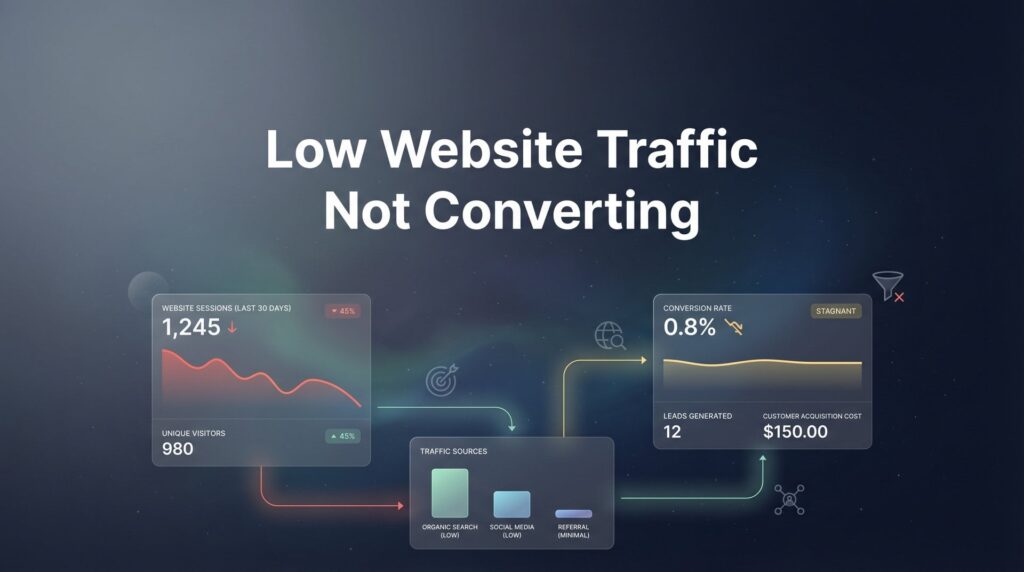
You’re getting visitors to your website, but they’re not turning into leads or customers. This is one of the most frustrating problems local business owners face—you’ve invested time and money driving traffic, yet your phone isn’t ringing and your inbox stays empty.
The good news? Low-converting traffic is a solvable problem once you identify the root cause.
This guide walks you through a systematic process to diagnose exactly why your visitors aren’t converting and how to fix each issue. By the end, you’ll have a clear action plan to transform your website from a digital brochure into a lead-generating machine.
Let’s get started with the most overlooked step in conversion optimization.
Step 1: Audit Your Traffic Quality Before Blaming Your Website
Here’s the thing most business owners miss: not all website traffic is created equal. You could have the best-designed website in the world, but if you’re attracting the wrong visitors, your conversion rate will stay stuck at zero.
Start by logging into Google Analytics and navigating to Acquisition > All Traffic > Source/Medium. This report shows you exactly where your visitors are coming from—organic search, paid ads, social media, direct traffic, or referrals.
Look at the bounce rate for each traffic source. If a particular channel shows a bounce rate above 70%, those visitors are landing on your site and immediately leaving. That’s a red flag that the traffic quality is poor, not necessarily that your website is broken.
Now dig into the organic search traffic. Click on Acquisition > Search Console > Queries to see which search terms are bringing people to your site. This is where many local businesses discover their first problem: they’re ranking for informational keywords when they need transactional ones.
For example, if you’re a plumber ranking for “how to fix a leaky faucet,” you’re attracting do-it-yourselfers who have zero intention of hiring you. Meanwhile, someone searching “emergency plumber near me” is ready to pick up the phone right now. The first search has informational intent. The second has commercial intent.
Check your geographic targeting next. If you’re a local business serving specific cities or regions, are you getting traffic from areas you don’t serve? This happens frequently with organic search when your content ranks broadly but your service area is limited.
Review your paid traffic sources if you’re running ads. Click on your Google Ads campaigns and check the search terms report. You might discover you’re paying for clicks from people searching things tangentially related to your service but not actually looking for what you offer.
Social media traffic often converts poorly for local service businesses because people aren’t in buying mode when scrolling Facebook or Instagram. They’re there for entertainment, not to hire a contractor or book a service. If social media is driving significant traffic but zero conversions, that’s normal—not a website problem.
Success indicator: You can identify which traffic sources send qualified visitors versus which ones waste your time. You should be able to point to specific channels and say “this traffic converts” versus “this traffic bounces.”
If you discover your traffic quality is the issue, your fix isn’t website redesign—it’s traffic source optimization. That might mean refining your keyword targeting, adjusting your ad campaigns, or focusing less on channels that send unqualified visitors.
Step 2: Analyze Your Landing Page Relevance and Message Match
Think of it like this: imagine clicking an ad for “emergency roof repair” and landing on a homepage that talks about the company’s 50-year history. You’d hit the back button immediately, right?
That’s message mismatch, and it kills conversions faster than anything else.
Message match means your landing page content directly addresses the specific promise or question that brought the visitor there. If someone searches “kitchen remodeling cost,” your page should immediately address kitchen remodeling costs—not start with your company story or a generic services overview.
Open your most-visited pages in Google Analytics (Behavior > Site Content > All Pages) and look at the top 5-10 pages. For each one, ask yourself: what question was this visitor trying to answer when they arrived here?
Now look at the first thing they see when the page loads—the headline and the content above the fold. Does it answer that question within the first few sentences? Or does it meander through company background, mission statements, and vague value propositions?
Here’s a common mistake: funneling all traffic to your homepage. Your homepage should serve as a navigation hub, but it’s rarely the best landing page for specific search queries or ad campaigns. Someone searching “commercial HVAC maintenance” doesn’t need your homepage—they need a dedicated page about commercial HVAC maintenance.
Check your above-the-fold content carefully. This is everything visible before someone scrolls. You have roughly five seconds to communicate what you offer and why they should stay. If your above-the-fold content is a giant hero image with a vague tagline like “Your Trusted Partner,” you’ve already lost them.
Test this yourself: open your top landing pages and set a timer for five seconds. Look at the page, then look away. Can you articulate exactly what service is being offered and what action you should take next? If you can’t, neither can your visitors.
Review your headlines specifically. Strong headlines state the benefit or answer the question directly: “Emergency Plumbing Repair—24/7 Service in Austin” beats “Welcome to Johnson Plumbing” every time. The first tells you exactly what you’re getting and where. The second tells you nothing useful.
Look for disconnect between your meta descriptions (what shows in search results) and your actual page content. If your meta description promises “free estimates on kitchen remodeling” but your page doesn’t mention free estimates until three scrolls down, you’ve created a message mismatch. Understanding how to create high converting landing pages can help you avoid these common pitfalls.
Success indicator: A complete stranger can land on any of your key pages and understand within five seconds what you offer, who it’s for, and what they should do next. No confusion, no hunting for information.
If message match is your problem, the fix is straightforward but requires work: create dedicated landing pages for your main services and ensure each page’s headline and opening content directly addresses the visitor’s intent.
Step 3: Evaluate Your Calls-to-Action and Conversion Points
You’d be surprised how many business websites forget to actually ask for the business. They explain their services beautifully, build credibility, answer questions—and then just stop. No clear next step. No compelling reason to reach out.
Start by counting the calls-to-action on your main landing pages. A CTA is any element that asks the visitor to take action: call now, request a quote, schedule a consultation, download a guide, fill out a form.
Too few CTAs means missed opportunities. If your only CTA is buried in the footer, most visitors will never see it. Too many CTAs creates decision paralysis—when you offer five different actions, people often choose none.
The sweet spot for most service business pages is 2-3 CTAs: one prominent CTA above the fold, one mid-page after you’ve built some credibility, and one at the end after you’ve made your full case.
Check your CTA visibility next. Is your primary CTA a bright, contrasting button that stands out visually? Or is it a small text link that blends into your content? The human eye is drawn to contrast and color—use that to your advantage.
Now examine your CTA language. Many businesses ask for too much commitment too soon. “Schedule a Free Consultation” converts better than “Sign Our 12-Month Contract” for obvious reasons. Match your CTA to where the visitor is in their decision process.
For local service businesses, your most powerful CTA is often the simplest: a click-to-call phone number. When someone’s searching on mobile for “emergency electrician,” they don’t want to fill out a form and wait for a callback—they want to call right now. If you’re struggling with customers not filling out forms, simplifying your contact options can make a significant difference.
Test your mobile CTAs specifically. Pull out your phone and visit your site. Is the phone number clickable? When you tap it, does it immediately dial? Is your contact form usable on a small screen, or do the fields overlap and the submit button disappear?
Review your form length if you’re using contact forms. Every additional field you require reduces conversions. Do you really need their company size, annual revenue, and preferred contact time? Or would name, phone, and a brief message be enough to start the conversation?
Look at your CTA button text. “Submit” is weak. “Get My Free Quote” is stronger because it tells them exactly what happens when they click. “Call Now for Emergency Service” creates urgency and clarity.
Success indicator: Every page has a clear, compelling next step that’s impossible to miss. Your primary CTA appears above the fold, uses action-oriented language, and requires minimal friction to complete.
If your CTAs are weak or invisible, the fix is immediate and high-impact: add prominent, benefit-focused CTAs to your key pages and make your phone number clickable on mobile.
Step 4: Identify Trust Barriers Blocking Conversions
Picture this: you land on a website for a roofing company. There are no customer reviews. No photos of completed projects. The “About Us” page is a single paragraph of corporate speak. The contact page lists an email address but no physical location. Would you hire them?
Probably not. And that’s exactly how your visitors feel when your site lacks trust signals.
Start by auditing your review and testimonial presence. Do you display customer reviews prominently on your site? Are they specific and credible, or generic praise like “Great service!” that could apply to anyone?
Check if you’re embedding your Google Business Profile reviews or other third-party review platforms. Reviews on your own site can be questioned, but reviews from Google, Yelp, or industry-specific platforms carry more weight because they can’t be easily fabricated.
Look for credibility markers: certifications, licenses, industry memberships, awards, years in business. If you’re a licensed contractor, is your license number visible? If you’re a Google Premier Partner, is that badge displayed? These signals matter more than you think.
Review your visual content for credibility red flags. Stock photos of generic smiling people in hard hats scream “template website.” Real photos of your actual team, your actual projects, and your actual workspace build trust instantly.
Check your content freshness. If your blog’s last post is from 2022 or your “Latest News” section announces something from three years ago, visitors assume you’re out of business or not actively managing your online presence. Outdated content destroys credibility.
Examine your contact information visibility. Your phone number, email, and physical address should be in your header or footer on every page—not hidden behind a “Contact Us” link. Local businesses especially need to display their service area clearly. When website visitors aren’t calling your business, missing or hidden contact information is often the culprit.
Review your About page with fresh eyes. Does it tell your story in a way that humanizes your business? Do you explain why you started the company, what drives you, who’s on your team? Or is it three paragraphs of mission-statement jargon that could describe any business in any industry?
Look for broken links, typos, and formatting issues. A single broken link might seem minor, but it signals lack of attention to detail. If you can’t maintain your website properly, why would someone trust you to maintain their HVAC system or remodel their kitchen?
Check for security signals. Does your site use HTTPS? When visitors land on your contact form, does their browser warn them the connection isn’t secure? In 2026, an unsecured website is an immediate trust killer.
Success indicator: A complete stranger visiting your site would feel confident contacting you based on the trust signals present. They can see real reviews, verify your credentials, confirm you’re actively in business, and find multiple ways to reach you.
If trust barriers are your issue, prioritize adding customer reviews and real photos first—these deliver the biggest trust boost with the least effort.
Step 5: Test Your Technical Performance and User Experience
You could have perfect messaging, strong CTAs, and excellent trust signals, but if your site takes seven seconds to load, none of it matters. Visitors will bounce before they see any of it.
Start with Google PageSpeed Insights. Visit pagespeed.web.dev and enter your homepage URL. Google will analyze your site and give you a performance score for both mobile and desktop, along with specific recommendations.
Focus on the mobile score first—most local business traffic comes from mobile devices. If your mobile score is below 50, you have serious performance issues that are costing you conversions. Even scores in the 50-80 range leave room for improvement.
Pay attention to the Core Web Vitals metrics: Largest Contentful Paint (LCP), First Input Delay (FID), and Cumulative Layout Shift (CLS). These measure how quickly your main content loads, how quickly your site responds to interactions, and whether elements jump around as the page loads.
Now test your site on an actual mobile device—your phone. Don’t just resize your browser window and call it “mobile testing.” Pull out your phone, visit your site over cellular data (not WiFi), and experience it as your customers do.
Can you easily tap buttons and links, or are they too small and close together? Does text resize properly, or are you pinching and zooming to read anything? Do images load quickly, or do you stare at blank spaces waiting for content to appear?
Test your forms thoroughly. Fill out your contact form and submit it. Does it work? Do you receive the submission? Does the visitor get a confirmation message? You’d be shocked how many businesses have broken contact forms and don’t realize it because they never test them.
Check your navigation structure. Can visitors find your main services in two clicks or less? Or do they have to navigate through multiple layers of menus and subpages to find what they need? Complex navigation kills conversions because people won’t hunt for what they want.
Review your site’s mobile menu. Does it work smoothly? Can you access all important pages? Or does the menu cover the entire screen with dozens of options, creating decision paralysis?
Test your click-to-call functionality if you’re a local service business. Tap your phone number on mobile. Does it immediately open the dialer with the number pre-filled? Or does nothing happen, forcing visitors to manually copy and paste or write down your number?
Check for intrusive interstitials—popups that cover the content immediately when someone visits. Google penalizes these, and visitors hate them. If you’re using popups, they should appear after the visitor has had time to engage with your content, not instantly on arrival.
Success indicator: Your site loads in under three seconds on mobile, all forms submit correctly and send you notifications, navigation is intuitive, and visitors can complete their intended action without technical frustration.
If technical issues are your problem, start with the highest-impact fixes from PageSpeed Insights—usually image optimization and reducing unused JavaScript—and test your forms immediately to ensure they work.
Step 6: Create Your Conversion Optimization Action Plan
You’ve now diagnosed your conversion problems across five critical areas: traffic quality, message match, CTAs, trust signals, and technical performance. Most businesses discover 2-3 major issues causing the bulk of their conversion problems.
Here’s how to prioritize your fixes for maximum impact with minimum wasted effort.
Start by categorizing each issue you found as either “quick win” or “major project.” Quick wins are fixes you can implement this week: adding a prominent CTA, displaying your phone number in the header, embedding Google reviews, optimizing images for faster loading. Major projects require more time or resources: redesigning landing pages, creating new service pages, overhauling site navigation.
Focus on quick wins first. These deliver immediate improvement and build momentum. Don’t wait to fix everything before you start—implement the easy fixes now while you plan the bigger changes. Our guide on how to improve website conversion rate provides a detailed framework for prioritizing these improvements.
Set up proper conversion tracking before you make changes. You need baseline metrics to measure improvement. In Google Analytics, set up goals for form submissions, phone clicks, and other conversion actions. Without tracking, you’re optimizing blind.
Prioritize fixes based on where your traffic actually goes. If 80% of your traffic lands on three pages, optimize those three pages first. Don’t waste time perfecting a page that gets 50 visitors per month when your main landing page gets 5,000.
For major changes—new headlines, different CTA language, redesigned layouts—use A/B testing when possible. Tools like Google Optimize let you test variations against your current page to see which performs better. Don’t guess when you can measure.
Create a simple spreadsheet to track your action items. List each issue, its priority level (high/medium/low), the estimated effort to fix it, who’s responsible, and the target completion date. This keeps you organized and accountable.
Plan to implement changes in waves, not all at once. Make 3-5 changes, let them run for 2-4 weeks, measure the impact, then implement the next batch. This approach lets you isolate what’s working versus making 20 changes simultaneously and having no idea which ones drove improvement.
Success indicator: You have a prioritized list of 3-5 changes to implement this week, conversion tracking is set up, and you’ve established baseline metrics to measure against.
Putting It All Together
Fixing low-converting website traffic isn’t about guessing—it’s about systematic diagnosis. Work through each step: verify your traffic quality, ensure message match, optimize your CTAs, build trust, fix technical issues, and create your action plan.
Most businesses find 2-3 major issues causing the bulk of their conversion problems. Focus there first.
Start with your traffic audit today. Log into Google Analytics and examine where your visitors come from and which sources actually convert. You might discover your website isn’t the problem at all—you’re just attracting the wrong visitors.
If you find your traffic quality is good but conversions are still low, move to message match next. Ensure your landing pages immediately address the specific question or need that brought visitors there. This single fix often delivers the biggest conversion lift.
Remember that conversion optimization is ongoing, not a one-time project. Markets change, competitors evolve, and visitor expectations shift. What works today might need adjustment in six months. Build a habit of reviewing your conversion metrics monthly and making incremental improvements.
The businesses that win aren’t the ones with perfect websites—they’re the ones that systematically test, measure, and improve based on real data rather than assumptions.
If you’ve completed this audit and want expert help implementing fixes or driving higher-quality traffic through PPC advertising, Clicks Geek specializes in turning local business websites into lead-generating assets. Tired of spending money on marketing that doesn’t produce real revenue? We build lead systems that turn traffic into qualified leads and measurable sales growth. If you want to see what this would look like for your business, we’ll walk you through how it works and break down what’s realistic in your market.
Your traffic audit will reveal exactly where to focus your efforts. Start there, implement the quick wins, and watch your conversion rate climb.
Want More Leads for Your Business?
Most agencies chase clicks, impressions, and “traffic.” Clicks Geek builds lead systems. We uncover where prospects are dropping off, where your budget is being wasted, and which channels will actually produce ROI for your business, then we build and manage the strategy for you.