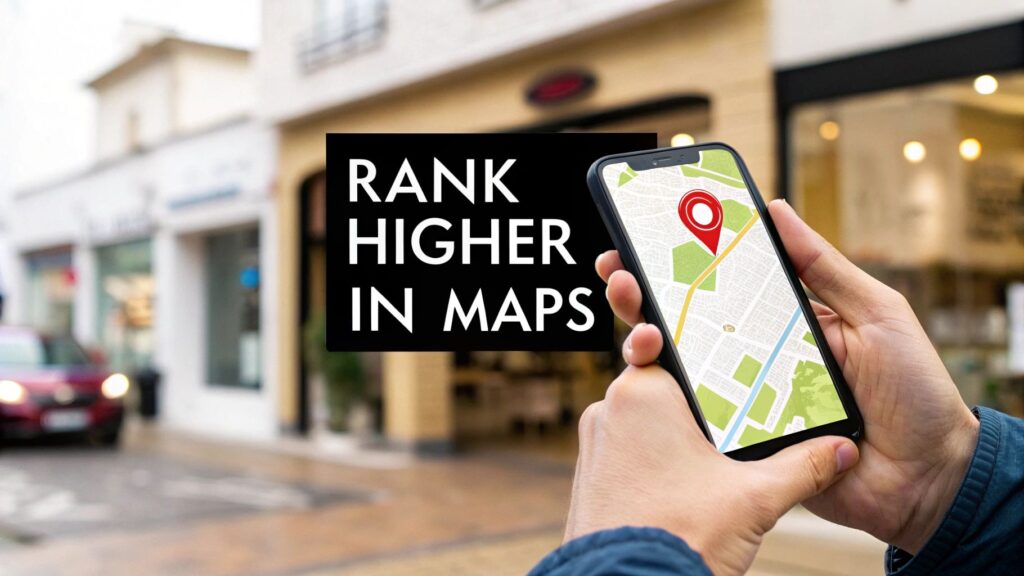
Want to show up higher in Google Maps? It all starts with your Google Business Profile (GBP). This is your digital storefront, and getting it right is the most important thing you can do to rank locally.
Think of it like giving Google a clear blueprint of your business. That means picking the right business categories, writing a helpful description, and making sure your business name, address, and phone number (NAP) are exactly the same everywhere online.
Why Your GBP is the Foundation for Ranking
You can't build a house on a shaky foundation, and you can't rank on Google Maps without a solid GBP. This isn't just about filling out fields. It’s about giving Google all the information it needs to trust you and show you to local customers.
In Short: Nailing your GBP optimization is a huge piece of the puzzle. Your GBP signals make up a massive part of local ranking factors.
It all starts with the choices you make during setup.
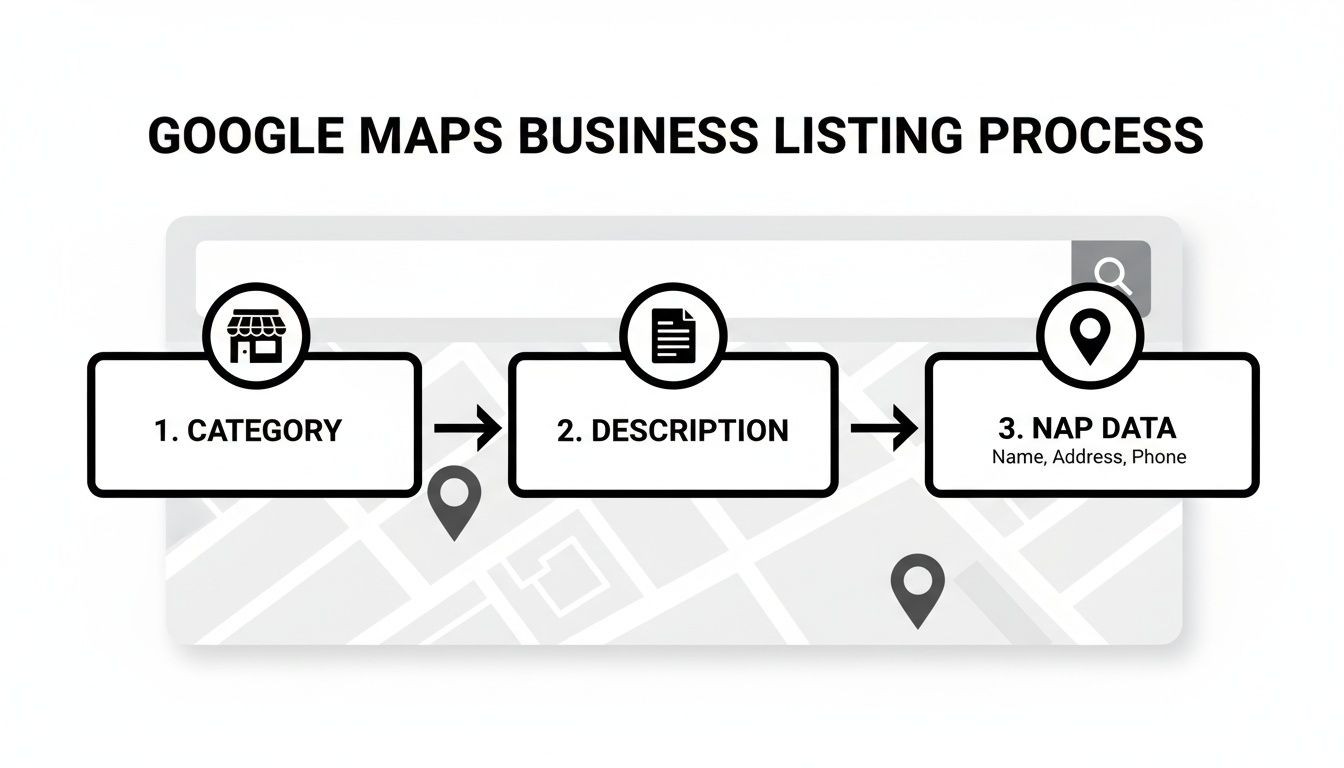
It really boils down to three core parts: your categories, your description, and your NAP data. Let's break them down.
Start with Your Primary Business Category
This is the big one. Your primary category tells Google exactly what you are. You need to be as specific and accurate as possible.
- If you're a plumber who also does HVAC work, but plumbing is your main service, your primary category is "Plumber".
- If you own a restaurant, don't just pick "Restaurant." Are you an "Italian Restaurant," a "Mexican Restaurant," or a "Vegan Restaurant"? Get specific.
Pro Tip: Don't try to outsmart Google. Picking a popular but inaccurate category will only confuse the algorithm and hurt your rankings. Just be honest about what you do.
Use Secondary Categories for Other Services
Once your primary category is set, add secondary categories for everything else you offer. These help you show up for more specific, long-tail searches.
For that plumber we mentioned, good secondary categories would be:
- HVAC Contractor
- Drain Cleaning Service
- Water Heater Installation & Repair
This casts a wider net, helping you connect with customers searching for your other services. It's a key part of optimizing for 'near me' searches.
Write a Description That Helps Customers
Your business description is for people, not just search engines. Use this space to tell your story. What makes you different? What problems do you solve?
Avoid stuffing keywords. Instead of a robotic phrase like, "We are the best plumber, plumbing company, plumbing service in Phoenix," try something more natural.
For example:
"For over 15 years, our family-owned team has provided reliable plumbing services to homes and businesses across Phoenix. From emergency leak repairs to drain cleaning, we're dedicated to quality work and transparent pricing."
See the difference? It’s helpful, not spammy.
Lock Down Your NAP Consistency
This is absolutely non-negotiable. Your Name, Address, and Phone number (NAP) must be perfectly consistent everywhere it appears online—your GBP, your website, Yelp, Facebook, everywhere.
- Name: "Smith & Sons Plumbing" is not the same as "Smith and Sons Plumbing." Pick one and stick to it.
- Address: "123 Main St." is not "123 Main Street." Consistency is key.
- Phone: Always use a local number with the correct area code.
Any inconsistency, no matter how small, creates doubt for Google. When Google can't confirm your info, it loses trust and is less likely to show your business. This is a core part of any good local SEO services for small business.
GBP Core Optimization Checklist
This table summarizes the must-do actions for a high-impact Google Business Profile.
| GBP Element | Optimization Action | Why It Matters |
|---|---|---|
| Primary Category | Choose the single most specific category for your main business function. | This is the #1 signal you send to Google about what your business does. |
| Secondary Categories | Add all other relevant categories for your additional services. | Helps you rank for a wider range of specific, long-tail search queries. |
| Business Name | Use your real-world, official business name exactly as it is. No keywords. | Inconsistency and keyword stuffing can lead to penalties or suspension. |
| Address | Ensure the address is 100% accurate and matches all other online listings. | Critical for map pin accuracy and proving your local presence. |
| Phone Number | Use a primary, local phone number consistently everywhere. | Builds trust with Google and makes it easy for customers to contact you. |
| Business Description | Write a compelling, customer-focused summary of your business. | Your chance to tell potential customers what makes you the right choice. |
Getting these core elements right creates a profile that Google understands, trusts, and is ready to show to more local customers.
Building Trust with Reviews and Local Citations
Google wants to recommend businesses that people genuinely like and trust. After your profile is set up, the next step is to get a steady stream of positive customer reviews and consistent online mentions, also known as local citations.
In Short: Getting consistent reviews and cleaning up your online business listings are powerful trust signals for Google.
This isn't just about getting a 5-star rating. It's about building a system to get feedback and cleaning up your digital footprint so Google sees the same, accurate story about your business everywhere.
Encourage and Manage Customer Reviews
Reviews are a huge ranking factor for Google Maps. When people search for local businesses, one of the first things they see is your star rating. An active review profile tells both Google and customers that you're a safe choice.
But reviews don't just happen. You need a process.
- Ask at the right time: The best moment is right after you've provided great service.
- Make it easy: Give customers a direct link to leave a review on your GBP via email, text, or a QR code.
- Don't offer incentives: Never offer discounts for reviews. It's against Google's rules and can get your profile flagged.
Pro Tip: Respond to every single review. It shows you're engaged and that you care about what customers think. Google sees this activity and rewards it.
How to Respond to Every Type of Review
Your response strategy is just as important as getting the review.
- For Positive Reviews: Thank the customer by name and mention the specific service they enjoyed. For example, "Thanks, Sarah! We're thrilled you loved the deep-tissue massage."
- For Negative Reviews: Respond quickly and professionally. Acknowledge their problem, apologize, and offer to take the conversation offline to fix it. This shows accountability to future customers.
What are local citations?
Citations are mentions of your business's Name, Address, and Phone number (NAP) on other websites. This includes directories like Yelp and Angi, as well as industry-specific sites.
When your NAP is consistent across many reputable sites, it confirms to Google that your business information is accurate. If it's a mess of old addresses and wrong phone numbers, it creates confusion and can hurt your rankings.
Performing a Citation Audit and Cleanup
First, you need to find all your online listings and check them for accuracy.
Here's where to look:
- Major Directories: Yelp, Angi, Yellow Pages, Better Business Bureau.
- Industry-Specific Sites: TripAdvisor for a restaurant, Avvo for a lawyer.
- Local Sites: Your local Chamber of Commerce or community blogs.
Once you have your list, you need to correct every inconsistency you find in your NAP. It's tedious, but it's crucial for building a solid foundation. A clean citation profile tells Google you're a legitimate business, helping you climb the Maps rankings.
Your Website is Your Local SEO Home Base
Your Google Business Profile and your website work together. When your website has strong, local-focused signals, it tells Google that you're a legitimate, active business. This connection is key if you want to know how to rank higher in Google Maps.
In Short: Your website needs to support your GBP with locally-focused content and clear business information.
Many business owners focus only on their GBP and neglect their website, which is a big mistake. Your website is where you can go into detail about your services, show your expertise, and build trust. A well-optimized GBP linked to a well-optimized local website is a winning combination.
Nail Your On-Page Local SEO
On-page SEO means optimizing the content on your website to rank better. For a local business, this means weaving your location into your site so Google has no doubt about where you operate.
Here’s where to focus:
- Title Tags & Meta Descriptions: Your title tag is the blue link in search results. It must include your main service and your city. "Expert Roof Repair in Portland" is much better than a generic "Roof Repair."
- Headings (H1, H2, H3): Add your main city and service keywords into your headings. An H1 tag could be "Portland's Most Trusted Roofing Contractor."
- Body Content: Talk naturally about your service areas. Mentioning specific neighborhoods, local landmarks, or cross-streets sends powerful local signals.
Pro Tip: The goal is to make it obvious to both Google and customers where you do business. When your GBP and website tell the same story, Google's trust in you goes up.
On-Page vs. GBP Optimization
| Optimization Task | Done on Website (On-Page SEO) | Done on Google Business Profile (GBP) |
|---|---|---|
| Primary/Secondary Categories | ❌ | ✅ |
| Business Name, Address, Phone (NAP) | ✅ (On footer/contact page) | ✅ (In the "Info" tab) |
| Service Descriptions | ✅ (Detailed on service pages) | ✅ (Brief summary) |
| Location-Specific Pages | ✅ (Dedicated pages for each area) | ❌ |
| Keyword-Optimized Page Titles & Headings | ✅ | ❌ |
| Customer Reviews | ✅ (Showcasing testimonials) | ✅ (Managing & responding) |
| Photos & Videos | ✅ (On galleries/pages) | ✅ (Uploading regularly) |
| Blog & Local Content | ✅ | ❌ (Can use "Posts" for updates) |
| Business Hours | ✅ (On contact/footer) | ✅ (In the "Info" tab) |
| Schema Markup | ✅ | ❌ |
Your website is for deep content, while your GBP is for at-a-glance information. They have different jobs but work for the same team.
Build Out Powerful Location Pages
If you serve more than one city, dedicated location pages are a game-changer. These are individual pages on your site, each focused on a single town or neighborhood you work in.
For example, a plumber in the Dallas-Fort Worth area could have separate pages for:
- Plumbing Services in Dallas
- Emergency Plumber in Fort Worth
- Drain Cleaning in Arlington
The key is to make each page unique. Don't just swap the city name. Add testimonials from customers in that town, mention a local project, or embed a Google Map of that service area. This level of detail proves to Google you have a real presence there.
How do I make my website more local?
Start with the basics. Make sure your full Name, Address, and Phone number (NAP) are clearly visible on your website's footer and contact page. Then, embed a Google Map of your location. After that, create content that is clearly local, like blog posts about community events or case studies of jobs in nearby neighborhoods.
How do I use keywords for local SEO?
Be specific and natural. The best approach is to weave your "service + city" keywords into your page titles, headings, and content. Think about the questions customers ask—like "best plumber near downtown"—and write content that directly answers them.
What is the point of a local landing page?
A local landing page is designed to rank in a specific city or neighborhood that isn't your primary business address. It shows Google and users that you have a dedicated presence in that area, making you more relevant for "near me" searches from customers there. It's a powerful way to expand your digital footprint.
Keeping Your Profile Active
If you treat your Google Business Profile as a "set it and forget it" task, you're telling Google you're not active. The algorithm loves to see businesses that are buzzing with activity and connecting with customers.
In Short: Consistently using GBP features like Posts, Q&A, and Photos sends strong activity signals to Google.
GBP gives you many tools to show you're engaged. Using them sends a clear message that you’re a trustworthy, reliable business that Google should feature in the local pack.
Keep Things Fresh with Google Posts
Think of Google Posts as free mini-ads for your business right on your profile. They’re great for sharing timely updates, special offers, or new services.
Every time you publish a post, you're signaling to Google that you're active. This freshness is a real ranking signal.
Here are a few ideas for Posts:
- Special Offers: "This month: 15% off all plumbing services!"
- Event Updates: "Join us for our community BBQ this Saturday!"
- New Services: "We now offer 24/7 emergency HVAC repair."
Pro Tip: Google Posts expire, so publish a new one at least once a week. This keeps a steady stream of activity flowing and shows your profile is current.
Take Control of the Q&A Section
The "Questions & Answers" feature is a secret weapon most businesses ignore. It's where potential customers can ask questions, and anyone can answer. Be proactive and control the conversation.
The best move? Ask and answer your own FAQs. This lets you address common questions and naturally include important keywords.
For instance, a local roofer could post:
- Q: "Do you offer free roof inspections?"
- A: "Yes, we do. We provide free, no-obligation roof inspections for homeowners in the Springfield area. We'll check for damage and give you a detailed report."
This approach helps customers and sends positive activity signals. For a deeper dive, our guide on the 8 essential steps for dominating local maps SEO has more tips.
What kind of questions do customers ask on Google Maps?
People usually ask practical questions. They want to know about parking, wheelchair access, if you're pet-friendly, or specific service details like, "Do you repair commercial AC units?" Answering these shows you're helpful.
How do I add a Q&A to my Google Business Profile?
It's simple. Find your business on Google Search or Maps. Scroll to the "Questions & answers" section and click "Ask a question." Type your question, then log in with your business account to post the official answer.
Why is it important to answer questions on Google?
When you answer questions quickly, you show customers and Google that you're engaged. A list of unanswered questions looks unprofessional and might send a customer to a competitor.
The Power of Photos and Videos
People are visual, and so is Google. A profile with high-quality photos and videos will always perform better. Listings with more photos get more clicks, direction requests, and phone calls.
Don't just upload one photo of your sign. Show people what your business is about.
Photo and video ideas:
- Your Team in Action: Shots of your crew helping customers build trust.
- Before-and-Afters: These are gold for any service that involves transformations.
- Interior & Exterior Shots: Show off your clean and welcoming space.
- Quick Video Tours: A 30-second walkthrough of your shop works wonders.
Pro Tip: Geotag your images by adding GPS location data to the file before you upload it. It’s another subtle signal that reinforces your location to Google.
Advanced Tactics & Tracking Your Progress
You’ve covered the basics. Your profile is optimized, reviews are coming in, and your website is solid. But in a competitive market, you need to do more to pull ahead.
In Short: Advanced strategies like earning local links and tracking your GBP performance are what separate the top-ranking businesses from the rest.
This is where you build real, lasting local authority. We're talking about earning local links, ensuring your website's tech is flawless, and learning how to track what's working.
Score High-Quality Local Links
A link from another website to yours is like a vote of confidence. When another relevant local website links to you, it sends a powerful signal to Google that you’re a trusted player in your community. Quality over quantity is key here.
- Sponsor a local team or charity event. They almost always have a sponsors page where they'll link back to you.
- Host a free workshop or community event. This is great for getting attention from local bloggers, news sites, or community calendars.
- Team up with other local businesses. A wedding photographer can get a link from a local venue's blog, and vice-versa.
These tactics also weave your business into the fabric of your community.
Make Sure Your Website is Fast and Mobile-Ready
Don't ignore the technical health of your website. Most Google searches happen on a phone, so a slow or clunky site is a major problem. If someone clicks on your website from Google and it takes forever to load, they'll leave. Google sees this and it can hurt your rankings.
Pro Tip: A bad website experience is a direct threat to your Google Maps visibility. When a user clicks from your GBP to your site and immediately hits the "back" button, it tells Google you weren't the right answer.
Your website has to be fast, secure, and easy to use on a smartphone.
Use GBP Insights to Track Performance
You can't improve what you don't measure. Your Google Business Profile has a built-in analytics dashboard called Insights. It shows you how people are finding you and what they do next.
To see it, just Google your business name while you're logged in. The performance dashboard should appear.
Key Metrics to Watch
Pay close attention to these numbers:
- How customers search for your business: This shows if people found you via "Direct" searches (typed your name) or "Discovery" searches (searched a category, like "plumber near me"). A high discovery number means your SEO is bringing in new customers.
- Queries used to find your business: This is a list of the actual search terms people used to find you. You might find valuable new keywords here.
- Phone calls: A count of how many people tapped the call button.
- Direction requests: Tracks how many people are looking to visit you in person.
- Website clicks: The number of people who clicked through to your site.
Checking these numbers regularly helps you see what's working. If you see a jump in calls after a new Google Post, you know it was effective. This is how you stop guessing and start making smart, data-driven decisions.
Answering Your Top Google Maps Ranking Questions
After working on your profile and website, you might still have some questions. Here are answers to a few common ones.
How Long Does It Take to Rank Higher on Google Maps?
The honest answer is: it depends. There’s no magic button.
If you're in a less competitive market, you might see gains in just a few weeks after a thorough profile cleanup.
But if you're a contractor or lawyer in a major city, you need to be patient. For competitive industries, you're likely looking at a 3 to 6-month journey of consistent effort.
In Short: Ranking is a marathon, not a sprint. The goal is to keep sending Google good signals over time.
Do Google Ads Help My Free Maps Ranking?
No, paying for Google Ads won't directly boost your organic (unpaid) ranking. You can't buy your way to the top of the regular map listings.
However, there can be indirect benefits. Running ads gives you instant visibility at the top of the map results. This can lead to more clicks, engagement, and reviews. All that activity sends positive signals to the organic algorithm. So, while ads aren't a direct ranking factor, they can kickstart the activity that helps you rank higher organically later on.
What Can I Do About Competitors Cheating on Google Maps?
It's frustrating to see a competitor stuffing their business name with keywords or using a fake address. The good news is, you can report them.
Google has a Business Redressal Complaint Form to report misleading information. You can also use the "Suggest an edit" link on their Maps listing to flag an incorrect name or address.
Google doesn't always act immediately, but reporting spam helps keep the map results fair for honest businesses.
Should I add keywords to my business name in Google Maps?
No. This is called keyword stuffing and it's a major violation of Google's rules. Your business name on your GBP should be your real-world, official business name and nothing more.
Adding extra words or city names is a risky game that can get your profile suspended. Getting a suspended profile reinstated is a nightmare.
The right way to use keywords is to add them naturally into your:
- Business description
- Services list
- Responses to reviews
- Answers in the Q&A section
- Google Posts
In the long run, a clean, authentic profile will always beat a spammy one.
Ready to stop guessing and start seeing real results on Google Maps? The team at Clicks Geek specializes in data-driven local SEO that gets businesses like yours in front of more customers. Learn more about our proven local SEO strategies and see how we can help you dominate the map.