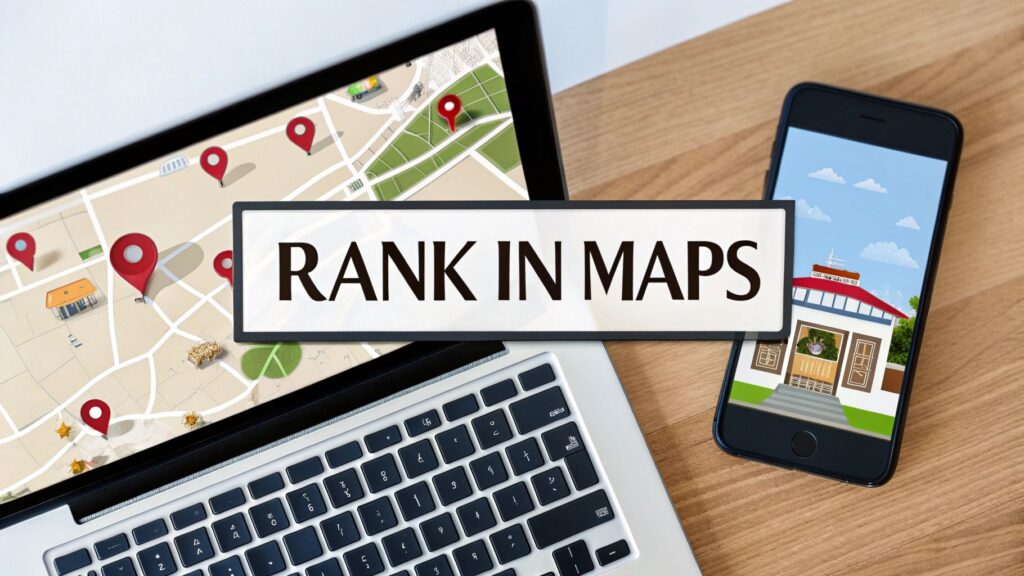
Before we get into the details of how to rank in maps, let's be clear about one thing. For a local service business, Google Maps is the most valuable digital real estate you can own.
Getting your business into the "Local Pack" isn't just for show. It connects you with people in your area who are actively looking for your services right now.
Why Ranking in Google Maps Is So Important
When you need a plumber fast or want to find the best local pizza, what do you do? You probably search on your phone and look at the map results first.
That box at the top of the search results with a map and three businesses is the Local Pack. Getting a spot there is like having a free billboard on the busiest digital street in your city. It puts you in front of customers at the exact moment they need you.
The data backs this up.
Where Do Local Searchers Click?
When someone does a local search, their clicks are very telling. The Local Pack is critical.
| Search Result Type | Percentage of Clicks |
|---|---|
| Google Local Pack | 42% |
| Organic Results | 33% |
| Paid Search Ads | 15% |
A huge 42% of local searchers click one of the top three map listings. On top of that, 88% of people use Google Maps to find local businesses.
A potential customer is also 2.7 times more likely to consider a business reputable if it has a complete Google Business Profile. It all leads to more calls, more leads, and more jobs.
In Short: Ranking in the Google Maps Local Pack puts your business directly in front of a huge portion of customers who are ready to buy.
The 3 Core Local Ranking Factors
So, how does Google decide who gets those top map spots? It comes down to three main ideas. If you understand these, you're on the right track.
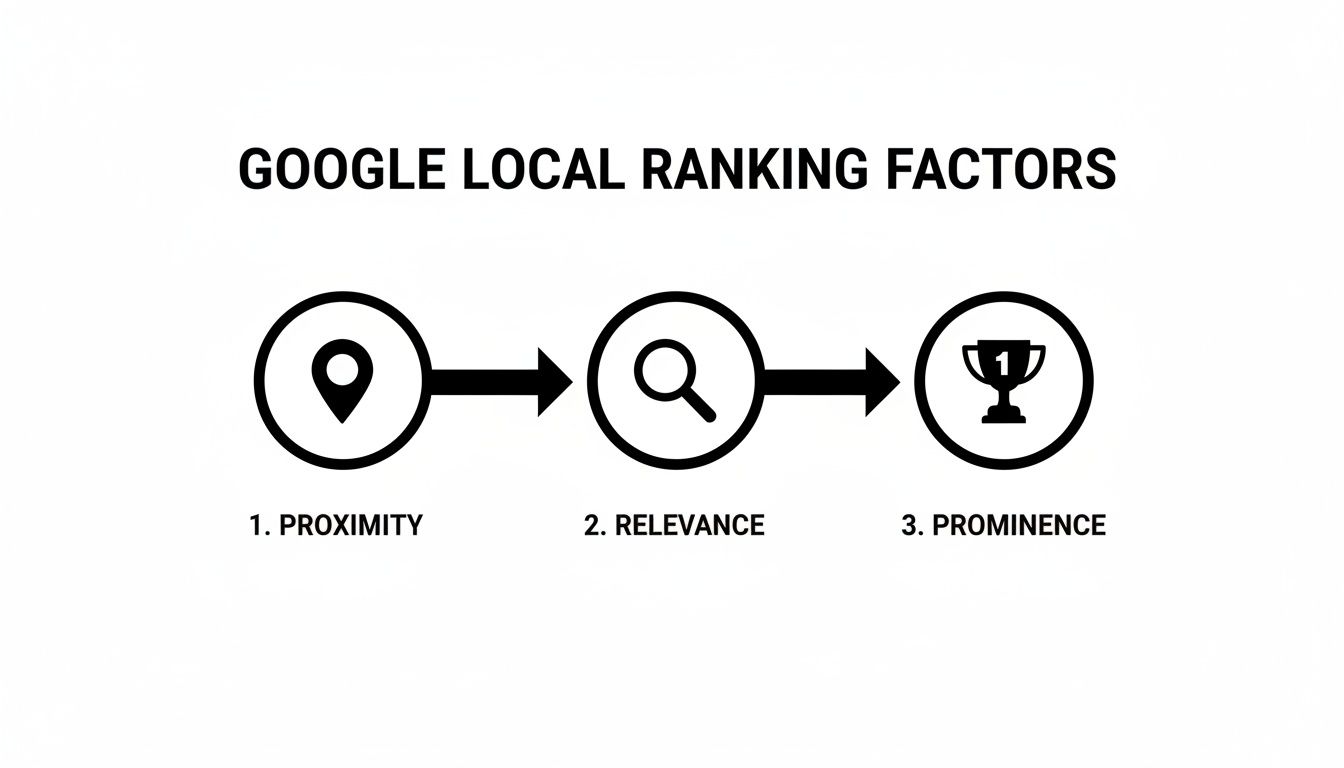
1. Proximity
This is the most straightforward factor: How close is your business to the person searching? You can't move your physical location, but you can ensure your address is listed correctly and consistently everywhere online.
2. Relevance
This is about matching what the searcher is looking for. If someone searches for "24/7 emergency AC repair," does your profile show that you offer it? This is where choosing the right business categories and listing all your services is key. You must clearly tell Google what you do.
3. Prominence
Think of this as your business's local reputation. How well-known is it? Google looks at signals like:
- The number and quality of your online reviews.
- Mentions of your business on other local websites (these are called citations).
- The authority of your website.
A business with hundreds of great reviews and listings in local directories will always seem more prominent than one with only a few.
Ultimately, Google wants to provide the best, most trustworthy answer. By focusing on these three pillars, you send strong signals that your business is the right choice. For a deeper analysis, check out this complete guide on Google Map Pack ranking strategies.
How to Optimize Your Google Business Profile
Your Google Business Profile (GBP) is the command center for your local SEO. It’s not just another listing; it’s your digital storefront. A neglected profile is like a closed sign on your door.
If you want to learn how to rank in maps, you must treat your GBP as a key part of your business. Filling out every section gives Google—and your customers—the information they need.
Nailing the Core Business Information
First, get the basics right. Accuracy and consistency are everything. Google checks your information across the web, and any small difference can hurt your ranking.
- Business Name: Use your actual, legal business name. Do not add keywords like "Austin's Best Plumbing." This can get your profile suspended.
- Address: Your physical location must be accurate.
- Phone Number: Use a local phone number, not a toll-free 800 number. A local area code is a much stronger signal for local SEO.
Your name, address, and phone number (NAP) must be identical everywhere online. Decide if you will use "Street" or "St." and stick with it.
Choosing the Right Business Categories
This is one of the most important steps. Your primary category tells Google exactly what your main business is. Be specific. Choose "Plumber," not "Contractor."
After setting your primary category, add relevant secondary ones. For a plumber, these might include:
- Water Heater Installation & Repair
- Drain Cleaning Service
- Sewer Cleaning Service
Only add categories for services you actually provide. This helps you show up for more specific searches.
Crafting a Compelling Business Description
You have 750 characters to write your business description. This is your chance to speak directly to customers.
- Start with what makes you unique. Are you family-owned? Do you offer 24/7 service?
- Naturally include keywords your customers use, like "same-day refrigerator repair."
- Mention the specific services and brands you work with.
For example, our guide on SEO for appliance repair businesses offers more tailored strategies for specific niches.
Using Every GBP Feature
A complete profile is a trusted profile. Google gives you many tools to showcase your business. Use all of them.
-
Services: Break down your offerings. Instead of "HVAC Repair," list "AC Installation," "Furnace Maintenance," and "Ductwork Cleaning." Each service can have its own description, which is another spot for keywords.
-
Photos and Videos: Regularly upload high-quality photos of your team, vehicles, and completed projects. This shows you are a real, active business. Aim for at least 10-15 good pictures.
-
Google Posts: Use posts for special offers, service highlights, or company news. They expire after seven days, so posting weekly keeps your profile fresh.
-
Q&A Section: Customers can ask questions on your profile. You should be the first to answer. You can also add your own common questions and answers, like "Do you offer free estimates?"
Keeping your profile active sends constant signals to Google that your business is engaged and a great choice for users. This consistent activity helps you climb the map rankings.
Building Trust with Customer Reviews
Customer reviews are the fuel for your local SEO engine. They provide social proof that shows customers you are a trusted business. They also send powerful "prominence" signals to Google.
To effectively use reviews for how to rank in maps, you need a system for getting and managing them.
Why Review Freshness Matters
Is it better to have 100 old reviews or 10 new ones? The answer is clear: a steady flow of new reviews is much more valuable. Fresh feedback tells Google your business is active and providing great service right now.
Research confirms this. One study found that monthly review frequency has a bigger impact on "near me" rankings than total review count. To learn more, you can read the full research about Google Maps rankings.
In Short: Prioritize getting new reviews consistently. A profile with 20 fresh, detailed reviews often performs better than one with 200 old ones.
How to Get More Reviews
Don't just hope for feedback. Make it easy for happy customers to leave a review. The best time to ask is right after you've finished a job.
Here are a few simple ways to ask:
- Send a text: A quick message with a direct link to your GBP review page works well.
- Email follow-up: An email thanking them for their business can also include the review link.
- Leave-behind card: A small card with a QR code linking to your review page is a great physical reminder.
The goal is to remove all friction for the customer.
Why You Must Respond to Every Review
This is non-negotiable. Responding to every review—good and bad—shows you are an engaged business owner who values feedback.
For positive reviews:
- Thank the customer by name.
- Mention the specific service they received.
- Invite them to use your business again.
Example positive response:
"Thanks, Sarah! We're glad you are happy with the new water heater installation. We appreciate your business and hope to see you again!"
For negative reviews:
Handling negative feedback well can actually win you future customers.
- Acknowledge and Apologize: Start by showing you understand their frustration.
- Take it Offline: Provide a direct phone number or email to resolve the issue privately. Don't argue publicly.
- Stay Professional: Your public response is for all future customers who will read it.
Example negative response:
"Hi Mark, we're sorry to hear about your experience. Providing great service is our top priority. Please call our manager, David, at [phone number] so we can make this right."
This approach turns a negative into a public display of great customer service.
Sending The Right Local SEO Signals To Google

Your Google Business Profile is powerful, but it doesn't exist alone. Google looks for clues all over the web to verify that your business is legitimate and relevant. These clues are called local SEO signals.
Building these signals is a key part of how to rank in maps. They come from two places: your own website (on-page SEO) and other places online (off-page SEO).
On-Page SEO: Your Website
Your website is your home base. It needs to clearly communicate that you are a local expert.
One of the best things you can do is create location-specific service pages. Instead of one "Services" page, build out pages like "Drain Cleaning in Scottsdale" or "Water Heater Repair in Mesa." This strategy helps you match what people are searching for in the areas you serve.
On these pages, be sure to:
- Include the city and service in the page title and headers.
- Embed a Google Map of the service area.
- Add testimonials from customers in that location.
What is local business schema?
Another key on-page tool is local business schema. This is a piece of code you add to your website that clearly labels your key business information for search engines. It includes your name, address, phone number, and hours.
Schema makes it simple for Google to verify your details and trust the information it finds. It’s a technical step that many competitors skip.
Off-Page SEO: Building Your Reputation
Off-page SEO is about building your authority on other websites. For local businesses, the most important part of this is citations.
A citation is any online mention of your business's Name, Address, and Phone number (NAP). These appear in directories like Yelp, on social media, and in industry-specific listings.
In Short: Every consistent NAP citation acts as a vote of confidence, confirming your location and legitimacy for Google.
Why NAP Consistency Is Everything
Your NAP information must be identical everywhere. Small differences, like "St." versus "Street," can confuse Google and weaken your authority.
First, do a citation audit to find and fix any inconsistencies online. Once they are clean, you can start building new ones in high-quality directories, like your local Chamber of Commerce. If this seems overwhelming, you can explore local SEO services for small businesses that manage citations for you.
Understanding how customers search is also helpful. Seeing how people go about finding the best printing services near me can provide insights for your own local strategy.
| SEO Factor | On-Page Example | Off-Page Example |
|---|---|---|
| Location Signals | A service page for "HVAC in Austin" | A listing in an Austin business directory |
| Content | A blog post about local building codes | A local blogger mentioning your company |
| Authority | Using Local Business schema on your site | Getting a 5-star review on Yelp |
| Trust | Having a secure website (HTTPS) | Maintaining consistent NAP info everywhere |
When you combine an optimized website with a strong online reputation, you send clear signals to Google that you belong at the top of the map.
Common Questions About Ranking in Maps
Here are answers to some of the most common questions business owners have about how to get ranked in Google Maps.
How long does it take to rank on Google Maps?
There is no simple answer, but with consistent effort, you will see results.
For a typical business in a moderately competitive market, you can expect to see significant progress in your local rankings within 3 to 6 months. This assumes you are actively optimizing your GBP, building citations, and getting new reviews.
In a very competitive market, it may take longer. Consistency is the key.
Does my website's SEO affect my Maps ranking?
Yes, absolutely. Google sees your website as the ultimate source of truth about your business. Your GBP and your website work together.
Here's how they connect:
- On-Page Signals: Location-specific pages on your site tell Google exactly where you operate.
- Mobile-Friendliness: Most local searches happen on phones, so your site must be easy to use on mobile.
- Backlinks: Links from other local businesses act as endorsements, boosting your authority.
A strong website SEO strategy directly improves your "prominence," which is a key factor for ranking high in Maps.
Can I rank in a city where I don't have a physical address?
The short answer is no, not usually in the 3-Pack. Google's local algorithm is built around proximity, meaning it wants to show searchers the closest and best options.
As a service-area business, you can list the cities you serve. This helps you appear in the expanded map results for those areas. However, the top three spots are almost always reserved for businesses with a verified physical address in that city.
Using a P.O. Box or virtual office is against Google's guidelines and can get your profile suspended.
Trying to master local SEO can feel like a full-time job. If you'd rather focus on running your business, let the experts at Clicks Geek handle it. We build local SEO campaigns that bring real customers to your door. Get in touch with us today!