Want to get your business to the top of Google Maps? It all starts with your Google Business Profile (GBP). Think of it as your digital storefront. It’s the main hub that tells Google, "Hey, we're a real, active business right here!" If you don't nail this part, nothing else matters.
Learning how to get on top of google map listing requires treating your GBP like your physical location. It needs regular updates and, most importantly, accurate information. A complete and active profile builds trust with Google and your customers.
Your Foundation for Google Maps Dominance
Your GBP is the most important piece of the puzzle for ranking on Google Maps. It's more than just a pin on a map; it's the first impression you make. An incomplete or outdated profile is a huge red flag for Google. It suggests you might not be the best choice for its users.
In Short: A fully optimized Google Business Profile is the non-negotiable first step to ranking higher in local search results.
Why A Complete Profile Is A Game-Changer
An incomplete profile is like putting a "Closed" sign on an open business. It's a massive roadblock. There's a direct link between how complete a profile is and how well it ranks. We're not talking about a small bump, either.
Fully fleshed-out and verified profiles get much more visibility. Optimized listings also attract more website visits, calls, and requests for directions. Those are the engagement signals Google's algorithm loves to see. This whole process—creating the profile, getting it verified, and keeping it fresh—is how you build trust with Google.
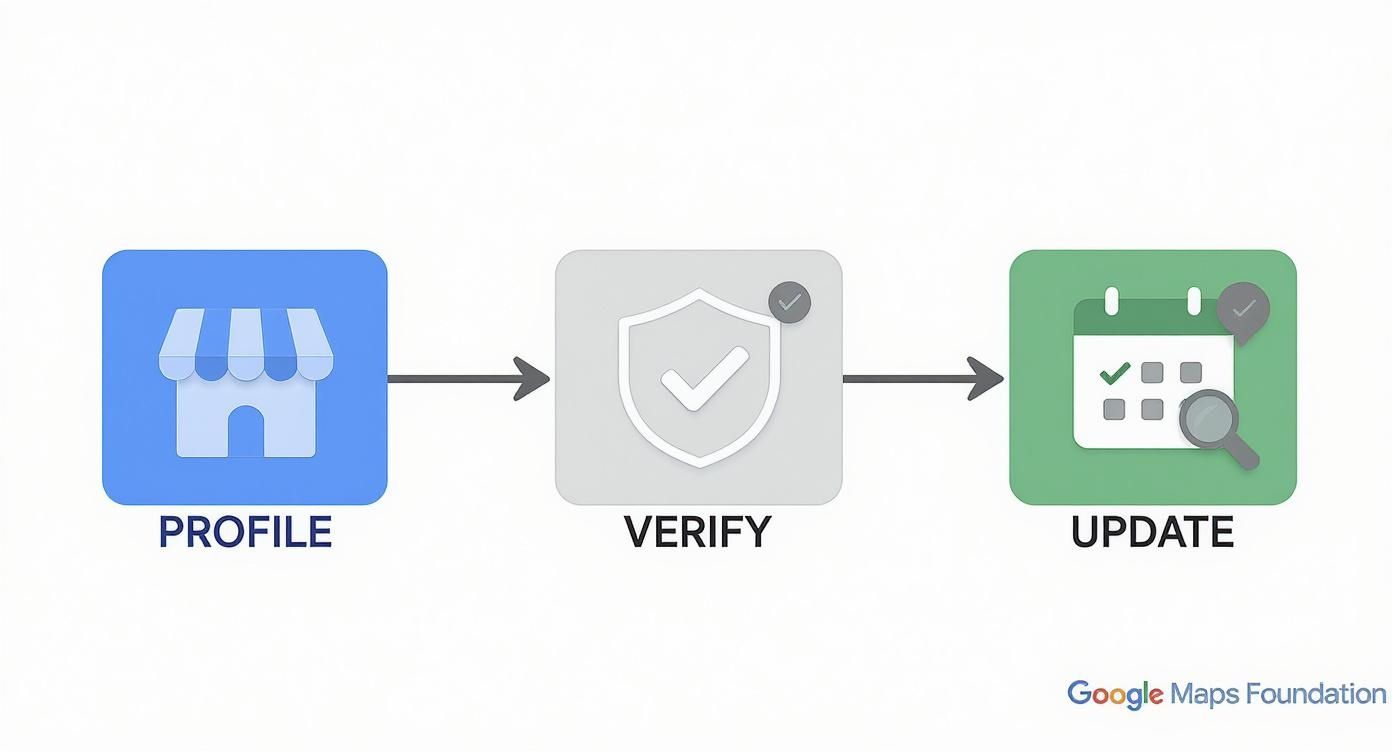
Each step builds on the last, creating a powerful signal that helps push your business higher in the rankings.
Core Components Google Actually Cares About
Google's algorithm wants to give searchers the best, most helpful result. To do that, you need to nail these core elements:
- Business Name, Address, and Phone (NAP): This is critical. Your NAP info has to be identical everywhere online—your website, other directories, everywhere. Consistency is key.
- Business Categories: Be specific. Pick a primary category that perfectly describes your main business. Then, add secondary categories for your other services. For example, a "Plumber" might add "Water Heater Repair."
- Hours of Operation: Keep your hours updated, especially for holidays. Nothing turns a customer away faster than showing up to a closed door when Google said you were open.
To help you get this right, here is a simple checklist of the most important elements to focus on.
Google Business Profile Optimization Checklist
Here's a quick rundown of the must-have optimizations for your GBP. Getting these basics right is the first major step toward better visibility.
| GBP Feature | Why It Matters for Ranking | Action Item |
|---|---|---|
| Complete NAP Info | It’s the foundation of local SEO. Consistency builds trust with Google. | Ensure your Name, Address, and Phone are identical everywhere online. |
| Primary & Secondary Categories | This tells Google exactly what you do, matching you to relevant searches. | Choose the most specific primary category and add all relevant secondary ones. |
| Business Description | An opportunity to include keywords and tell customers what makes you unique. | Write a compelling, keyword-rich description (up to 750 characters). |
| High-Quality Photos & Videos | Visuals increase engagement and show customers what to expect. | Regularly upload new, high-res photos of your work, team, and location. |
| Services/Products | Details your offerings, helping you rank for long-tail service queries. | Add every single service or product you offer with descriptions and pricing. |
| Google Reviews | A massive trust signal. More positive reviews directly impact rankings. | Implement a system to consistently ask every happy customer for a review. |
| Q&A Section | Pre-emptively answers customer questions and shows you're engaged. | Seed your own Q&A with common questions and answer them thoroughly. |
| Google Posts | Keeps your profile fresh and active, signaling relevance to Google. | Share offers, updates, and events weekly using Google Posts. |
Working through this list ensures you're sending the right signals to Google. It's a simple but powerful way to build a profile that Google wants to feature.
A well-maintained Google Business Profile isn't just an SEO task; it's a customer service tool. You're giving people answers and building trust before they even pick up the phone. Tying your GBP efforts into broader local business social media marketing strategies can also boost your brand's visibility.
Build Trust with Consistent Local Citations
After you've polished your Google Business Profile, it's time to look outward. Your business information is scattered all over the web. Getting this information consistent is a huge trust signal for Google. It all comes down to NAP consistency.
That stands for Name, Address, and Phone Number. Simple, right? But many businesses get it wrong.
If Google finds your business listed with slightly different details on different sites, it gets confused. That confusion makes Google doubt your information is reliable. A doubtful algorithm will never push you to the top of the Map Pack.
Why NAP Consistency is a Game-Changer
You might think a tiny difference like "St." on one site and "Street" on another is no big deal. To Google, it's a red flag. Every time your business is mentioned online, it creates a citation. When those citations are a mess, your credibility drops.
Google's goal is to serve accurate, trustworthy results. If it can't decide if your address has "Suite 101" or "#101," it will show a competitor whose online info is clean. They'll get the click, and you won't.
In Short: Your business Name, Address, and Phone number (NAP) must be a perfect match everywhere online, from Yelp to your own website.
This consistency proves to Google that you are who you say you are. It’s essential for building the trust required to rank.
Running a Citation Audit to Clean Up the Mess
Before building new citations, you have to find and fix old, broken ones. This is where a citation audit comes in. You need to hunt down every online mention of your business to check it for accuracy.
You can start manually. Open a spreadsheet and search for:
- Your exact business name
- Your business name + your city
- Your business phone number
- Any old or alternate names
Log every listing you find and highlight any inconsistencies in the NAP. Be meticulous.
Doing this by hand is a lot of work. For a faster analysis, use a tool like BrightLocal or Moz Local. They scan hundreds of directories and show you exactly where your information is wrong. Our guide on how to improve Google Maps ranking dives into why these foundational elements are so crucial.
Building New Citations on High-Authority Platforms
Once the cleanup is done, it's time to build new, accurate citations. Be strategic and focus on platforms that Google already trusts.
Here’s a recommended priority list:
- The Big Data Aggregators: These platforms feed information to hundreds of smaller apps and directories. Get it right here, and accuracy spreads. The main players are Foursquare and Neustar Localeze.
- Top-Tier General Directories: These are the big names you must be on.
- Yelp
- Bing Places
- Apple Maps
- Niche-Specific Directories: These are sites specific to your industry. A plumber should be on HomeAdvisor and Angi. A restaurant needs to be on TripAdvisor and OpenTable. These industry-specific citations show high relevance to Google.
Creating a solid citation profile is a slow and steady process that reinforces your location and builds the authority you need to climb the Google Maps rankings.
Turn Your Customer Reviews into Ranking Juice
Customer reviews are a huge deal for Google. They are a direct signal that people like your business. Every 5-star review is a vote of confidence, telling Google’s algorithm you’re a trustworthy business worth showing to more people.
Reviews are also modern-day word-of-mouth. They give potential customers the social proof they need to call you instead of a competitor. A consistent flow of genuine feedback is essential if you want to understand how to get on top of google map listing.
You Have to Ask for Reviews
Waiting for customers to leave a review on their own is not a strategy. The businesses that succeed on Google Maps have a simple, repeatable system for asking. The goal is to make it incredibly easy for happy customers to share their thoughts.
You don't need a complex system. Just try these:
- The Simple Email Follow-Up: A day after a job, send a quick, personal email. Something like, "Hey [Customer Name], thanks for your business! If you have a second, we'd appreciate your feedback on Google." Then include the link.
- The Quick Text: A text message can get an even better response. Keep it short and to the point, with the review link right there.
- In-Person Cues: A small sign at your front desk or a QR code on an invoice can work well. It catches customers when they're happiest with your service.
The point is to time your request perfectly and remove all friction from the process.
In Short: The best time to ask for a review is right after a positive customer interaction when their satisfaction is at its peak.
Reply to Every Single Review
This is non-negotiable. Responding to reviews, both good and bad, shows you're engaged and that you care. Google notices this activity, and so do potential customers.
Replying to good reviews is easy. A quick "Thanks so much for the kind words, [Customer Name]! We were happy to help" is all it takes.
The real magic happens when you respond to a negative review. A thoughtful and professional reply can win over more future customers than ten 5-star reviews. It shows you’re transparent and willing to make things right. Our guide to mastering the Google Map Pack ranking explains how this engagement builds trust.
The Signals Your Reviews Are Sending
Google looks at more than just your average star rating. It analyzes several review signals to determine your rank:
- Review Volume: The total number of reviews you have. More reviews make you look more established.
- Review Velocity: How often you're getting new reviews. A few reviews every week looks more relevant than one from eight months ago.
- Review Content: Google reads the reviews. Its AI looks for keywords and sentiment. When customers mention "fast plumbing service," it reinforces to Google what you’re all about.
The data backs this up. Recent studies show that reviews influence over 85% of consumer decisions on Google Maps. You can see more of these powerful Google Maps statistics on SQ Magazine.
To make sure your other local signals are strong, using advanced citation analysis tools can help. By actively managing your reputation, you're building a powerful asset that will fuel your climb up the Google Maps ladder.
Connect Your Website with On-Page SEO
Think of your Google Business Profile and your website as a team. They need to tell the exact same story. Your website's job is to confirm every claim your GBP makes about your business.
When Google crawls your site and sees this perfect alignment—same name, address, and services—its confidence in your business grows. Your GBP makes the promise, and your website provides the proof. This on-page SEO work shows Google you're a major player in your local market.
Create Dedicated Location Pages
If you have more than one physical location or serve multiple cities, this is non-negotiable. You need a separate page for each location. A generic "Contact Us" page won't cut it.
For example, a roofer serving both Dallas and Fort Worth needs two separate pages:
yourwebsite.com/dallas-roofing-servicesyourwebsite.com/fort-worth-roofing-services
This structure sends a clear signal to Google about where you operate. It also lets you tailor your content to each city, mentioning local landmarks or neighborhoods.
In Short: For multi-location businesses, skipping unique location pages is one of the fastest ways to confuse Google and get outranked.
Weave in Local Keywords Naturally
Once you have your dedicated pages, add local keywords. This isn't about stuffing "plumber in Brooklyn" into every sentence. It’s about making it obvious what you do and where you do it.
Focus on getting your primary service and city into these key spots:
- Page Title (Title Tag): This is your billboard on Google's search results.
- Example:
Expert Plumbing Repair in Brooklyn | Smith & Sons Plumbing
- Example:
- Header Tags (H1, H2): Your main H1 heading should reflect the page title.
- Example H1:
Brooklyn's Most Trusted Plumbers - Example H2:
24/7 Emergency Leak Repair Services
- Example H1:
- Body Content: Talk about your services in the context of the location.
- Image Alt Text: Describe photos for both screen readers and search engines.
- Example:
New water heater installation in a Park Slope brownstone.
- Example:
Use Schema Markup and Map Embeds
These next two steps are like giving Google a perfectly organized spreadsheet about your business.
LocalBusiness Schema: This is code you add to your website that explicitly tells search engines your NAP (Name, Address, Phone Number), hours, and services. You can use a free tool like the Schema Markup Generator to create it. It spoon-feeds Google the exact data it needs.
Embed a Google Map: On your location or contact page, embed the actual Google Map of your business listing. This creates a direct link between your website and your Google Maps presence, confirming your location and reinforcing trust.
Playing the Hand You're Dealt: Proximity and Engagement
https://www.youtube.com/embed/ndJB4J951_k
Let's talk about two big pieces of the Google Maps puzzle: proximity and user engagement. You don't have total control over them, but you need to understand how they work.
Proximity is how close your business is to the person searching. You can't move your building, but you can send signals to broaden your service radius.
Engagement is what people do once they find you. Do they click to call, request directions, or visit your website? Every interaction is a vote of confidence. Google sees this and thinks, "This business is useful."
Tackling the Proximity Problem
Even though your physical address is fixed, you can influence how Google sees your "local turf." The goal is to show up in searches even when the user isn't right on your doorstep. This is crucial for businesses that travel to customers, like plumbers or electricians.
Your first move is to get specific with your service areas in your Google Business Profile. Don't just put "Chicago." List the zip codes, neighborhoods, and surrounding towns you work in. This gives Google a clearer map of where you're relevant.
Being near a city center gives you a natural advantage. A 2025 study from SearchLab Digital found that businesses within about 12.3 miles of a city's center tend to perform better in Google Maps. The algorithm wants to show results that are accessible to more people.
Driving the Engagement Signals That Actually Matter
This is where you can make a real difference. Your goal is to turn your GBP from a static page into an interactive hub. When Google sees a lot of activity, it assumes you're a high-value result.
Focus on encouraging these user actions:
- Click-Through Rate (CTR): How many people see your listing and click on it? Great photos and lots of positive reviews make that click irresistible.
- Phone Calls: The "Call" button is pure gold. A high volume of calls is a massive signal that people are ready to do business.
- Direction Requests: This tells Google someone intends to physically visit your location.
- Website Clicks: This shows that users want to learn more, boosting your authority.
Simple Ways to Get People Clicking
How do you get users to take these actions? You have to give them a reason. Be genuinely helpful and compelling.
- Beef Up Your Visuals: Upload crisp, high-quality images of your team, your work, or your storefront. A short video tour can also work wonders.
- Use Google Posts Strategically: Think of Posts as free ad space. Announce a sale or share a helpful tip. Always include a call-to-action like "Call Today for a Free Estimate."
- Turn On Direct Messaging: Let customers ask you a quick question right from your profile. Responding quickly is a great engagement signal.
- Build Out Your Q&A Section: Seed your Q&A with common queries and provide clear answers. This shows customers and Google that you're an active expert.
By focusing on these steps, you're actively showing Google that your business is a valuable resource. This is the core of how to get on top of a Google Map listing and how to stay there.
People Also Ask About Ranking on Google Maps
If you're diving into local SEO, you probably have questions. Let's cover some of the most common ones people ask when trying to climb to the top of Google Maps.
How do I get my business to show up on Google Maps?
To get your business on Google Maps, you must create and verify a Google Business Profile (GBP). Go to google.com/business, sign in with a Google account, and follow the steps to add your business name, address, phone number, category, and other details. Google will then mail a postcard with a verification code to your physical address to confirm it's a legitimate business.
How long does it really take to get to the top of Google Maps?
The honest answer is: it depends. The speed of your climb is tied to how competitive your industry and city are. For a business in a moderately competitive market, you could see serious progress in 3-6 months if you're consistent. This means you are optimizing your GBP, building citations, and getting a steady stream of reviews.
If you're a plumber or lawyer in a major city, you're in a tough fight. In those cases, expect a 6-12 month journey, and sometimes longer, to reach the top spots. Consistency is the secret. Regular photo uploads, weekly Google Posts, and responding to every review build momentum over time.
Can I rank on Google Maps without a physical address?
Yes, absolutely. Businesses that serve customers at their location, like plumbers or mobile detailers, are called Service Area Businesses (SABs). During your Google Business Profile setup, you can hide your physical home address. Instead, you'll define the specific cities, zip codes, or general region you cover. This establishes your local relevance without showing a storefront.
For an SAB, your ranking is about your authority across your entire service area. Things like customer reviews and local landing pages on your website become even more important.
Ready to stop guessing and start ranking? The team at Clicks Geek specializes in local SEO strategies that get businesses like yours to the top of Google Maps. We handle the complex details so you can focus on what you do best—serving your customers. Learn more about our local SEO services and let's get you found.